Chapter 7: Operation
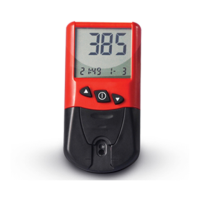
1. Turn the meter on
Press the Power switch key to turn th-
e meter on. The meter automatically monit-
ors its internal circuitry and components du-
ring a brief self-check. The meter is ready
when the test strip prompts, Lot Code and
time/date are displayed.
Note: To conserve the battery, the met-
er will automatically shut off after 2 minutes
of inactivity. If this happens, turn the meter
on again.
2. Input Lot Code of the Test Strip
Input the lot code as follows:
1) Press the Power switch to turn the met-
er OFF.
2) Insert the code card correctly into the C-
ode slot. Press the Power switch to turn
the meter ON, the meter will read the code
card automatically and display the code on


 To Next Page