Strip holder: hold strips
SET key: set function (under the strip hold-
er, refer to Chapter 6)
Chapter 6: Setting
1. Meter Options Setting
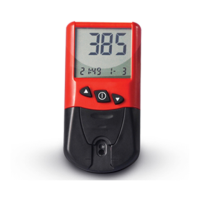
Before the first time using URIT-12
Hemoglobin Meter, the user must enter the
following settings:
• Time and date format.
• Current time and date.
2. Entering Settings
Step 1: Lift the test strip holder off the met-
er.
Step 2: Turn the meter on by pressing the
Power switch key. Wait until the meter dis-
plays the Lot Code, time and date.
Now the meter can be customized for
time and date format, current time and dat-
e.
3. Time and Date Format:
The user can select both display time


 To Next Page