Page 35
LPX SEED TREATER
1.
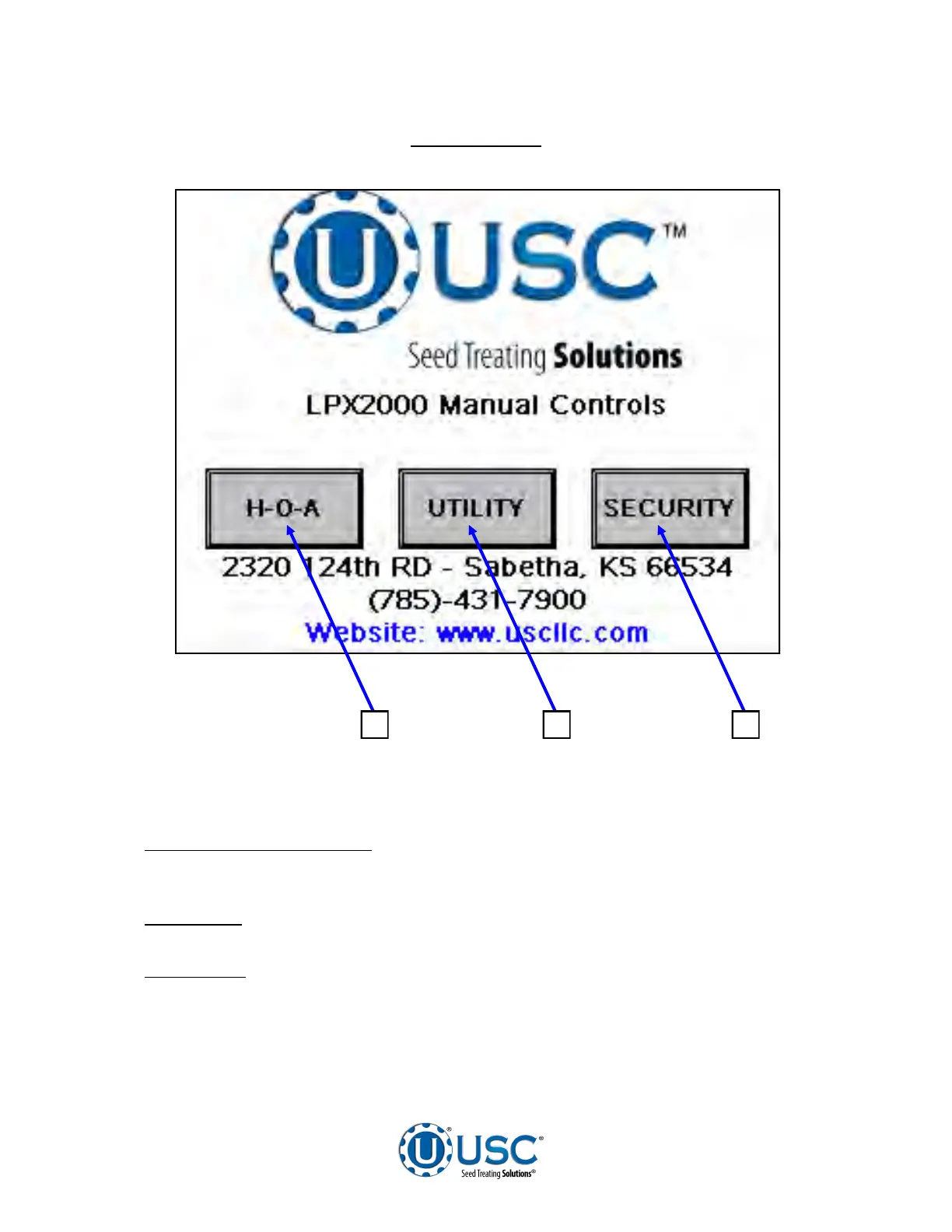
H - O - A (Hand-Off-Auto):
This button advances the operator to the H-O-A
screen (page 36).
2.
UTILITIES:
This button advances the operator to the UTILITIES screen (page 38).
3.
SECURITY:
This button advances the operator to the Security screen. This
screen is for setting up the basic parameters of the system. It will only be used by
a system administrator or USC service personnel.
MAIN SCREEN
1 2 3


 To Next Page