EasyManua.ls Logo

Usl JSD-80 - User Manual

Usl JSD-80
39 pages
Print Icon
To Next Page IconTo Next Page
Loading...
USL, Inc.
JSD-80 Instruction Manual
Page 1
3rd Edition. February, 2006
1. Introduction
....................................
3
1.1 Safety notice
1.2 Unpacking
1.4 Technical Specifi cations
1.5 Certifi cations
2. Installation
......................................
9
2.1 System Hardware Mounting
and Grounding
2.2 System Cooling and Ventila-
tion
3. Block Diagrams
............................
10
3.1 Audio Block Diagram
3.2 Two-Channel Analog Inputs
Block Diagram
3.3 Eight-Channel Input Block
Diagram
3. Control Block Diagram
4. System Modules
...........................
14
4.1 Input Module
4.2 Output Module
4.3 Control Module
5. Front Panel
....................................
15
5.1 Overview
5.2 Adjusting Format Levels
5.3 Adjusting Projector Gains
6. Back Panel
....................................
16
6.1 Rear Wiring Diagram
6.2 Back Panel Input Connec-
tions
6.3 Back Panel Signal Output
Connections
6.4 Other Back Panel Connec-
tions
7. JSD-80 Interface Software
............
19
7.1 Installation Procedure
7.2 Opening screen
7.3 Profi le Screen
7.4 Formats Screen
7.5 Inputs Screen
7.6 Equalizer Screen
7.7 Outputs Screen
7.8 Slit Eq Analyzer
7.9 Creating, Saving and Loading
Confi guration Files
8. “A” Chain Alignment
....................
23
8.1 Preparing the Soundhead
8.2 Alignment of Solar Cell and
Preamplifi er
8.3 Sum and Difference Mode
8.4 Mono EQ and Bypass Level
8.5 Optical Surround Gain and
Delay
8.6 Optical Subwoofer
8.7 Analog Non-Sync, Aux and
Mic levels
8.8 Digital Non-Sync, Digital Aux,
and Digital eight-channel
inputs
8.9 Digital Time Delays
9. “B” Chain Alignment
....................
29
9.1 Channel confi guration
9.2 Headroom settings
9.3 Main channels
9.4 Subwoofer channel
9.5 Saving Settings After Align-
ment
10. Other Options
..............................
33
10.1 Pre-set Format Levels
10.2 Startup Mode
10.3 Remote Fader
10.4 System Restore from Person-
ality Module
11. Trouble Shooting
.........................
35
12. Connector Pinouts
.......................
38
13. Installation Check List
.................
39
Table Of Contents
JSD-80
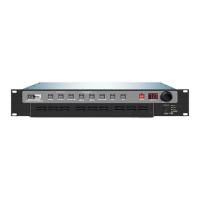
Cinema Sound Processor

Questions and Answers

  • S
    sabrina97Sep 12, 2025
    What to do if Usl Recording Equipment sound system does not work and no LEDs are lit on the Front Panel?
    • E
      emilyramirezSep 12, 2025
      If the Usl Recording Equipment sound system does not work and no LEDs are lit on the front panel, reset the circuit breaker or replace the fuse. Ensure the power cord is firmly seated. Replace the fuse with a SLO BLO 500 mA, 250 V fuse.
  • A
    Adam WrightSep 13, 2025
    What to do if no sound in one or more front channels of Usl Recording Equipment?
    • R
      Ryan JohnsonSep 13, 2025
      If there's no sound in one or more front channels of your Usl Recording Equipment, and the channel or channels are still dead, the issue likely lies with an amplifier, speaker, or wiring. If all front channels work, the problem is in the JSD unit. Check different formats to see if the problem is isolated to one format. Refer to later section in TROUBLESHOOTING.
  • J
    John GuerraSep 15, 2025
    What to do if all the format button LEDs flash and numbers appear in the main fader display of Usl Recording Equipment?
    • J
      john59Sep 15, 2025
      If all the format button LEDs flash and numbers appear in the main fader display on your Usl Recording Equipment, make a note of the numbers displayed. Put the unit into BYPASS to prevent possible loudspeaker damage. The flashing LEDs indicate detected software corruption. A “91,” “92,” or “93” signifies a software fault in the Input Module (JSDA80), while a “61,” “62,” or “63” indicates a software fault in the Output Module (JSDO80). Have a technician replace the defective module and follow the System Restore procedure in Section 10.4.

Summary

Introduction

Safety Information and Standards

General safety precautions for product use and compliance with international safety standards.

Technical Specifications and Connections

Detailed technical specifications including signal connections, inputs, outputs, and audio paths.

Declaration of Conformance, CE

Lists CE compliance, certifications, and equipment classification details.

Installation

System Hardware Mounting and Grounding

Guidelines for rack mounting, grounding, and physical installation of the unit.

System Modules

Back Panel

JSD-80 Interface Software

7.1 Installation Procedure

Instructions for installing the JSD-80 interface software on a computer.

7.5 Inputs Screen

Controls for preamp, matrix, EQ, and analyzer setup.

7.8 Slit EQ Analyzer Screen

Real-time analyzer for assessing audio frequency response.

7.6 Equalizer Screen

Screen for adjusting auditorium equalization settings.

“A” Chain Alignment

8.1 Preparing The Sound Head

Steps to prepare the projector sound head for alignment procedures.

8.2 Alignment of Solar Cell and Preamplifier

Procedure for aligning the solar cell and preamp with the film.

“B” Chain Alignment

9.4 Subwoofer Channel

Setting up and equalizing the subwoofer channel for optimal bass response.

9.3 Main Channels

Aligning main channels including left, center, and right speakers.

Other Options

10.4 System Restore

Procedure for restoring system settings in case of failure.

Trouble Shooting

System Not Working (No LEDs)

Troubleshooting steps when the system is not working and no front panel LEDs are lit.

Distorted Sound

Steps to diagnose and resolve audio distortion issues.

System Not Working (LEDs Lit)

Troubleshooting steps when the system is not working but LEDs are lit.

No Sound in Front Channels

Diagnosing issues when one or more front channels have no sound.

No Sound in Surround Channel

Troubleshooting steps for a missing surround channel.

Installation Check List

B Chain Alignment Checklist

Checklist for performing B Chain audio alignment procedures.

Usl JSD-80 Specifications

General IconGeneral
BrandUsl
ModelJSD-80
CategoryRecording Equipment
LanguageEnglish

Related product manuals