12
n In order to unlock the device, press and hold the MENU button
for 3 seconds
n Press the MENU button again
n Press the UP ▲ button twice („Chlorine” icon will be
highlighted)
n Confirm by pressing the CONFIRM ■ button
n Activate or deactivate the function by pressing the UP ▲
or DOWN ▼ buttons
n Confirm by pressing the CONFIRM ■ button
n After confirmation you will automatically exit to menu
n Press the MENU button in order to return to the „stand-by”
mode
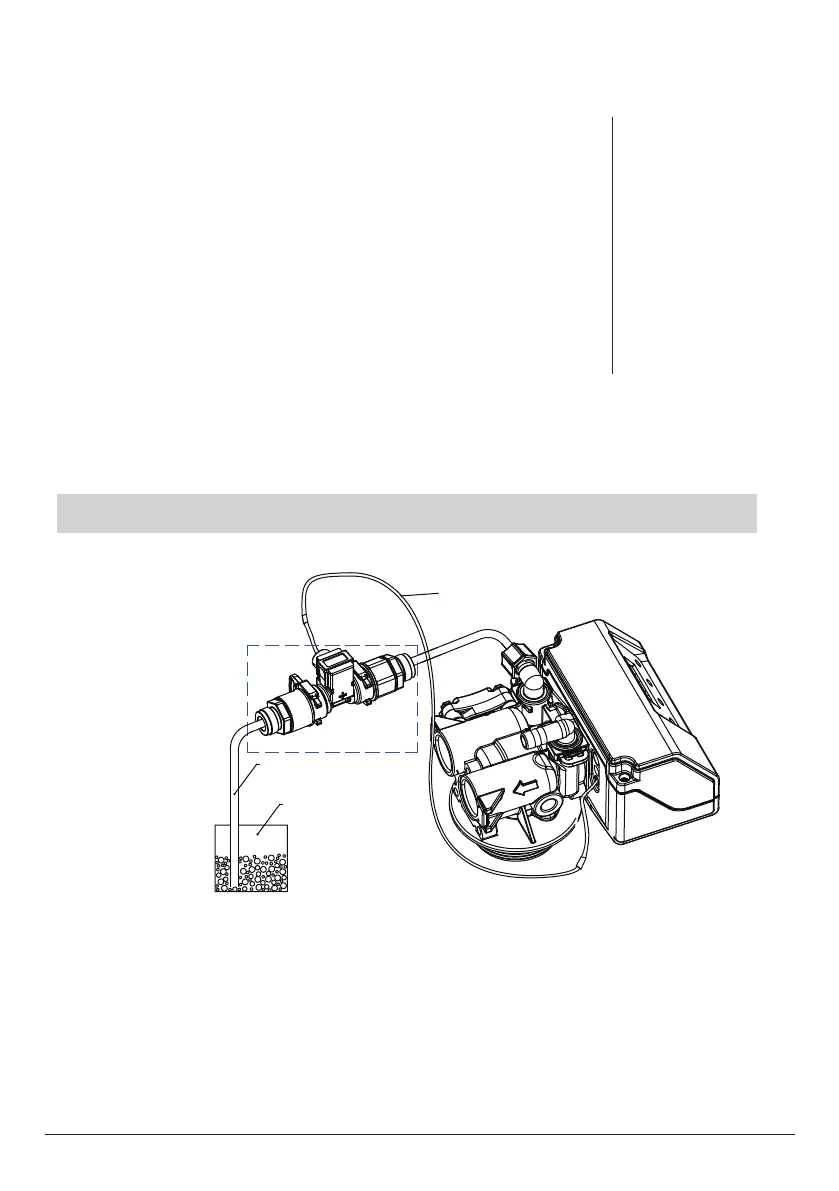
Activation / deactivation of the free chlorine generator
Residual chlorine generator
Signal line
Brine line
Brine tank
Residual chlorine generator



 To Next Page