Operation Panel
6-122
Adjust Magenta (Magenta correction)
Corrects the registration for magenta (red).
1 In the Adjust/Maint. menu screen, press or to select Color
Regist..
2 Press [OK]. The Color Regist. menu screen appears.
Press [Exit] ([Right Select]) to return to the standby screen.
3 Press or to select Normal.
4 Press [OK]. The Color Regist. Normal menu screen appears.
Press [Exit] ([Right Select]) to return to the standby screen.
5 Press or to select Adjust Magenta.
6 Press [OK]. The Adjust Magenta screen appears.
0 is displayed for the H-F, V and H-R values and the cursor (_)
flashes under the F value.
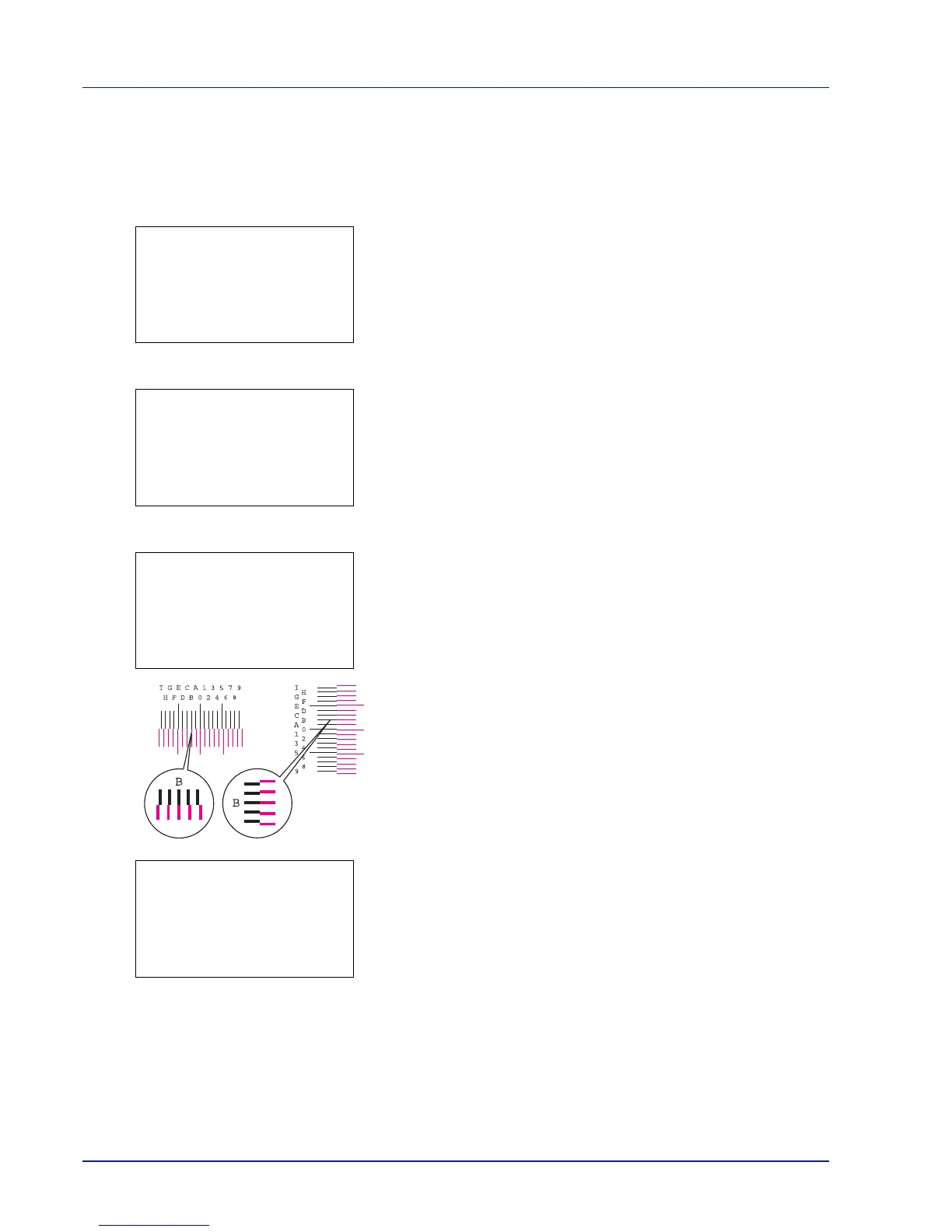
7 In the F chart for magenta printed in Print Chart above, note the
values where the lines are closest to forming a single straight line.
This would be B in this figure.
8 Press or until that value is displayed.
9 Press or to move the cursor right or left.
Using the same procedure as for the H-F value, display the V and H-
R values identified in the color registration correction chart.
When you have completed all the values, press [OK].
The setting is saved and you are returned to the Color Regist.
Normal menu screen.



 To Next Page