
EasyManua.ls Logo

utmark X500 User Manual

utmark X500
16 pages
To Next Page IconTo Next Page
Page #1 background imageLoading...
Page #1 background image
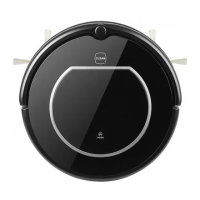
Smart Vacuum Cleaner
Model: X500
User Manual

Questions and Answers:

utmark X500 Specifications

General IconGeneral
Brandutmark
ModelX500
CategoryVacuum Cleaner
LanguageEnglish

Summary

Safety Instructions

Product Features

Powerful Suction & Intelligent Suction Adjustment

Features powerful 25W suction and intelligent adjustment for different floor types, improving efficiency and saving power.

Considerate Designs

Includes easy one-button operation with tone confirmation and a washable dust bin for hygienic cleaning.

Various Cleaning Modes

Offers four cleaning modes: Auto, Spot, Edge, and Scheduling, to adapt to diverse cleaning requirements and user preferences.

Product Parts

Main Body and Accessories

Details the main body components and accessories included, such as the charging base, remote control, adapter, and cleaning tools.

Robot Anatomy

Provides a detailed diagram of the robot's anatomy, labeling key parts like sensors, brushes, wheels, and dust bin assembly.

Charging Home Base & Virtual Wall

Explains the charging home base and virtual wall functions, including how to install batteries in the virtual wall unit for zone control.

Remote Control Overview

Describes the buttons on the remote control and provides instructions on how to use it to operate the robot effectively.

Display Panel Functions

Details the robot's display panel, including the number display, error indicators, and the functions of each button for user interaction.

Product Operating

Getting Started and Charging

Guide on setting up the charging home base, powering on the robot, and initial charging procedures for optimal battery life.

Starting, Pausing, and Sleeping

Instructions on how to start, pause, and put the robot into sleeping mode, including automatic sleep after inactivity.

Scheduling Cleaning

Explains how to set scheduled cleaning times using the main body controls or the remote, allowing automated cleaning routines.

Cleaning Modes Explained

Details the Auto, Spot, and Edge cleaning modes, explaining how each mode functions and when to use them for effective cleaning.

Virtual Wall Usage

Instructions on positioning the virtual wall accessory to define off-limit areas, preventing the robot from entering restricted zones.

Product Maintaining

Cleaning Side Brushes

Guidance on cleaning side brushes when dirty and replacing them if damaged, ensuring proper L/R alignment with the robot base.

Dust Bin and Filter Maintenance

Steps for cleaning and emptying the dust bin and HEPA filter, including washing, drying, and potential replacement.

Sensors and Wheels Cleaning

Instructions for gently wiping cliff sensors, charging sensors, wheels, and suck passage with a dry cloth for optimal performance.

Troubleshooting

Error Code Sheet

A comprehensive list of error codes, their causes, and recommended solutions for diagnosing and resolving common robot issues.

Product Specifications