6
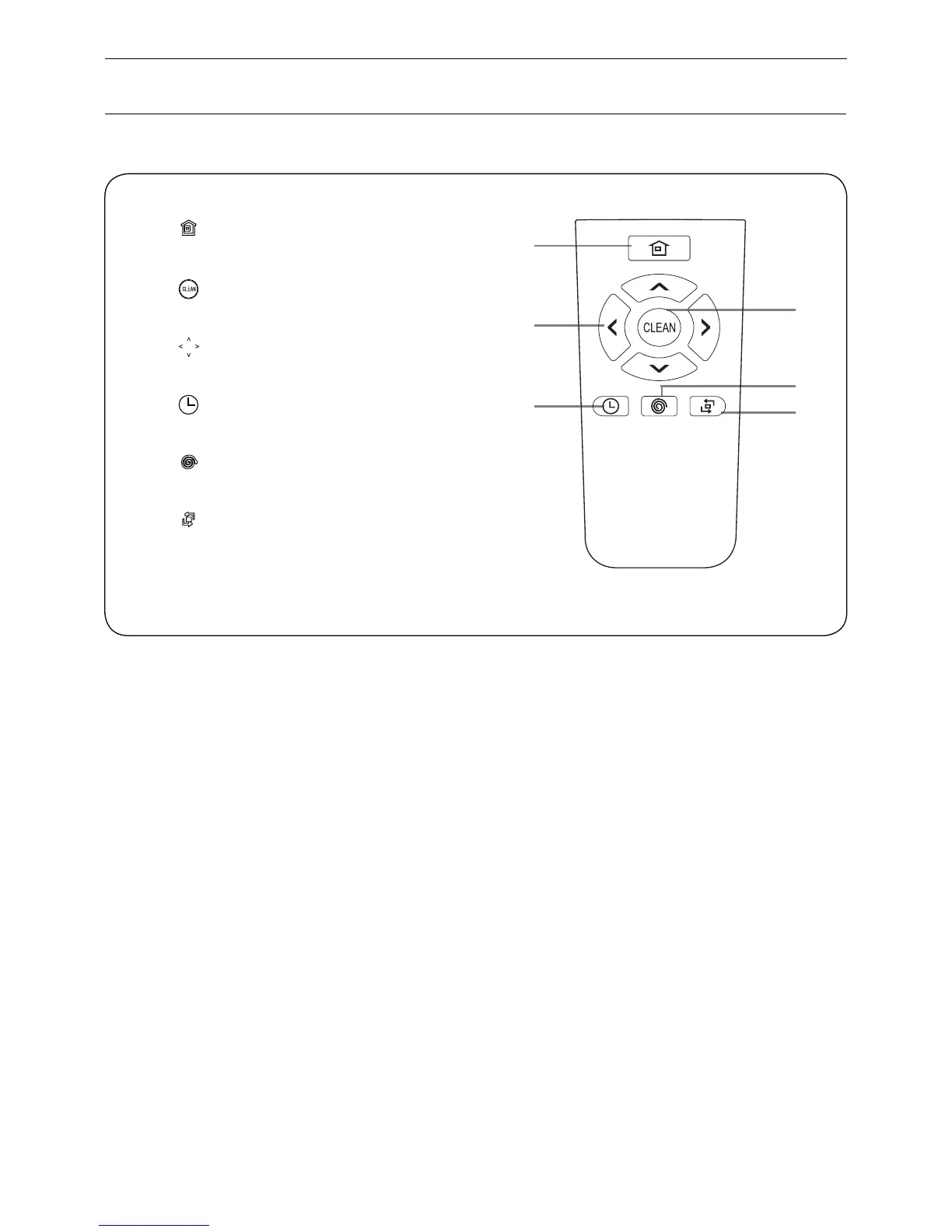
1. “ ” Home button
2. “ ” Clean/Power button
3. “ ” Directional Buttons
4. “ ” Scheduling button
5. “ ” Spot button
6. “ ” Edge button
You could use the remote like your TV remote.
First make sure the power switch at the bottom side of the robot is on,
then pointing it towards the robot and using it to control the robot.
*Install two AAA type batteries into the remote.
*If you use the remote near charging home base, it may not recognize
command from the robot and may not work.
Product Parts
Remote control
3
1
2
5
6
4


 To Next Page