Product Operating
4. Cleaning mode
1>. Auto cleaning
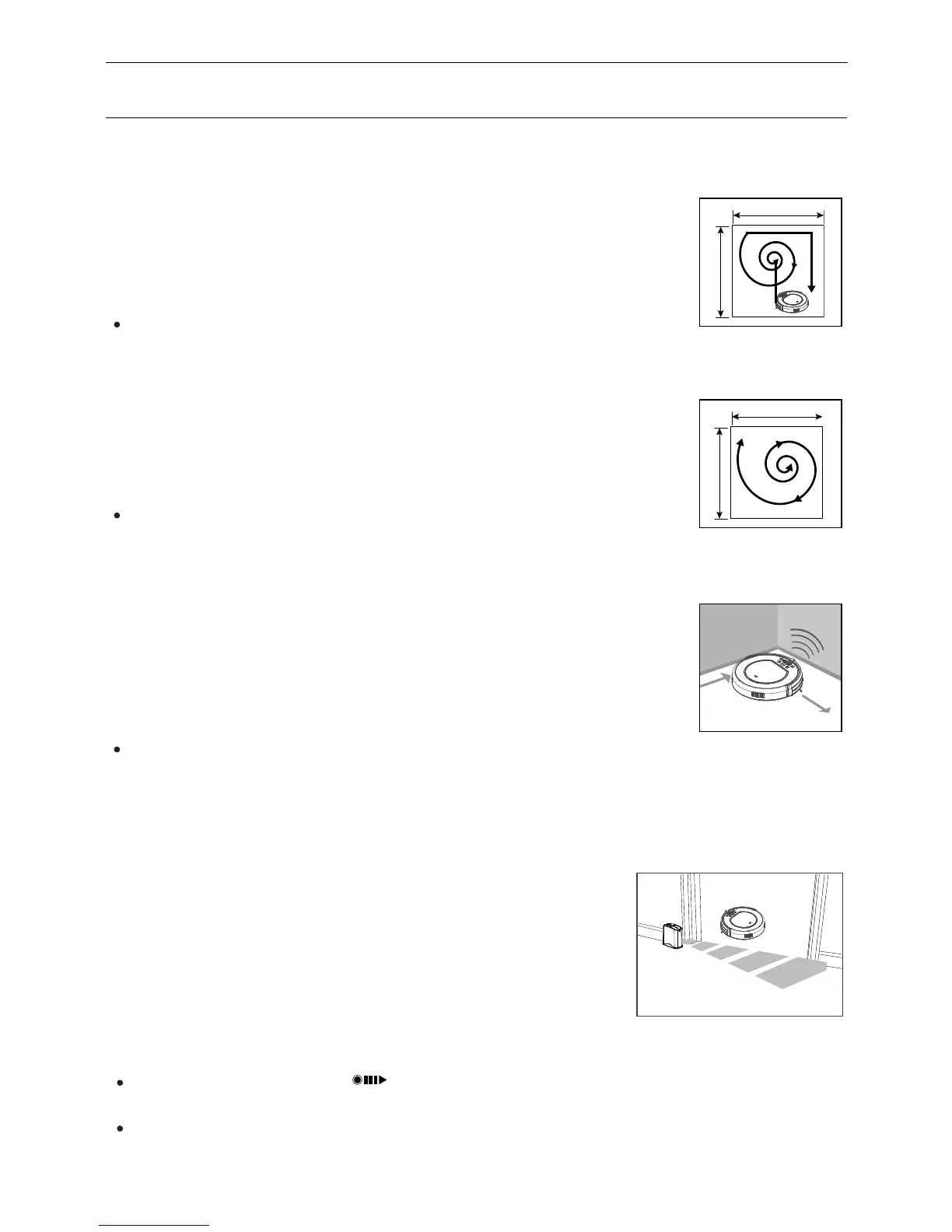
The robot will clean a room automatically and adjust according to the situation.
Note:
�
Press CLEAN button on robot or on remote control to start auto cleaning.
2>. Spot cleaning
The robot will automatically enter spot cleaning mode when it detects a dirtier
area, or you could press SPOT on robot or remote control to start spot cleaning.
Note:�
If manually select spot cleaning, press CLEAN to stop it. Or it will
automatically stop after the area is cleaned and then the robot will turn to
selected mode.
3>. Edge cleaning
Put the robot near the edge (wall) and press EDGE on remote to start edge
cleaning.
Note:
If manually select edge cleaning, press CLEAN to stop it, or it will automatically
stop when the robot finds the charging home base.
5. Virtual wall use (virtual wall is optional accessory)
Virtual wall is used to prevent robot from entering off-limit
area. For best results, place virtual wall on outside of the
doorway youwant to block.
The virtual wall could create a light stripe as long as 3
meters.
1>. After batteries installed, turn on the power switch.
2>. Put the virtual wall where you want it to work.
Note:
� When using virtual wall, put “ ” side of virtual wall towards
the area you want to set.
� Turn the power off when not using virtual wall.
2
1
10
3


 To Next Page