Uern D70 — General Informaon
12
Please note that operator vision from the helm may be obstructed by high trim angles of the cra,
along with other factors such as outboard engine trim angles, hull trim plane angles, loading and load
distribuon, speed & acceleraon, transion from displacement to planing mode, sea condions, rain
and spray, darkness and fog, interior lights, posion of tops and curtains, and persons or movable
gear in the operator’s eld of vision.
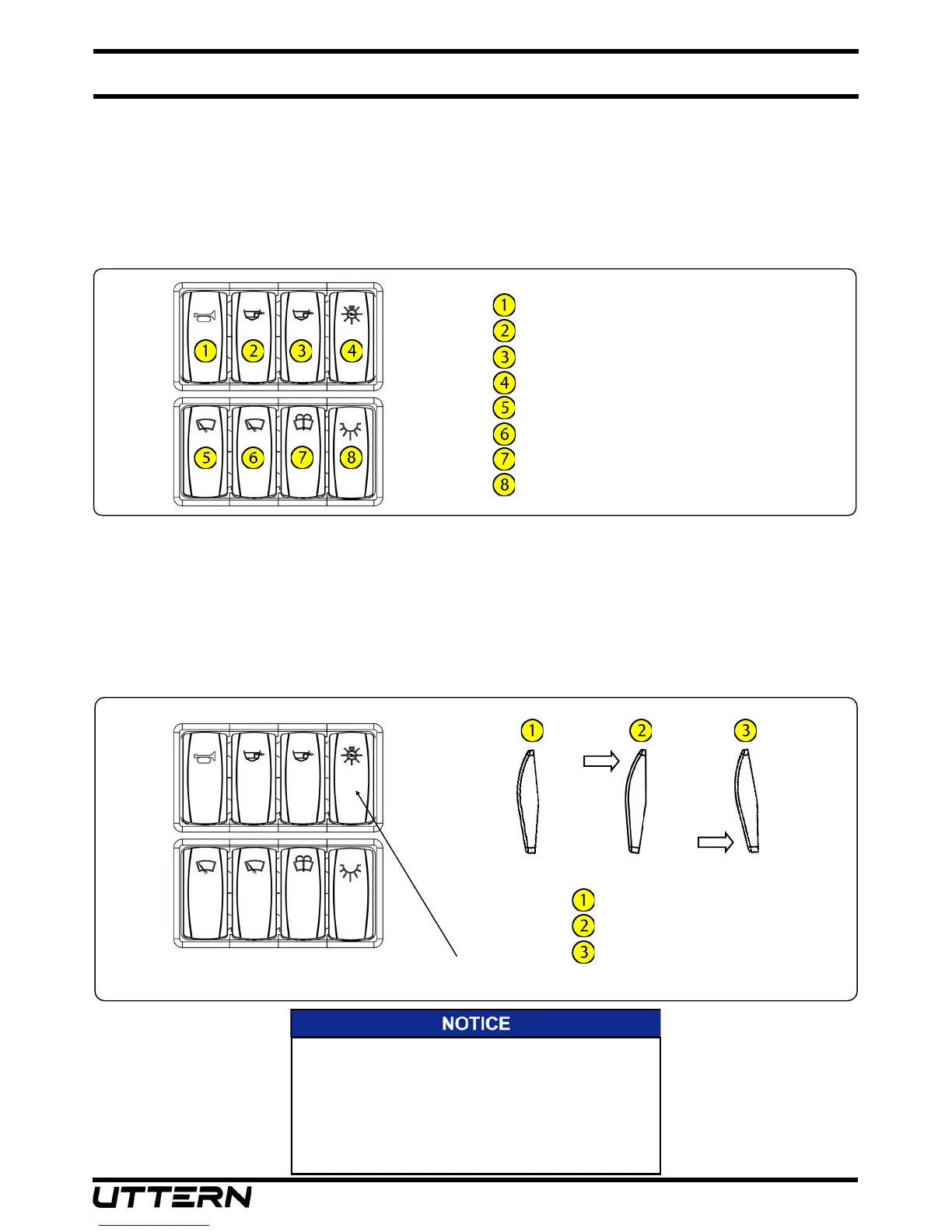
Dash Switch Panel
Horn
Forward bilge pump
A bilge pump
Navigaon lights
Port windshield wiper
Starboard windshield wiper
Windshield washer
Courtesy lights
13. Navigaon Lights
Your boat comes equipped with navigaon lighng for use at night or in low visibility condions. Prior
to running at night, make sure that the all around light located on the seat back is installed in the
upright posion. A three posion switch, located at the helm switch panel, controls the navigaon
lights. To turn on the Navigaon Lights, push the upper part of the switch forward. This illuminates on
the port (red), starboard (green) and all around light (white) showing other vessels that you are
underway. To turn on the Anchor Light, push the lower part of the switch down. This illuminates the
all around light (white), leng other boaters know that you are anchored at a given locaon.
Navigaon Lights “OFF”
Navigaon Lights “ON”
Anchor Light “ON”
Navigaon light switch
The Internaonal Regulaons for Prevenng Collisions at
Sea (COLREG) and the rules of the road require that a
proper lookout be maintained at all mes and observance
of right of way be respected. Always be certain to have
sucient distance to stop or manoeuver if required to avoid
collisions.


 To Next Page