After you select the “Choose schedule script” option, it will list all schedule scripts in the “schedules”
folder. You can choose one, and then Witty Pi will load and run it.
If you want to confirm what the script is doing, you can check the “schedule.log” file in the “~/wittypi”
directory, when your Raspberry Pi is running.
If you want to create your own schedule script, please read the “Making Schedule Script” section.
7.7 Set low voltage threshold
If you are powering your Witty Pi via the XH2.54 connector, and the input voltage is lower than the
low voltage threshold, Witty Pi will shut down your Raspberry Pi. Here you can specify the low
voltage threshold from 2.0V to 25.0V. If you want to disable the low voltage threshold, just set it to 0,
which is actually its default value.
7.8 Set recovery voltage threshold
If you are powering your Witty Pi via the XH2.54 connector, and the input voltage is higher than the
recovery voltage threshold, Witty Pi will turn on your Raspberry Pi if it was previously shut down due
to low input voltage. Here you can specify the recovery voltage threshold from 2.0V to 25.0V. If you
want to disable the recovery voltage threshold, just set it to 0, which is actually its default value.
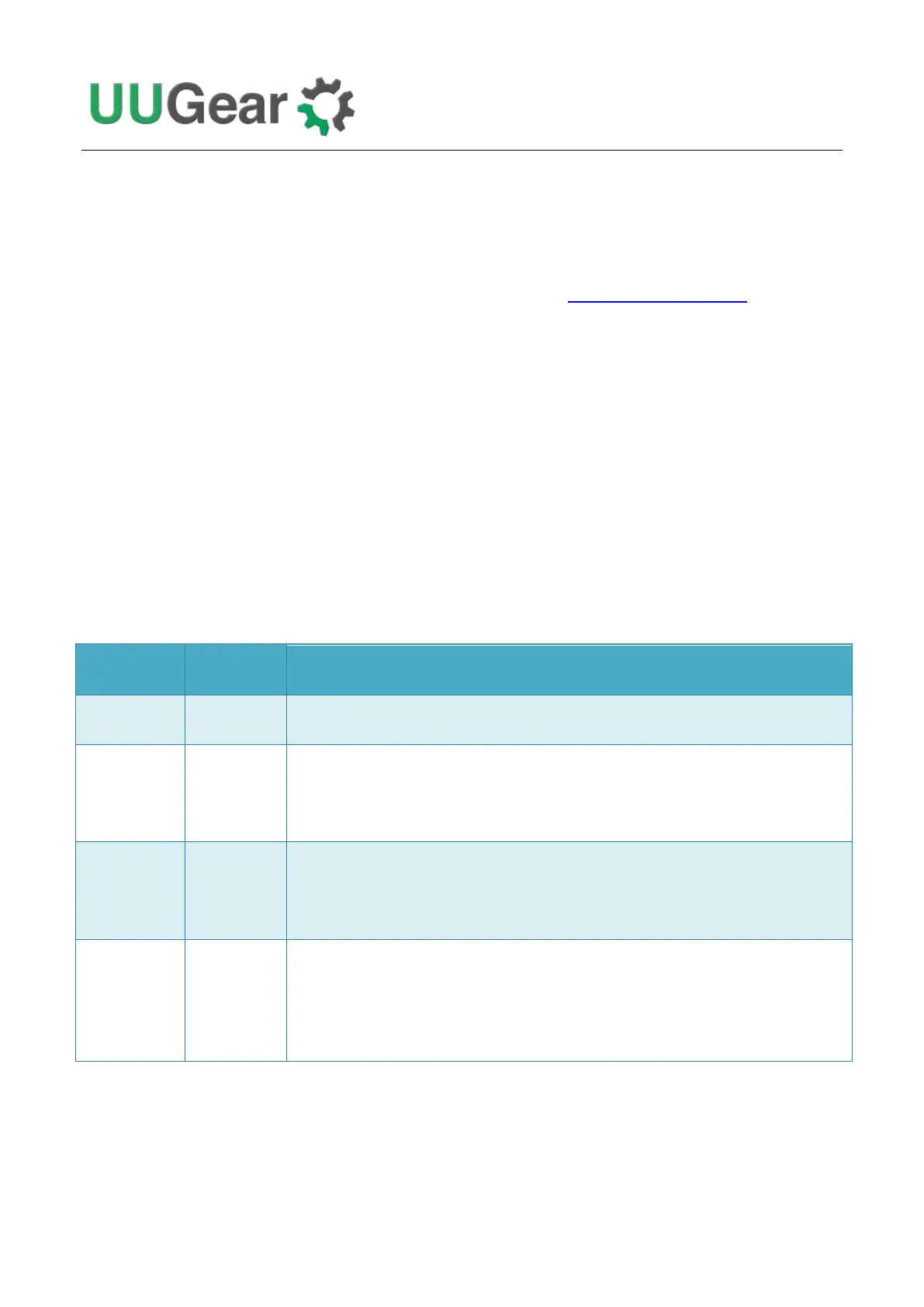
Witty Pi doesn’t care about the input voltage changing.
Witty Pi will shut down your Raspberry Pi if input voltage is too low. It will not turn on
Raspberry Pi unless you tap the button, or the scheduled startup comes (given input
voltage is higher than low voltage threshold).
Witty Pi will shut down your Raspberry Pi if input voltage is too low. Once this happens,
Witty Pi will monitor the input voltage during the sleep and will turn on your Raspberry Pi
when input voltage gets higher than recovery voltage threshold.
Witty Pi will wake up your Raspberry Pi when input voltage is higher than recovery
voltage threshold. Please mind that if input voltage is always higher than recovery voltage
threshold, you will not be able to turn off your Raspberry Pi with these settings, because it
always turns on Raspberry Pi again just after shutting it down.
The low voltage threshold and recovery voltage threshold can be set individually and their
combinations will make Witty Pi works differently, please see the table below for details.



 To Next Page