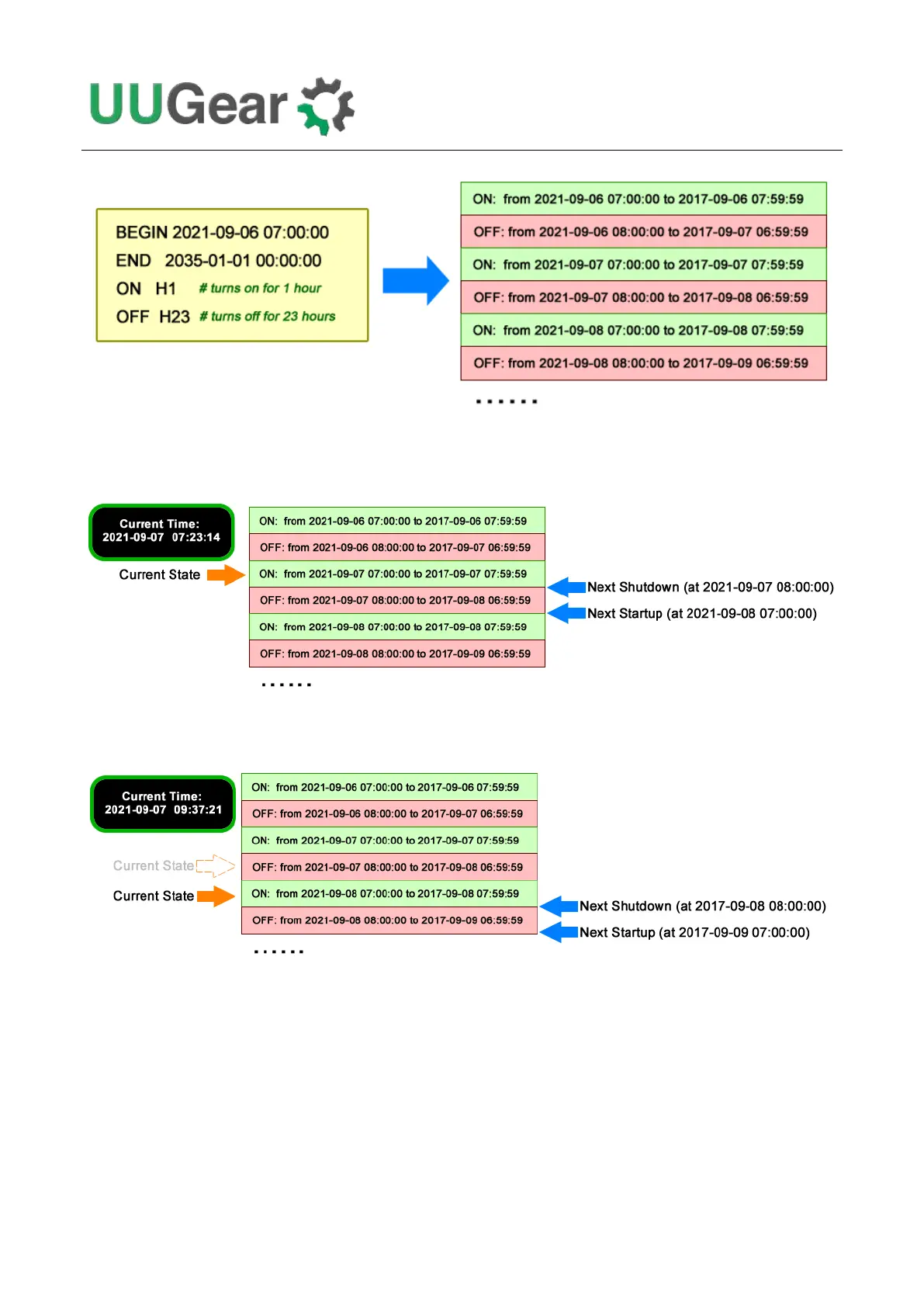
Please keep in mind that, running the same schedule script at different moment may get different
result, as the “runScript.sh” will search and find the proper state according to current time.
When the “runScript.sh” is executed, if the current time is located at an “OFF” state instead, it will
take the next “ON” state as the current state, because it knows Raspberry Pi is currently ON.
This “shifting ON state” behavior confuses some users, because the actual scheduled
shutdown/startup times are different than what they expected. In such case you can adjust the
BEGIN time of the schedule script, and you will see the scheduled shutdown/startup times will move
accordingly.



 To Next Page