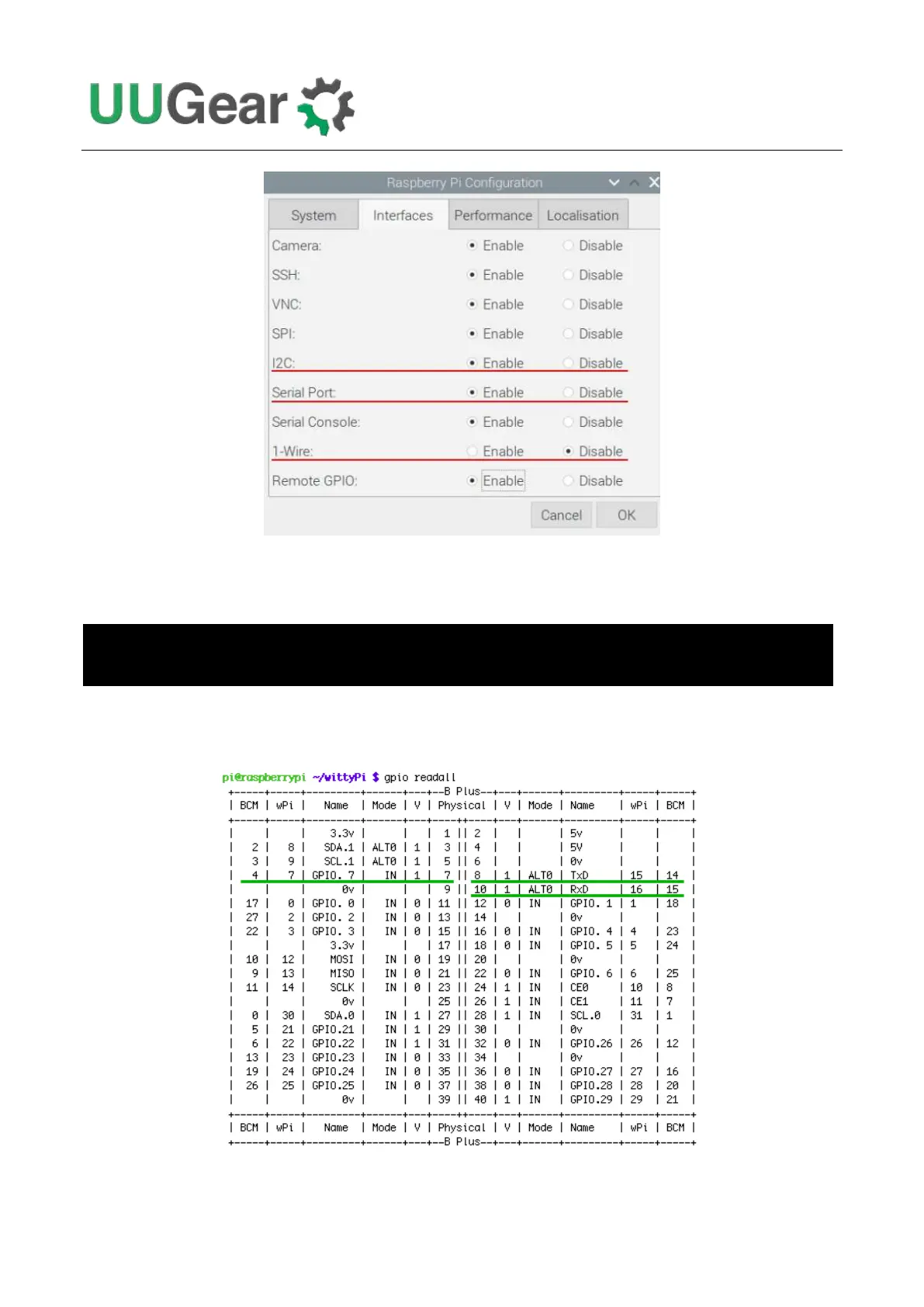
Also, you can check all GPIO pin states with the command below. You need to run it in the directory
that has software installed (usually “wittypi”).
The good GPIO states are shown below (please mind those highlighted in green). If you see
something different, then it might be the culprit that causes the problem.
There are some possible reasons that can cause this kind of problem:
pi@raspberrypi:~/wittypi $ bash -c '. gpio-util.sh; gpio readall'



 To Next Page