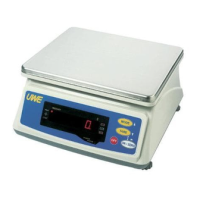
5. INSTRUCTION FOR USE
5.1 BEFORE WEIGHING
Make sure that:
a. The plastic platter is screwed firmly and the
stainless steel platter cover is placed on the
plastic platter
b. The scale is placed on a level and strong surface
c. The scale is turned on
d. The ZERO INDICATOR is on. If not, press ON/ZERO to
set display to zero
5.2 WEIGHING
a. Always place an object onto the platter gently.
Excessive force applied to platter may cause damages
to sensor inside scale
b. The weight of the object would be displayed
automatically
c. It is a good practice to remove all loads from platter
after weighing. It would prolong the lifetime of
scale
5.3 SELECT WEIGHT UNIT
Press MODE to shift between metric or avoirdupois weight
units. The weight unit used before power off would be
employed when the scale is turned on again.
NOTE:
To comply with the law of certain countries and certain
approval requirements, the avoirdupois weight units may
be disabled. Contact your dealer for more information.
5.4 SMART POWER SAVING FUNCTION
When this function is enable, the displays digits will
be turned off when a stable weight is detected and remains
stable for about 10 seconds. Standby indicator appears
to indicate scale is now in standby mode.
Display will be automatically turned on again when a
different weight is detected.
5.4.1 Select Power Saving Setting
The scale is equipped with smart POWER SAVING FUNCTION.
Default setting = enable. Follow the below step to enable
or disable this function.



 To Next Page