2 EASY
CONFIGURATIONS
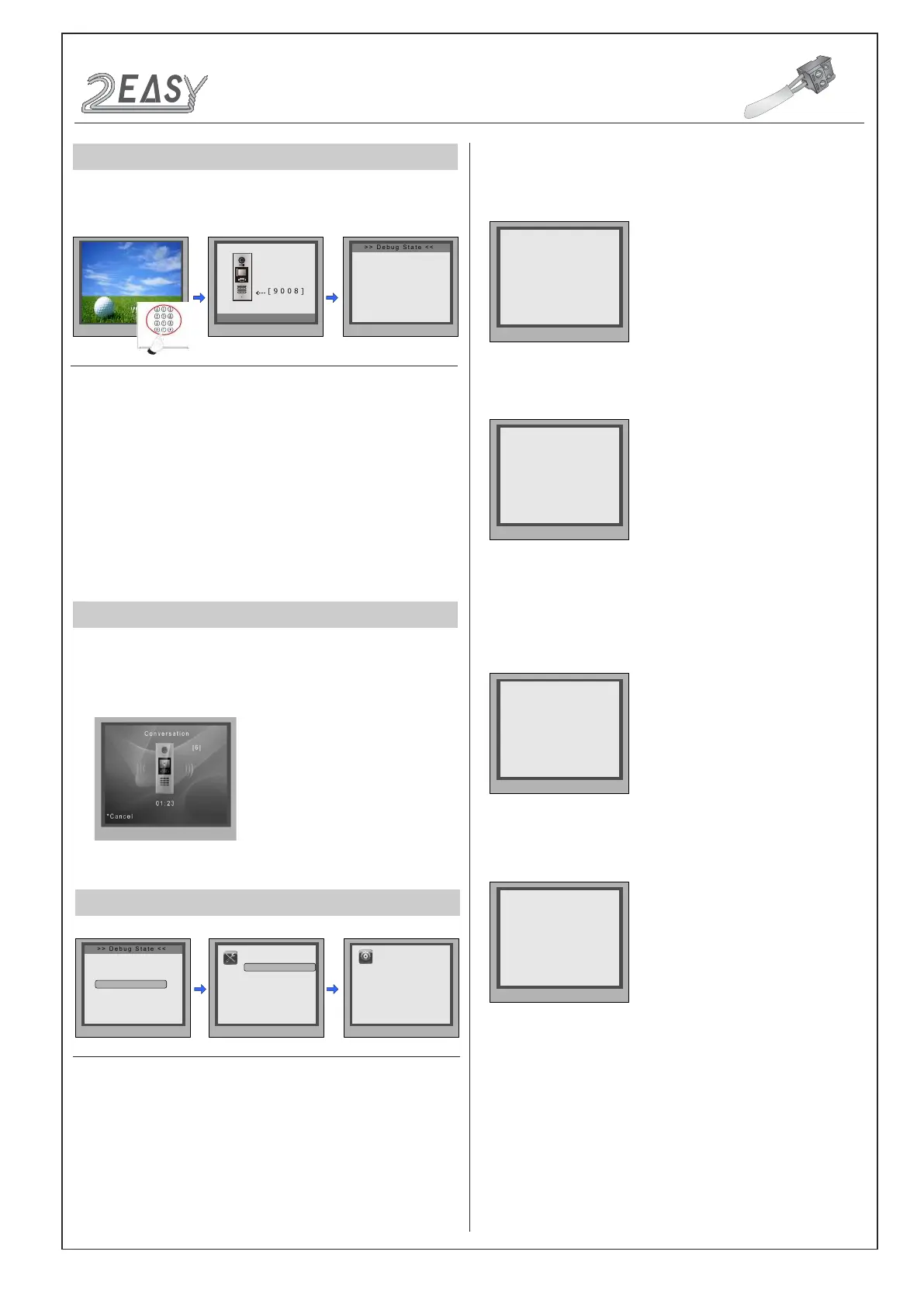
Debug State
When door station is in
standby, press '#' key
During working at debug
state,press "1#" to enter
tools page.
Press NO.“1” to enter
Installer setup item.
Installer setup page
overview.
Descriptions:
0-#: Call Monitor again
1-#: Go to Tools setting item
2-#: Exit out Debug State
* Note:
1) the diagram take “0” mode for example.
2) Disable input 1 digit number to call
1.ID Code:
Select item 1 to enter
ID Code
setting page. You can input
0~3 to set as door 1 ~ door 4.
In
Debug State
, calling the monitor and conversation are available,
you can input 0~9 to select the volume you want, see the following
picture shows.
2.Unlock Timing:
Select item 2 to enter
Unlock Timing
setting page,
setting range is from 01~99s.
3.Unlock Output:
Select item 3 to enter
Unlock Output
setting page.
0 : Power-on-to-unlock mode
1 : Power-off-to-unlock mode
5.Doorplate Mode:
Select item 5 to enter
Doorplate Mode
setting
page.
0 : Input room number to call monitor
1 : Input room number + ‘#’ to call monitor
4.Monitor Timing:
Select item 4 to enter
Monitor Timing
setting
page .the setting range is from 006~600s.
Descriptions:
Input '9008', then input the
Admin Code.(66666666
by default)
Debug state menu is
launched
Please Input Password
1 2 3
654
7 8 9
#0
*
RF CARD
0-# Redial
1-# Tools
2-# Exits
DEBUG STATE
INSTALLER SETUP
TALK VOLUME ADJUST
The Debug State is your starting point for using all the applications on
DMR18S.
Pres NO.
to select
*Back
Tools
Press No.
to select
*Back
Installer
Setup
1.Installer Setup
2.Setup
3.Card Manage
4.Online Monitors
5.Online Devices
6.Voltage Measure
1. ID Code [0]
2. Unlock Timing [01]
3. Unlock Output [0]
4. Monitor Timing [600]
5. Doorplate Mode [0]
6. Waiting Timing [040]
7. Talking Timing [090]
8. Installer Code ...
9. Default ...
0-# Redial
1-# Tools
2-# Exits
* Cancel # Save
(0~3)
[ - ]
1. ID Code [0]
* Cancel # Save
(01~99)
[ - - ]
2. Unlock Timing [01]
* Cancel # Save
(0~1)
[ - ]
3. Unlock Output [0]
* Cancel # Save
(0~3)
[ - - - ]
4. Monitor Timing [600]
DMR18S Technical Menu-4-



 To Next Page