2 EASY
Input 0
Input 0
Input time
* Note: the diagram take “0” mode for example.
4.Unlock Code:
Select item 4 to enter
Unlock Code
setting page.
1111 is the default unlock code. Input 4 digit numbers to set a new
code(Except for 8001~8019 and 9008).
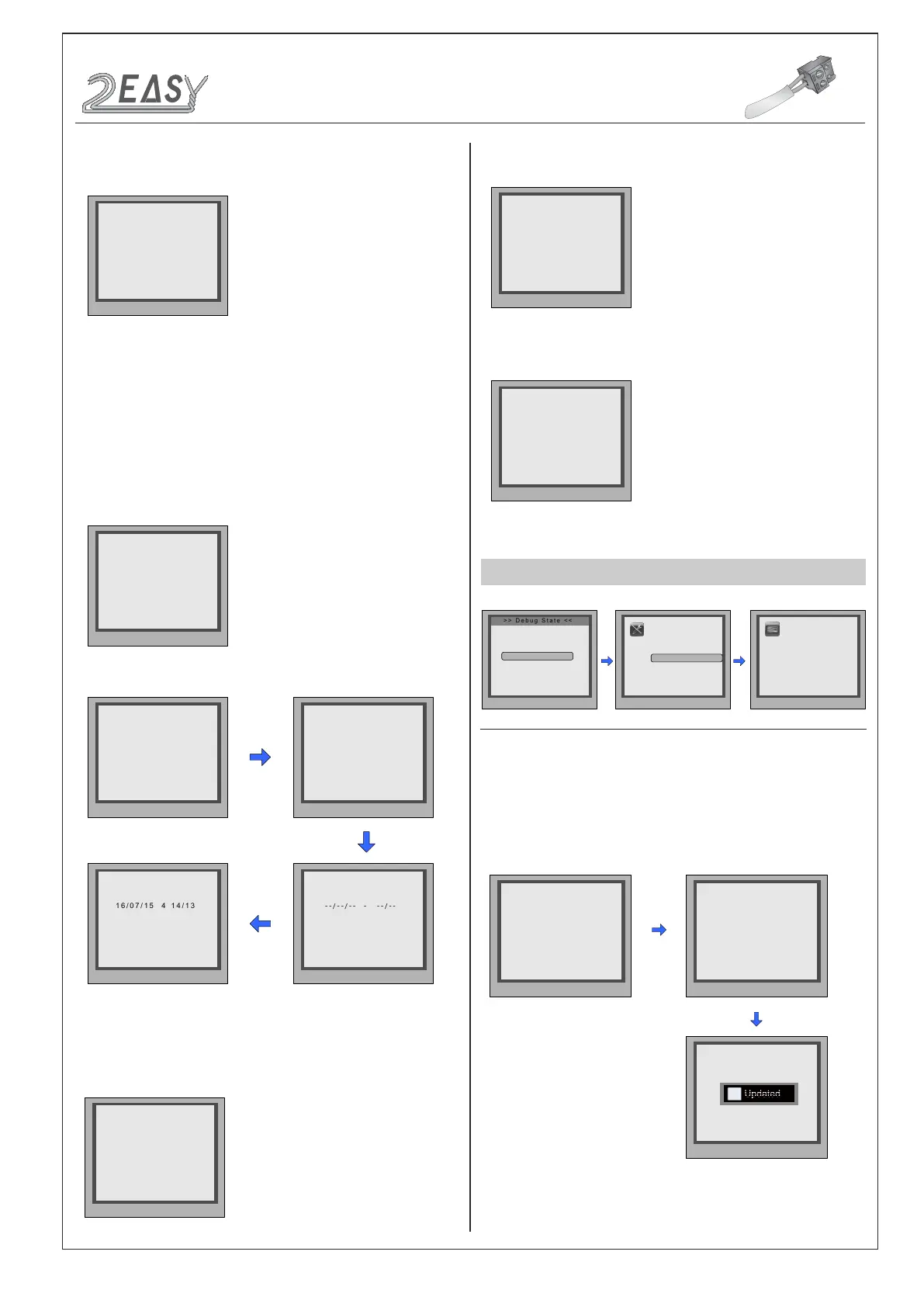
6.Clock:
Select item 6 to enter
Clock
setting page.
5.Work Mode:
Select item 5 to enter
Work Mode
setting page. four
modes can be available,the setting range is 0~3.(More details refer to
the following
Work Mode
section)
0 : 32 apartments
1 : 128 apartments
2 : Router
3: Gateway
* Cancel # Save
(***)
[ - - - ]
4. Unlock Code [1111]
* Cancel # Save
[ - ]
6. Clock ...
0: DD/MM/YY
1: MM/DD/YY
* Cancel # Save
[ - ]
6. Clock ...
0: 24-Hour
1: 12-Hour
* Cancel # Save
DD/MM/YY W HH/MM
6. Clock ...
* Cancel # Save
DD/MM/YY W HH/MM
6. Clock ...
* Cancel # Save
(0~3)
[ - ]
5. Work Mode [0]
7.Setup Code:
Select item 7 to enter
Setup Code
setting page. Input
8 digit numbers to set a new setup code, then press ‘#’ to save.
8.About:
Select item 8 to enter
About
page. The information includes
Hardware version, Software Version etc.
9.Default:
Select item 9 to enter
Default
setting page. Input setup
code to restore factory settings.
1.Add Card:
Select item 1 to enter
Add Card
setting page.
* Cancel # Save
(********)
[ - - - - - - - -]
7. Setup Code ...
* Cancel # Save
Hardware Version
DMR18S-CT a1.1
Software Version
V000101
Manufacture Date
Dailing Count[0006]
Calling Count[0002]
Unlock Count[0005]
2015-06-22
* Cancel # Save
Please input password
[ - - - - - - - - ]
9. Default ...
CARD MANAGE
During working at debug
state,press "1#" to enter
tools page.
Press NO.“3” to enter
Card Manage item.
Card Manage page
overview.
Pres NO.
to select
*Back
Tools
Press No.
to select
*Back
1.Installer Setup
2.Setup
3.Card Manage
4.Online Monitors
5.Online Devices
6.Voltage Measure
1. Add Card ...
2. Delete By Card
3. Delete By M.code
4. Cards Information
5. Format
0-# Redial
1-# Tools
2-# Exits
Card
Memory
Show the card
* Cancel # Save
Please input room code
[ - - - ]
1. Add Card ...
* Cancel # Save
Show the card
[ 0 0 1 ]
1. Add Card ...
* Cancel # Save
Card Numbs.05410469
[ 0 0 1 ]
1. Add Card ...
Input 001
i
Updated
CONFIGURATIONS
Debug State
DMR18S Technical Menu-6-



 To Next Page