5
7. Specications
●
●
Power●supply●for●indoor●monitor:●● ● DC●24V●
●
●
Power●consumption:● ●● Standby●2W;●Working●status●5W
●
●
Monitor●screen:● ● 3.5●Inch●color●LCD
●
●
Display●Resolutions:● ● 320(R,●G,●B)●x●240●pixels
●
●
Video●signal:● ● 1Vp-p,●75Ω,●CCIR●standard
●
●
Wiring:● ● 2●wires,●non-polarity
●
●
Monitor●time:● ● 40●seconds
●
●
Talking●time:● ● 90●seconds
●
●
Dimensions:● ● 220(H)×105(W)×20(D)mm
6.Screen and Volume Adjustment
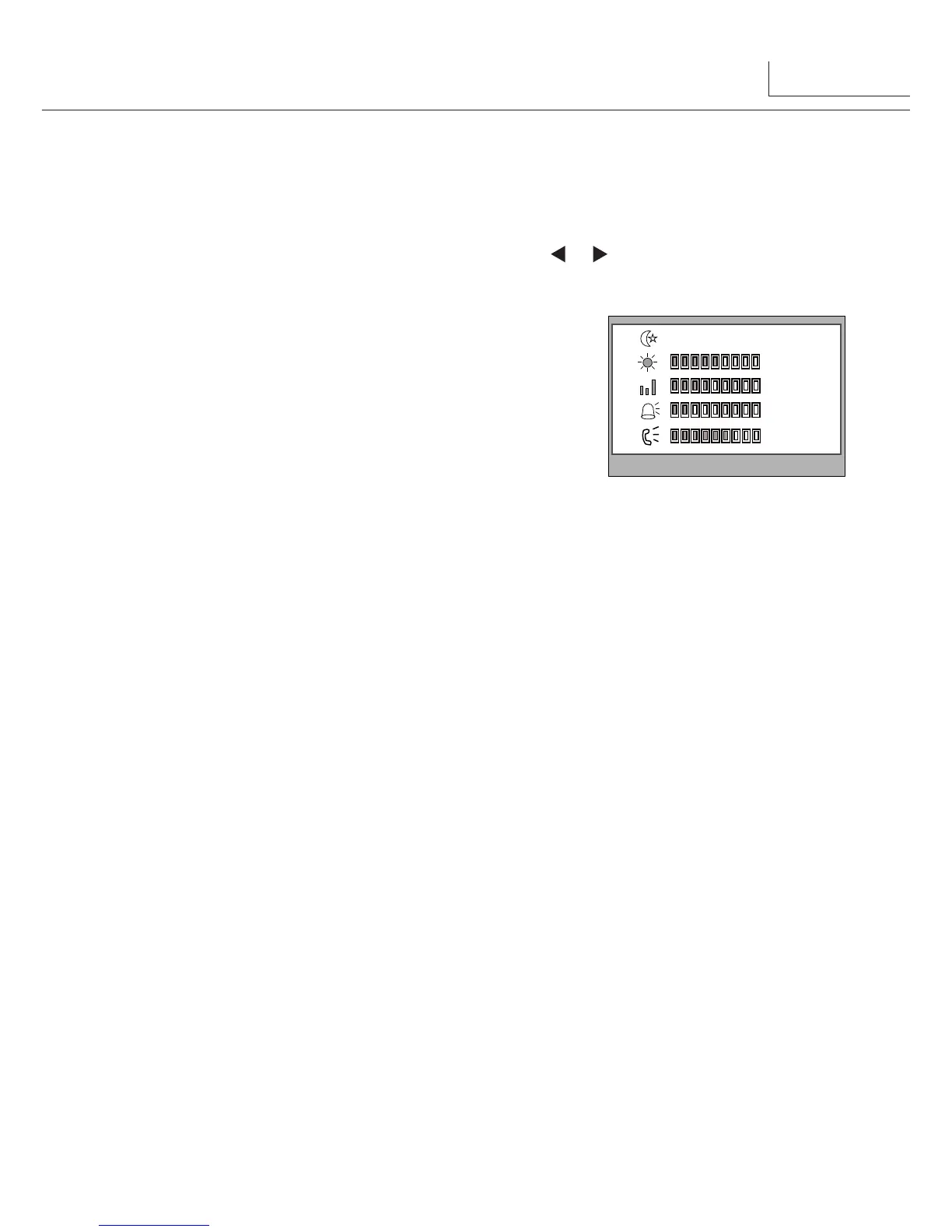
During●monitoring●or●talking,●press●MENU●Button,the●
ADJUST MENU
●will●be●displayed.
Use●●▲●/●▼●Button●to●select●the●adjustment●item;●use●● ●●/●● ●Button●to●decrease●/●increase●
the●value.
RGB
5
4
2
6
scene
user
Brightness
Colour
Ring Volume
Talk Volume
1.● The●first●item●is●Scene●mode●selection:●Total●4●
screen●modes●can●be●selected●in●sequence:●
Normal,
User, Soft
●and●
Bright.
Whenever●you● modify●
Brightness
●or●
colour, Scene
item●will●be●set●to●
User
●
mode●automatically.●
2.● The●
Brightness
●and●
Colour
●item●is●for●the●image●
quality●setting,●adjust●the●value●to●get●the●best●image●
you●like.
3.● The●
Ring Volume
●and●
Talk Volume
●items●are●●ring●tone●and●talking●volume●adjustment.
4.● Note●that●all●the●modifications●will●be●done●immediately●after●the●operation.●Press●
"MENU"●button●to●quit●the●adjust●page.



 To Next Page