EasyManua.ls Logo

V-Tec DT591 - Setup Unlock Parameter in Monitor

V-Tec DT591
16 pages
Print Icon
To Next Page IconTo Next Page
To Previous Page IconTo Previous Page
Loading...
-6-
12
ON
1 2 3
-
-
+
+
BUS PL S1+ S2+ S-
Take off the Jumper
Take off the Jumper
12
ON
1 2 3
-
-
+
+
BUS PL S1+ S2+ S-
Power supply
Power supply
-
+
lock #2
lock #1
connect one lock connect two locks
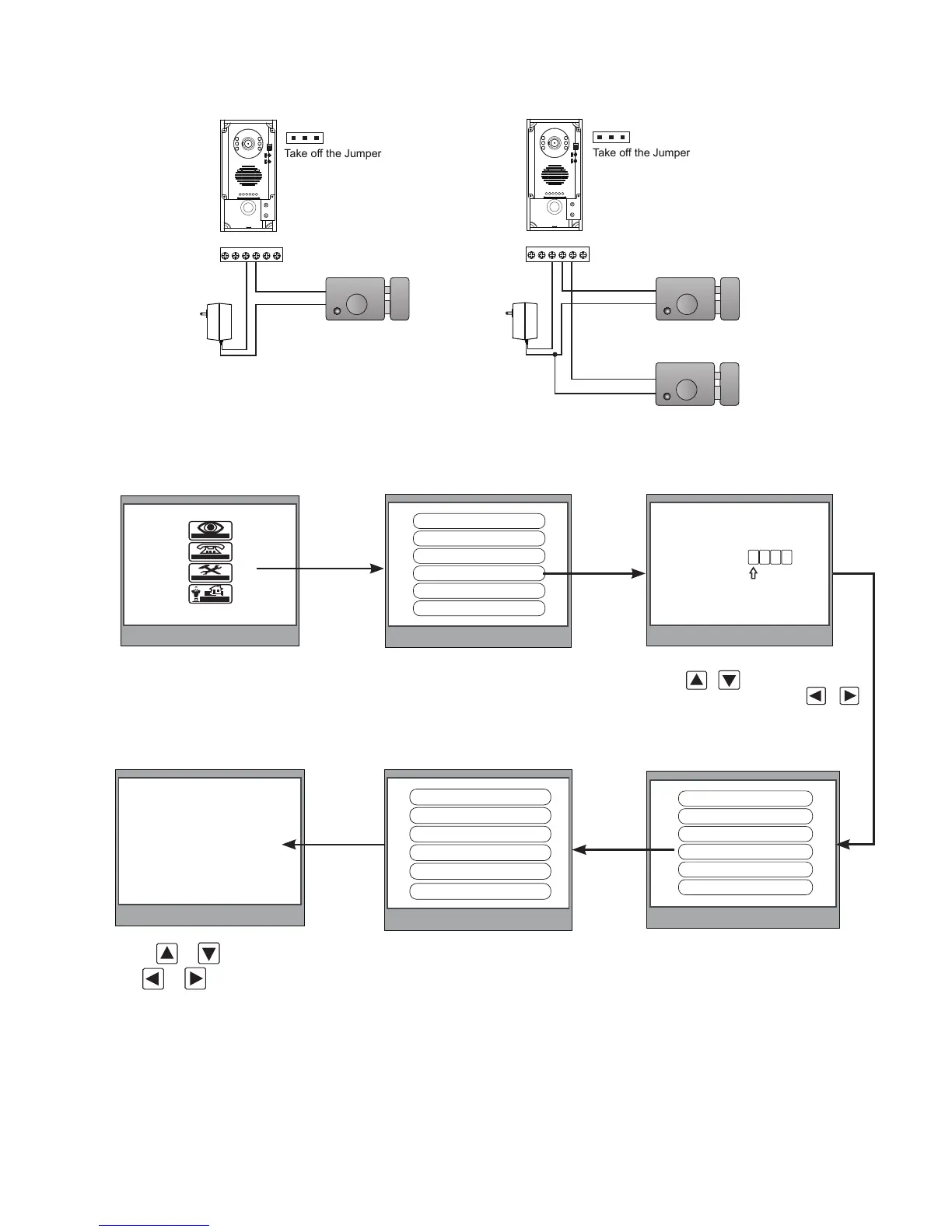
5.2.3 How to setup the unlock parameter in Monitor
monitor
intercom
setup
exit
Outdoor Tone -- 01
Intercom Tone -- 05
Monitor Time -- 1min
Advanced Set...
Auto Record -- OFF
Exit
0
* * *
Password:
Slave Addr Set -- 0
Guard Unit Set -- 0
Date/Time Set...
Other Settings...
Information...
Exit
Hardware ver 0302
Software ver 0168
Voltage 22.4V
Manufacture 00.0T
Restore to default
Exit
1.Press MENU button two
times to enter the MAIN MENU
page,then press setup item
2.Select Advanced Set...item and
press MENU button to enter,a
password will be asked
4.Select Information...item and
press MENU button to enter next
page.
Note:
1.must connect DT591/592 completely before setting
2.the parameter will be saved in doorstation automatically,so you need only set on one monitor
5.Press UNLOCK button
and hold for 2s
6.Use
/
to select the item,
use
/
to change the value
of the item.select Exit item,press
MENU button to save the settings
automatically.
3.The default password is ****
press / button to increase/
decrease the value,Press /
button to select the location,after
finishing,press MENU button to
enter next step.


Related product manuals