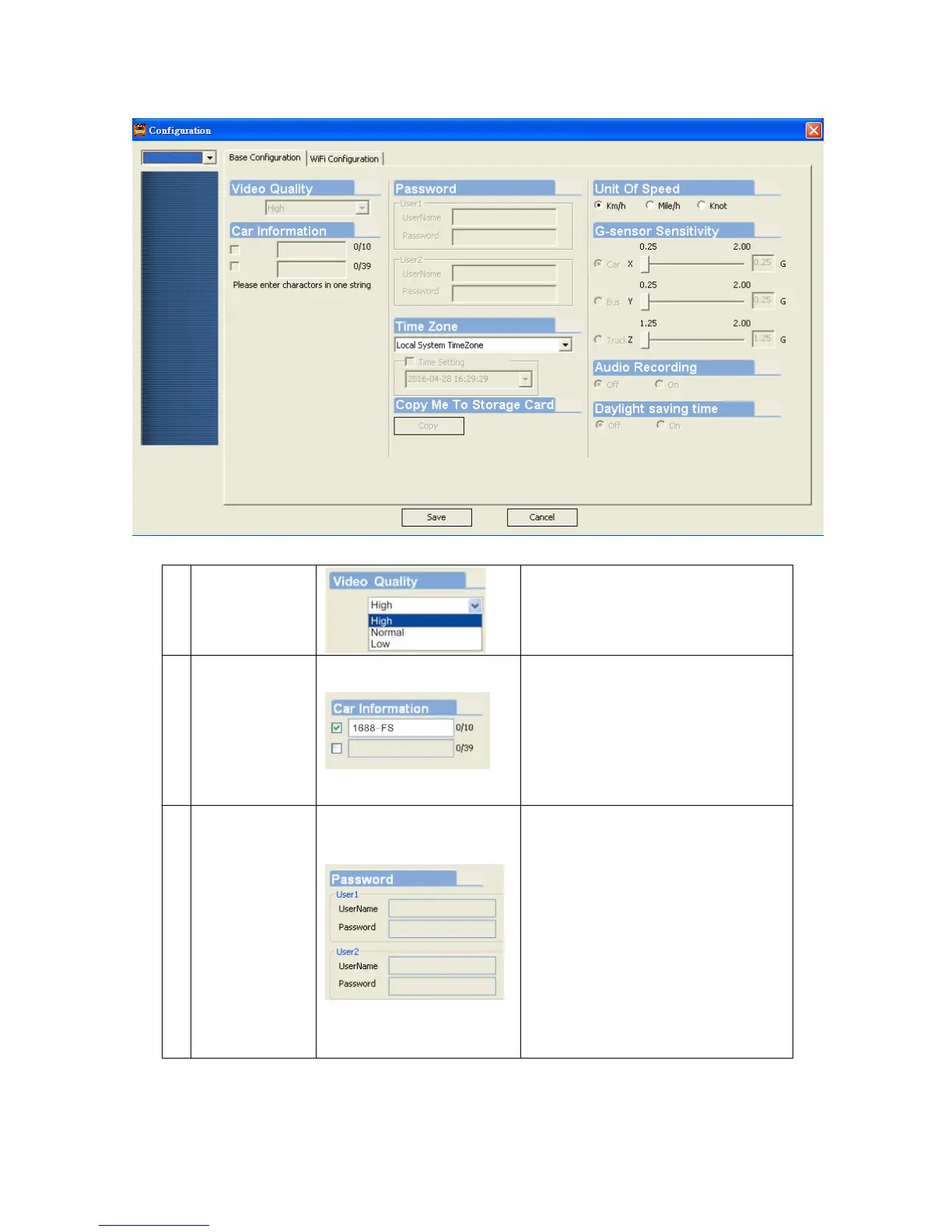
Select the video Quality: High/
Normal / Low
2
Car
Information
The license plate number
information can be input here,
the film is easy to identify
which vehicles to record video
record (only English letter and
number acceptable.
3 Password
This feature of the Micro SD
card encryption, to prevent
others from accessing any
data. Set a password to 15
characters limited:
123,456,789,123,456.
After setting the password, it
is required to enter password
to access the playback file,
setting, formatting memory
card.



 To Next Page