13:08
EN_11
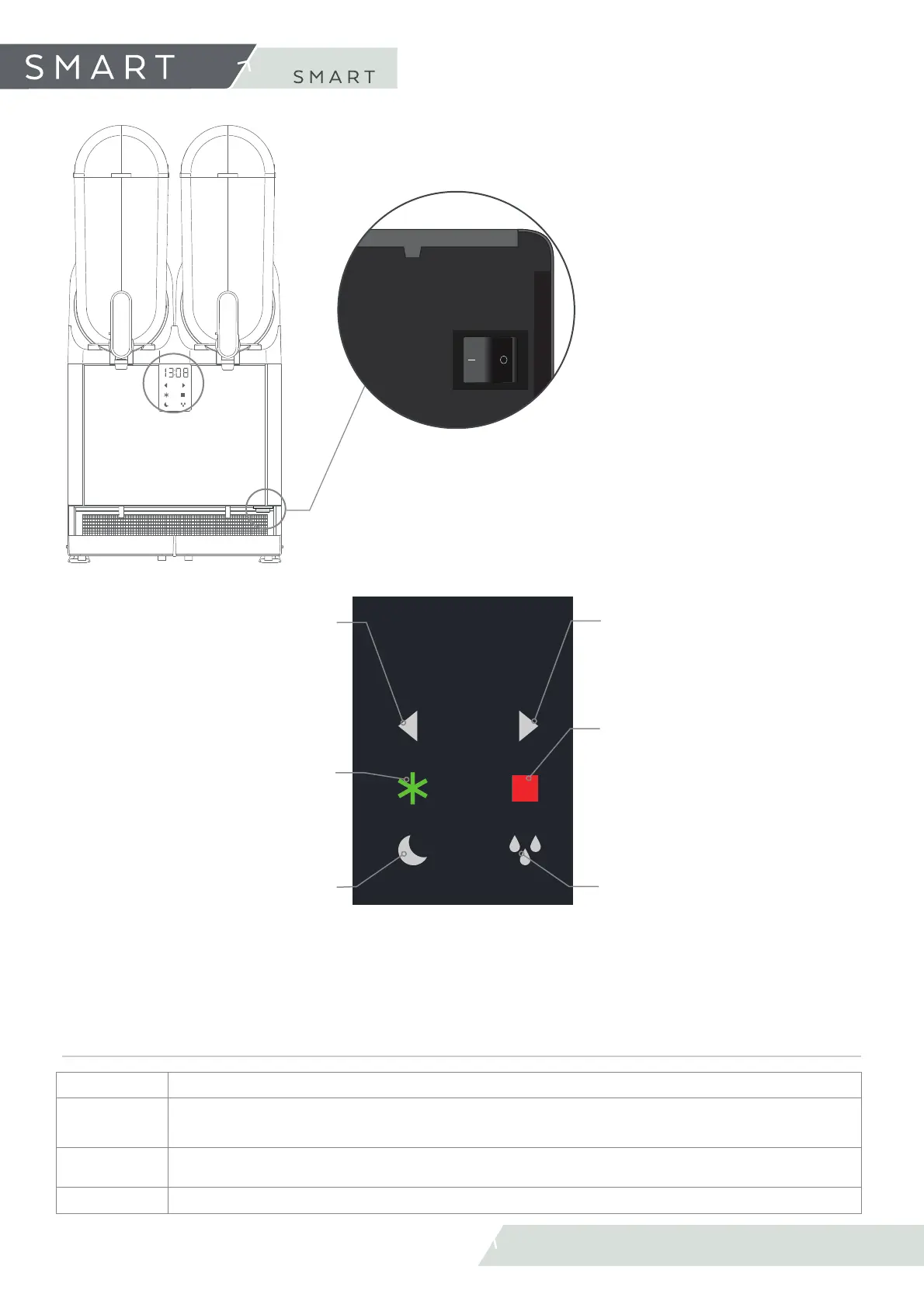
2.4 Controls
2. Discover your
MAIN SWITCH
• Turn on/off the machine
STOP
• Deactivate functions.
• Exit the user menu.
• Exit the selected parameter.
START
• Chill the product to obtain slush.
• Select and confi rms parameter.
STANDBY/COLD DRINK
• Maintains the product at the right preser-
vation temperature and saves electrical
energy. Recommendable when the establi-
shment is closed.
• Change the information screen during
cold drink preparation. Shows the product
temperature
DEFROST
• Turn ON/OFF the product mixer and de-
frost (when available) in the respective
bowl. Recommended when emptying the
tanks.
LEFT
• Browse between the parameters of the
user’s menu.
• Reduces the parameter value selected in
the user’s menu.
• During production it’s possible to chan-
ge the information on the display. Shows
mode, density and product temperature.
DISPLAY
• It shows the Tº of the product in
the deposit.
• Show information regarding the
functions of the machine.
MODES
SLUSH
Chill the product to obtain slush
STANDBY/
COLD DRINK
Maintains the product at the right preservation temperature and saves electrical energy. Recommendable when the esta-
blishment is closed.
MIX/DEFROST
Mixing/Defrost the product. Recommendable when emptying the deposit and the product is liquid. Defrost available only
on certain models.
STOP
Deactivate functions.
RIGHT
• Browse between the parameters of the
user’s menu.
• Increases the parameter value selected in
the user’s menu.



 To Next Page