20_EN
6.2 User’s menu settings
6. Settings
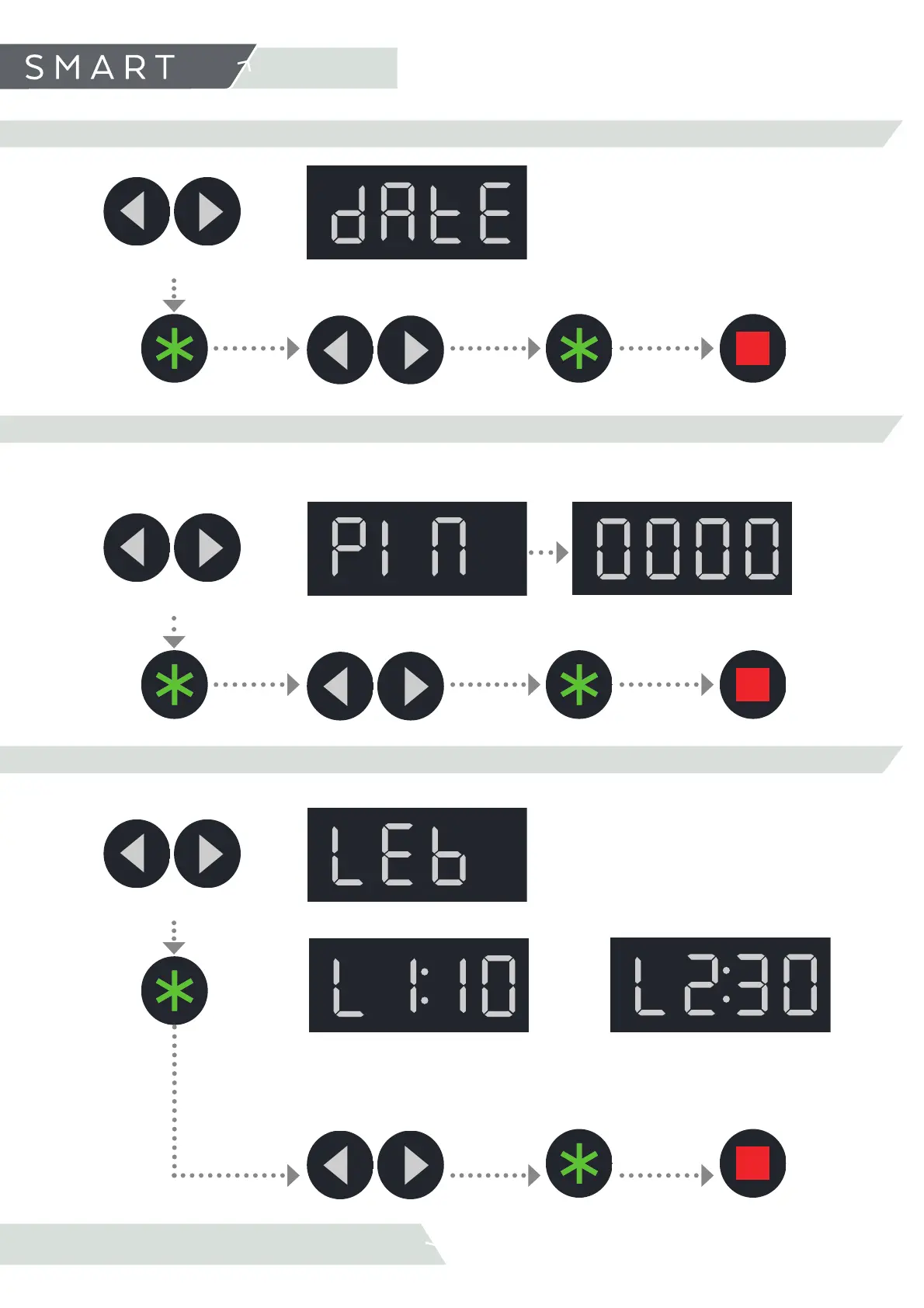
6.2.4 DATE (SET DATE)
Change parameter selection.
(Day, month, year)
Increase/Decrease
value
Confi rm
selection
Press twice to exit the
user menu
Confi rm
selection
6.2.5 PIN (BLUETOOTH PASSWORD)
Change digit selection
(0,0,0,0 )
Increase/Decrease value
Confi rm
selection
Set a 4-digit passcode for Bluetooth connection.
Confi rm
selection
Press twice to exit the
user menu
6.2.6 LED (SET LIGHT PARAMETERS)
Change parameter selection
(L1, L2)
Increase/Decrease value
Confi rm
selection
Press twice to exit the
user menu
Confi rm
selection.
Select a colour from the range Modifi es light intensity
From 0 to 11
From 0 to 99



 To Next Page