2.1
2.2
1 1
2
1
16_EN
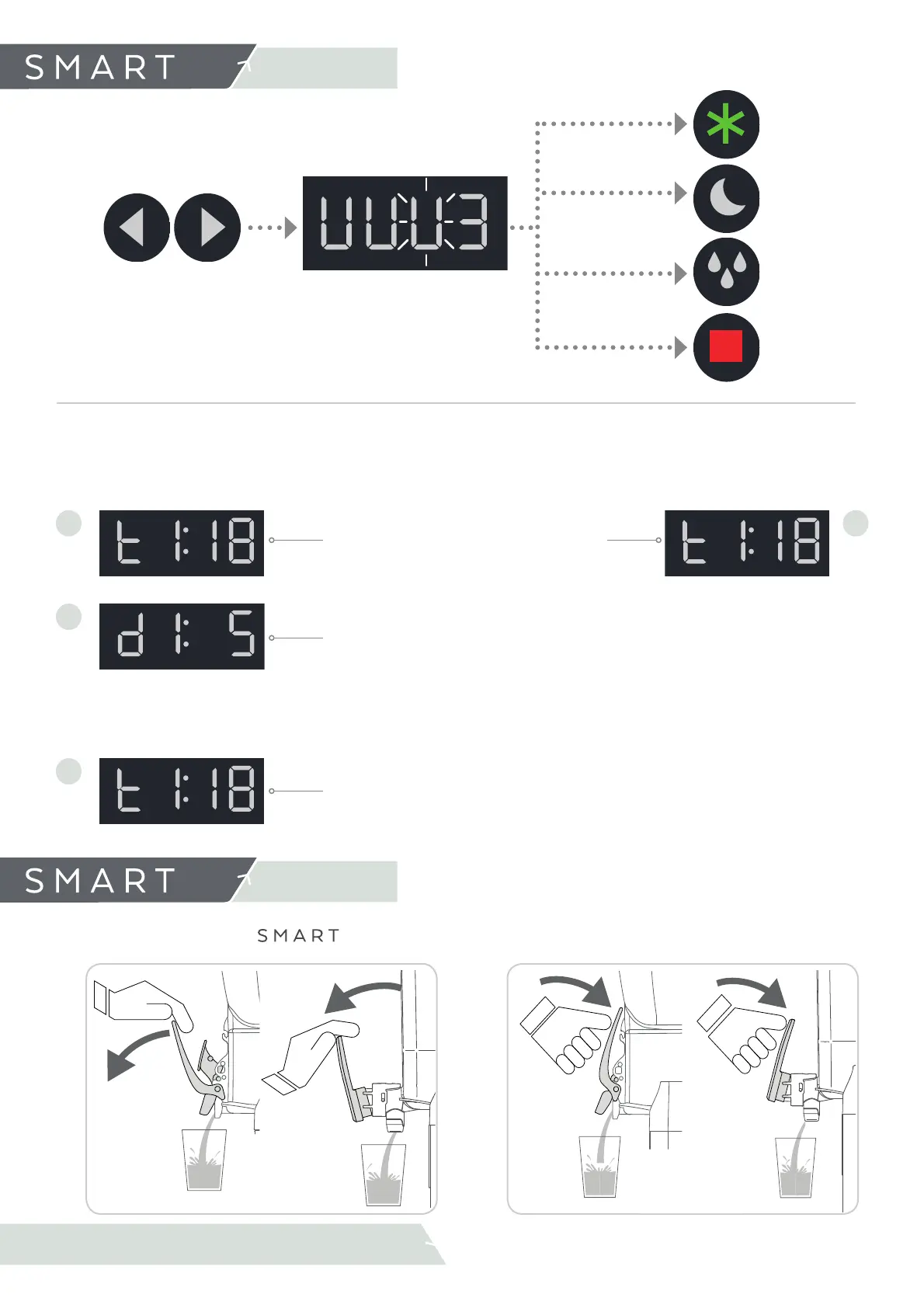
The Push&Pull and the
tap allows us to serve the product in two diff erent ways:
4.Operating
4.4 Serving the product
Pull the handle
Push the handle
Pull
Push
DURING PREPARATION WE CAN SEE:
In SLUSH mode press LEFT.
The display shows currently
mode and:
In STANDBY mode press
LEFT.
The display shows currently
mode and:
Product temperature
Density established in the bowl.
The fl ashing value indicates that
the product is not yet at the set
density.
4.Operation
4.3 Prepare Slush or Cold drink
Change selected bowl
(1, 2 ,3 )
The selected tank will fl ash and the
number is shown on the display.
Press to select
mode
SLUSH
STOP
DEFROST/ MIX
COLD DRINK
Repeat the process for the diff erent bowls
In MIX/DEFROST mode
press LEFT.
The display shows currently
mode and:
Product temperature



 To Next Page