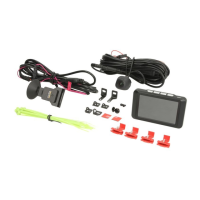
The SC400 and SC410 control elements, along with their corresponding SR400 and SR410 relay boards, are systems designed for controlling HVAC components (heating, ventilation, air-conditioning) in buses, particularly for roof-top air-conditioning systems. These systems consist of a control element integrated into the dashboard, serving as a human-machine interface, and an accessible relay board.
Function Description:
The primary function of these systems is to manage the HVAC functions within a bus. They allow the driver to control the air-conditioning system, and in standard versions, also offer an optional heating function. The controller can operate automatically, requiring the bus driver only to set the desired room temperature.
Variants:
- SC400: Air-conditioning system (AC)
- SC410: Air-conditioning system with air-conditioning function (VAC), air-conditioning system with heating function (HAC), or a combined air-conditioning and heating function (HVAC).
Important Technical Specifications:
- Temperature Setting Range: The desired temperature can be set between 17 °C and 28 °C in 0.5 °C intervals.
- Blower Levels: The system automatically adjusts blower levels based on the temperature difference between the room and the desired setting.
- Cooling Mode (SC400/410):
- Level 1: T_Room – T_Desired ≤1 K
- Level 1 → 2: T_Room – T_Desired >1 K
- Level 2 → 3: T_Room – T_Desired >3 K
- Level 3 → 2: T_Room – T_Desired <2 K
- Level 2 → 1: T_Room – T_Desired <0 K
- Heating Mode (SC410 only): Different blower levels than level 1 are only possible when T_duct >33 °C.
- Level 1: T_Duct <35 K
- Stufe 1 → 2: T_Room – T_Desired >-1 K
- Stufe 2 → 3: T_Room – T_Desired >-3 K
- Stufe 3 → 2: T_Room – T_Desired <-2 K
- Stufe 2 → 1: T_Room – T_Desired <0 K
- Compressor Activation/Deactivation (SC410):
- On: T_Room – T_Desired ≥2 K
- Off: T_Room – T_Desired ≤-1 K
- The air-conditioning compressor must be deactivated for at least 2 minutes before it can be turned on again. If the AC button is pressed during this time, the device reactivates the compressor after 2 minutes (AC button blinks).
- The compressor runs for at least 2 minutes before turning off. If deactivated directly after activation, it will continue to run for 2 minutes (AC button blinks).
- Water Valve / Electric Pump (SC410):
- Open / On: T_Room – T_Desired ≤-1 K
- Close / Off: T_Room – T_Desired ≥1 K
- An abrupt change in the set temperature can lead to a 3-minute delay in climate compressor activity and water valve opening.
- Power Supply (Error Codes F01, F02): The system monitors supply voltage, indicating errors if it falls below 10V or exceeds 16V.
Usage Features:
Control Panel (SC400 & SC410 share many components):
- Display: Shows current room temperature and error codes.
- Status Light: Red light indicates an active function.
- On/Off Button: Turns the control panel on/off.
- Auto Button: Activates automatic mode.
- AC Button: Turns the air-conditioning system on/off.
- Blower Level Button: Manually sets the blower level.
- Status Display of Blower Level: Shows the current blower level (HI, MI, LO).
- Desired Room Temperature Buttons: Adjusts the desired room temperature.
- Air-conditioning/Recirculating Air Button (SC410 only): Switches between recirculating air and fresh air-conditioning.
- Function Button (SC410 only): On/off for an additional component.
Operating Modes:
- Standby Mode: When the motor (KL 61) is running, the system is in Standby mode, indicated by a red status light for the On/Off button.
- Activation: Pressing the On/Off button activates the system. The status light goes out, the preset temperature (22.0 °C initially, then the last set value) displays, Auto mode is activated, and the automatically set blower level displays. If the room temperature is below the desired setting, the SC410 automatically begins to heat.
- Deactivation: Pressing the On/Off button immediately deactivates the compressor and blowers. If the motor is running, the device returns to Standby mode.
- Auto Mode: Activated by pressing the AUTO button when its status light is off. The system automatically turns on the blower. Pressing the AUTO button again while in Auto mode has no effect.
- Manual Blower Level Setting: Pressing the blower button manually changes the blower level (low to medium, medium to high, high back to low). This deactivates Auto mode, but the desired room temperature is maintained. Pressing the AUTO button again reactivates Auto mode and the blowers turn on automatically.
- Air-conditioning/Recirculating Air (SC410):
- If the status light above this button is lit, the recirculating air function is active, and fresh air supply is deactivated (valves closed).
- If the status light is off, the fresh air/recirculating air function is not active, and fresh air valves are open.
- By default, if the AC compressor is active, recirculating air valves are closed. If heating is active, fresh air/recirculating air valves are open. These defaults can be overridden for 10 minutes by pressing the button, after which the system returns to the standard configuration.
- Closing fresh air/recirculating air valves helps to heat up quickly.
- Additional Component (SC410): A dedicated button turns an additional component on/off. An LED illuminates when the component is switched on. This function operates independently of heating/cooling mode.
Maintenance Features:
Error Display:
- If an error occurs, the display alternates between the set desired temperature (for 5 seconds) and the series of error codes (for 2 seconds each).
- Once an error is resolved, it is automatically no longer displayed.
Error Code Overview:
- F00 (High/low pressure switches):
- Cause: Refrigerant too high/low, defective pressure switches, defective expansion valve, axial blower blocked or failed.
- Remedy: Replace pressure switches, replace compressor, inspect axial blower, inspect refrigerant level, inspect for leakage, replace expansion valve.
- F01 (Power supply - relays board):
- Cause: Power supply <10V or >16V, supply voltage on relay boards too high or too low.
- Remedy: Inspect wiring harness, replace ECU.
- F02 (Power supply type - control panel):
- Cause: No 12V system recognized, supply voltage on control panel too high or too low (<10V or >16V).
- Remedy: Inspect wiring harness, replace ECU.
- F03 (System type):
- Cause: No basic or standard system recognized.
- Remedy: Replace ECU.
- F04 (Room temperature sensor):
- Cause: Short-circuit to positive.
- Remedy: Inspect wiring harness, replace sensor, replace ECU.
- F05 (Room temperature sensor):
- Cause: Short-circuit to ground.
- Remedy: Inspect wiring harness, replace sensor, replace ECU.
- F06 (Environmental temperature sensor - SC410 only):
- Cause: Short-circuit to positive.
- Remedy: Inspect wiring harness, replace sensor, replace ECU.
- F07 (Environmental temperature sensor - SC410 only):
- Cause: Short-circuit to ground.
- Remedy: Inspect wiring harness, replace sensor, replace ECU.
- F08 (EEPROM):
- Cause: No access to EEPROM (data inconsistency).
- Remedy: Replace ECU.
- F09 (Refrigerant valve - SC410 only):
- Cause: Refrigerant valve cannot be calibrated or run to the correct position.
- Remedy: Inspect wiring harness, replace motor, replace ECU.
- F10 (Coupling):
- Cause: Repeated occurrence of high/low pressure error.
- Remedy: See F00 remedy.

 Need help?
 General

 To Next Page