EasyManua.ls Logo

Valeo SC400 - Air Modes Selection

Valeo SC400
17 pages
Print Icon
To Next Page IconTo Next Page
To Previous Page IconTo Previous Page
Loading...
BUS BODY ELECTRONICS
11
2.6 Setting blower level
Press button
Auto mode is deactivated
Press button
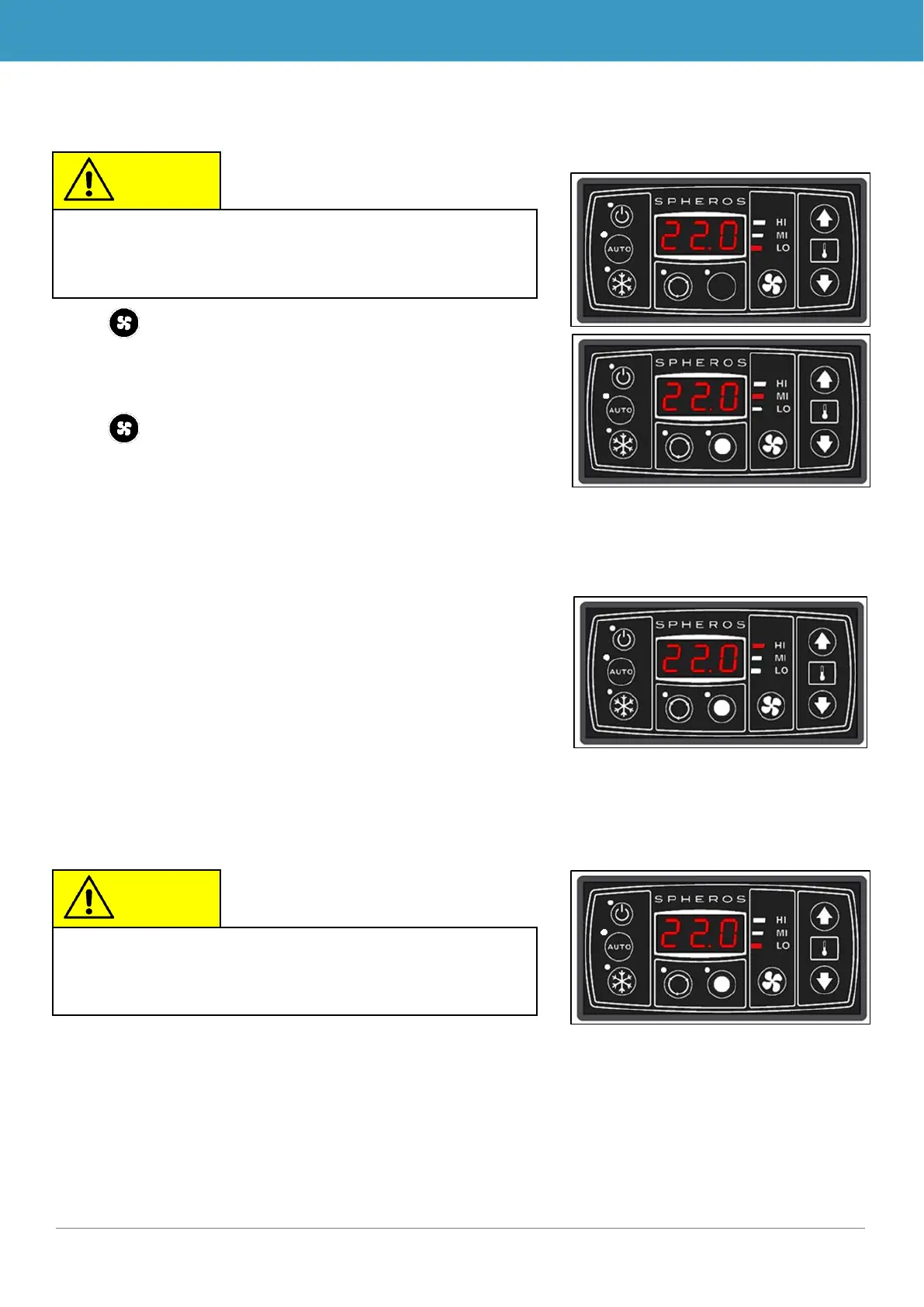
Pressing once: Blower goes up one level.
Here, from low to medium speed (Figure 10).
Pressing repeatedly: Blower goes up one level.
Here, from medium to high speed (Figure 11).
Pressing again: Blower goes up one level.
Here, from high back down to slow speed (Figure 12).

Note
If the blower level is changed manually, Auto mode turns
off. The desired value of the room temperature is main-
tained.
Note
If the Auto button is pressed, Auto mode turns back on.
The blowers will then automatically turn back on.
Figure 11 - SC410 blower level at high
speed
Figure 12 - SC410 blower level at low
speed
Figure 10 - SC410 blower level from lower
to medium speed

Table of Contents

Related product manuals