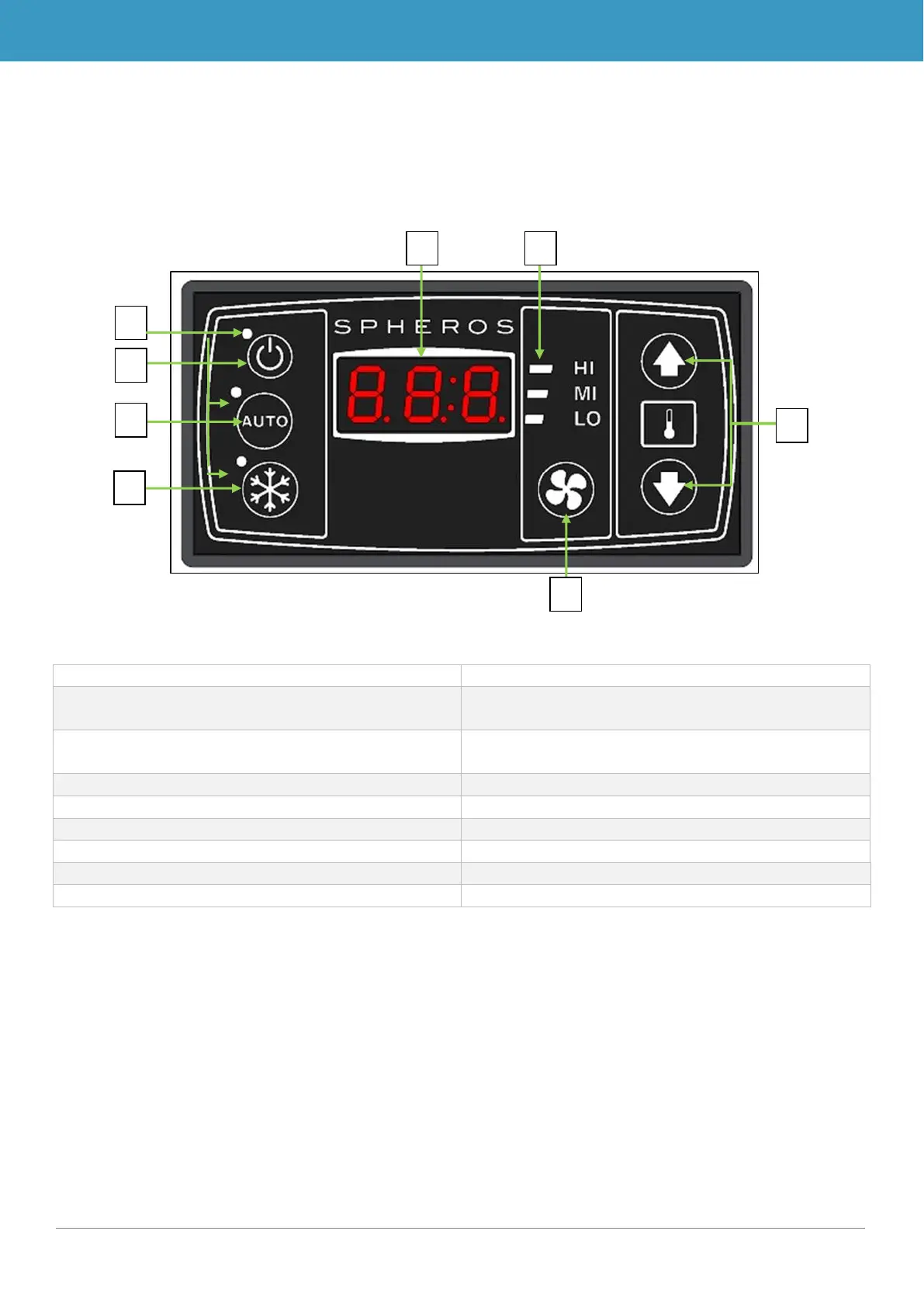
1.3 Description of the control panel
The control elements of the SC400 and SC410 have largely the same components. These are
named and their functions described in the following sections.
1.3.1 SC400
Display for current room temperature and for
error codes
Indicates whether a function is active (red sta-
tus light = function active)
On/off button of the control panel
Turns air-conditioning system on/off
Manually sets the blower level
7. Status display of blower level
Displays the current blower level
8. Desired room temperature buttons
Sets the desired room temperature
Figure 1 - SC400 control panel



 To Next Page