2.2 Auto mode
2.2.1 Activation
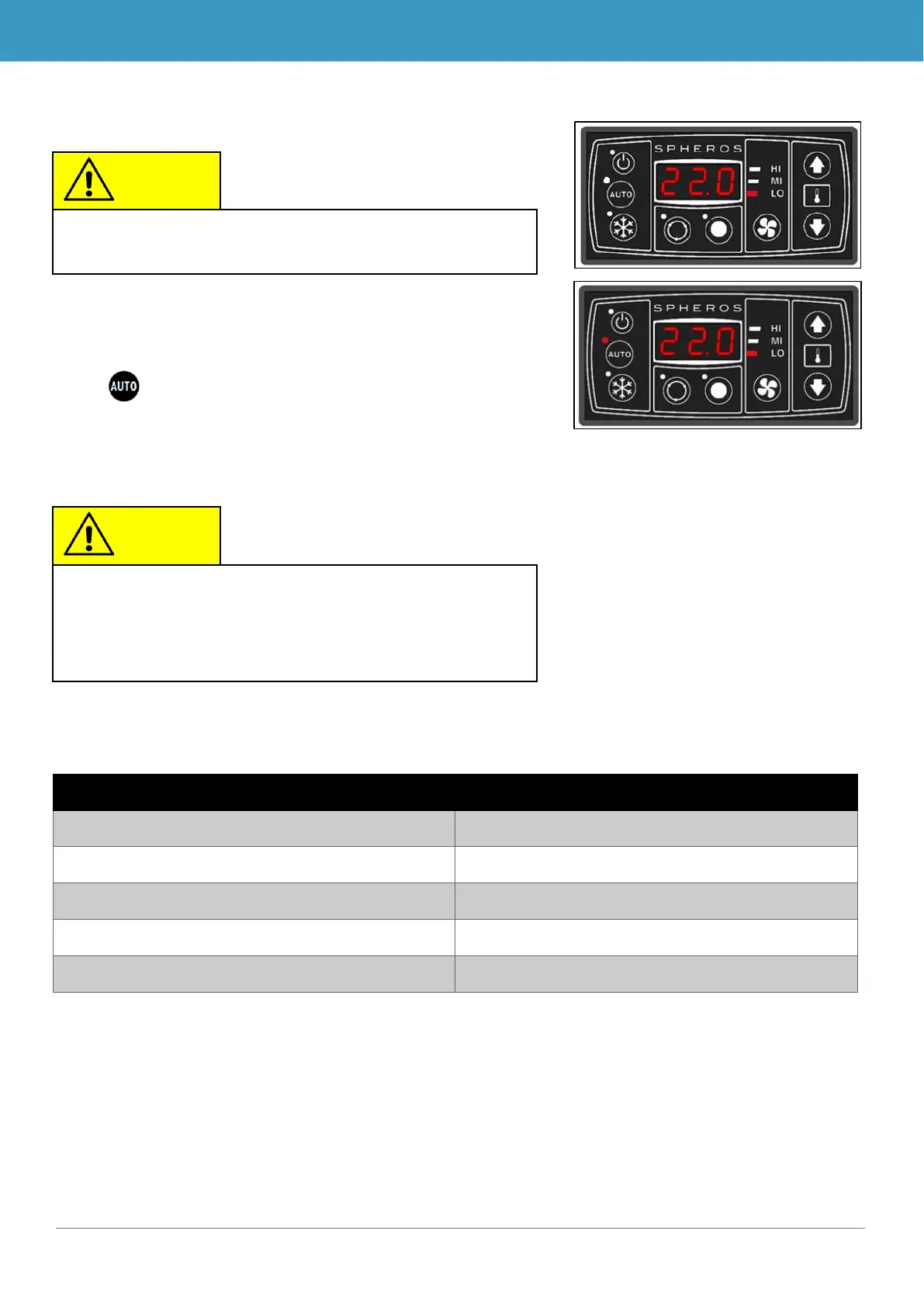
Press button when status light is off. (Figure 5, above)
➔ Mode is active and corresponding status light lights up
(Figure 5, below)
The temperature difference is the difference between the cur-
rent room temperature and the set desired room temperature.
Level 1: T_Room – T_Desired
Level 1 → 2: T_Room – T_Desired
Level 2 → 3: T_Room – T_Desired
Level 3 → 2: T_Room – T_Desired
Level 2 → 1: T_Room – T_Desired
Table 1 - SC400/410 temperature difference and blower level in cooling mode
When starting the device, Auto mode is reactivated (cor-
responding status light turns on).
When activating Auto mode, the system automatically
turns on the blower. Auto mode has no function in this
case, meaning when pressing the Auto mode during
Auto mode, nothing happens.
Figure 5 - SC410 control panel before
and after activating Auto mode



 To Next Page