2 Use
2.1 Activate/deactivate Standby
2.1.1 Standby
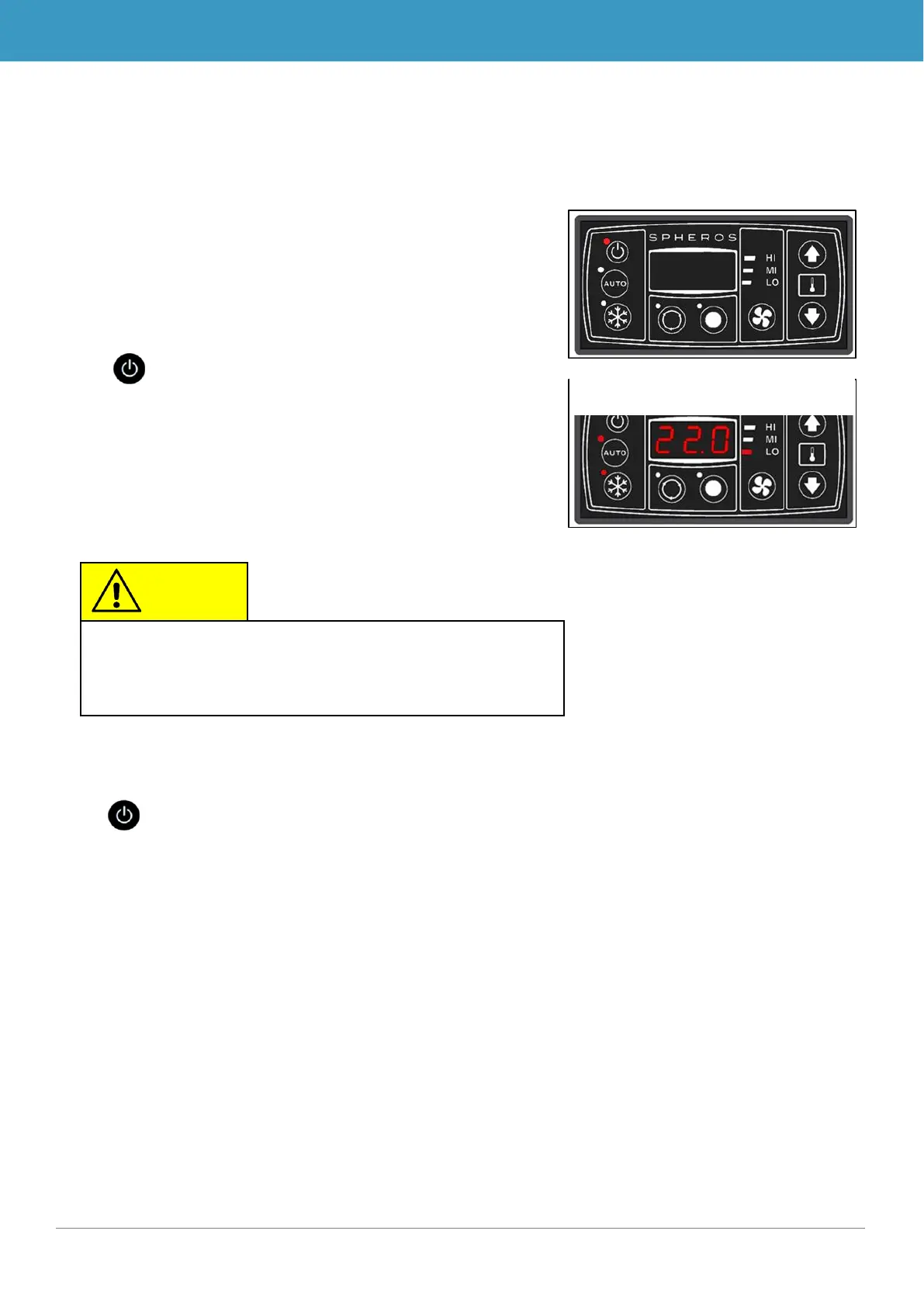
If the motor (KL 61) is running, the system is in Standby mode.
The status light for the On/Off button lights up red (Figure 3).
2.1.2 Activation
Press button
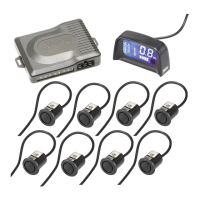
➔ The status light for the On/Off button goes out, the preset
temperature (22.0 °C when first initiating the power supply,
thereafter the last set value) displays, Auto mode is acti-
vated and the automatically set blower level displays. (Fi-
gure 4)
2.1.3 Deactivation
Press button
➔ Compressor and blowers are deactivated immediately
(turning off the motor has the same effect)
If the motor is running, the device returns to Standby mode, the status light of the On/Off button
lights up red. (Figure 3)
If the current room temperature is below the set desired
room temperature, the device automatically begins to
heat (SC410 only).



 To Next Page