ProStar 210/215/ PrepStar 218/SD-1 SDM -27- 03-914947-20:5
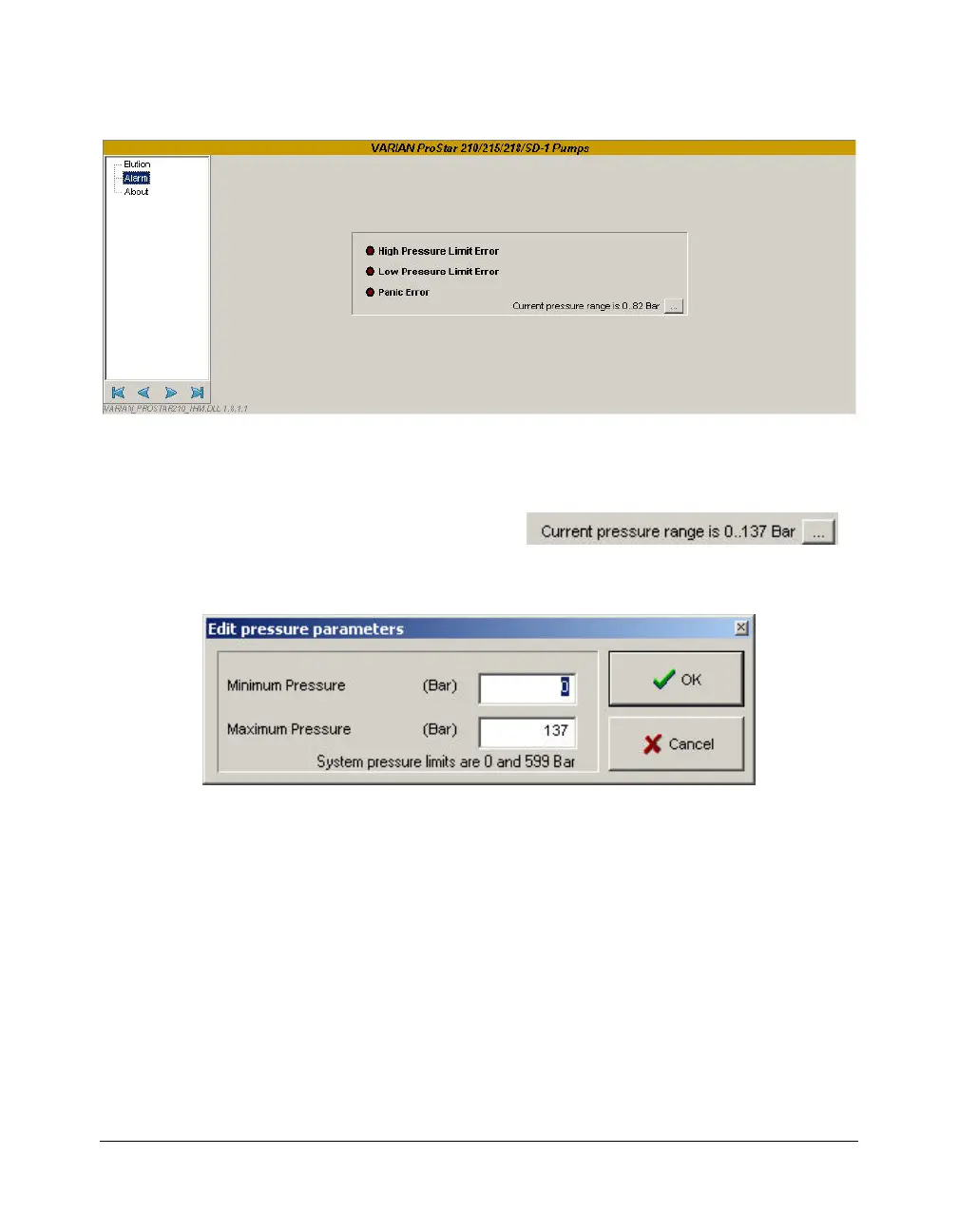
Alarm Window
When the pressure is out of the limits, the pump stops
automatically and the pump status can be read in this screen.
The light becomes red indicating the nature of the error. It is
possible to define new pressure limits directly from this status
screen, by clicking on the
button.
The same screen than above appears:
Enter the new values of pressure limits. Outside these limits,
the pump stops and the alarm sounds. Click on OK to validate.




 To Next Page