ProStar 430 Autosampler Control Manual - 12 - 03-914947-33:2
2. Choose the system (chromatograph) associated with the
method. A method is created for a particular system. When
starting an acquisition, the name of the system that
performs the acquisition must be correct, since method
access is limited only to those methods associated with this
system.
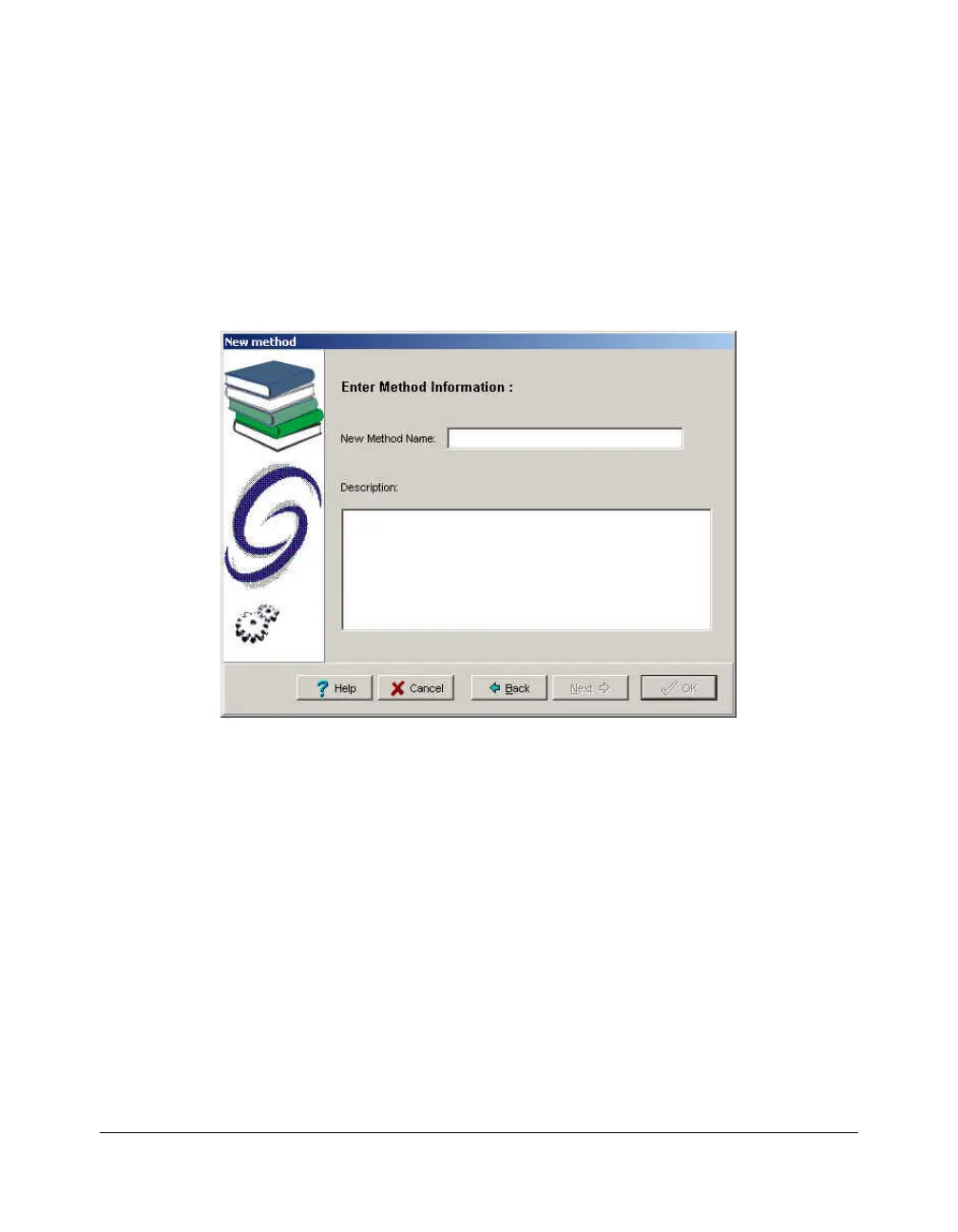
3. Once this field is completed, click on the Next button to
move to the second step of the method creation:
4. Enter the New Method Name in the first field. In the
Description field, enter information concerning the method
(optional).
5. Once these two fields have been completed, click on the
OK button. The new method is created and is opened with
default parameters in the Galaxie Chromatography Data
System. The next step is the definition of each of the
method sections.
The instrument control section must be defined in order to
start an acquisition. In the following part of this guide, only
the instrument control section for the Varian ProStar 430 is
detailed. Other parameters such as Injection Volume, Vial
and Rack number may be necessary and are defined in the
acquisition section.




 To Next Page