ProStar 430 Autosampler Control Manual - 21 - 03-914947-33:2
Automix Control
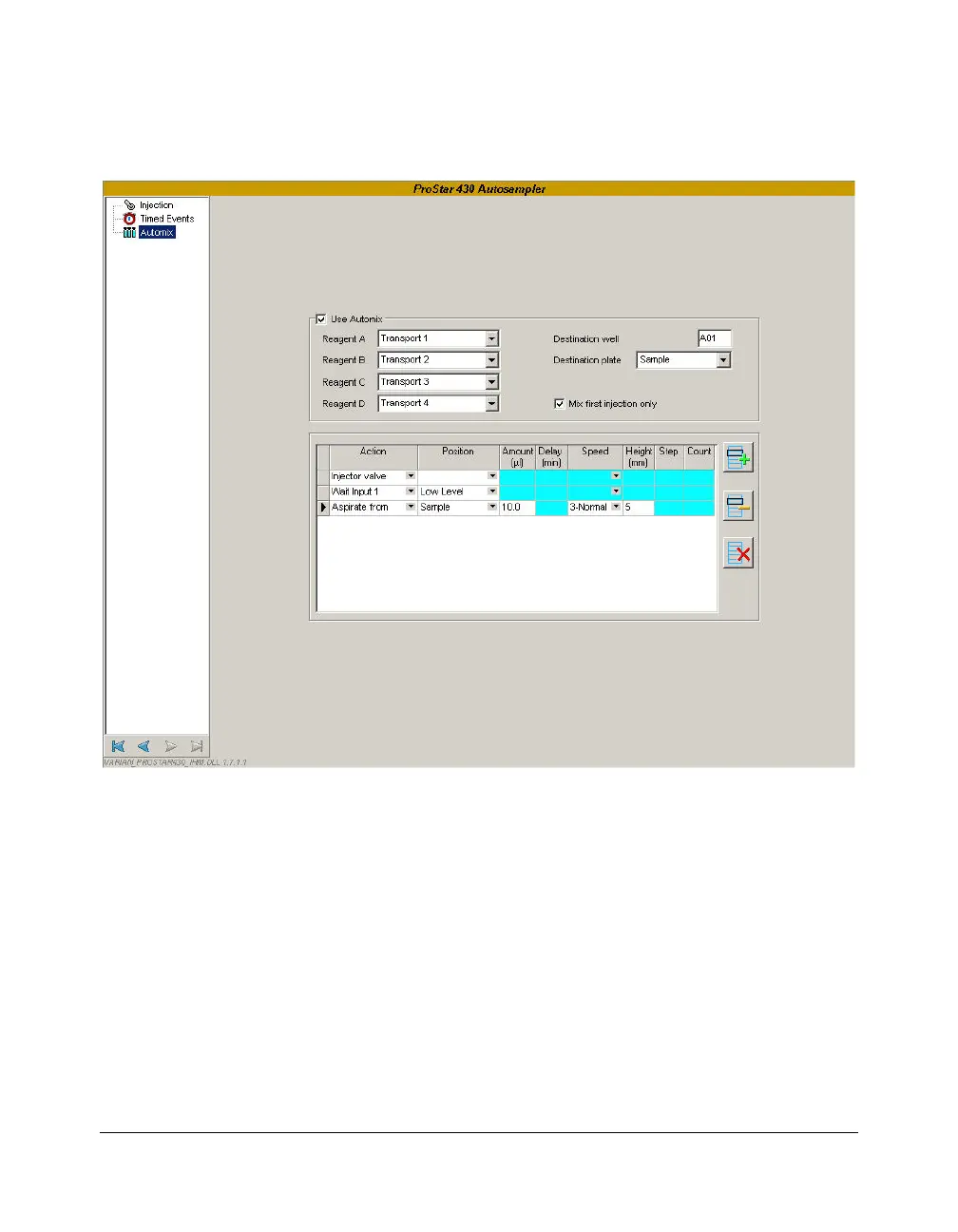
Use Automix parameter group:
Check the Use Automix box to activate the ProStar 430 mix
capability:
Select from the lists the Transport vial number that contains
each Reagent fluids (A…D). Five choices are available: None,
Transport 1, Transport 2, Transport 3 and Transport 4.
Enter the number of the Destination well to be used as the vial
for adding or removing measured amounts of sample and/or
reagents… The vial number depends on the type of the tray
previously configured in the Galaxie Configuration Manager:




 To Next Page