ProStar 430 Autosampler Control Manual - 24 - 03-914947-33:2
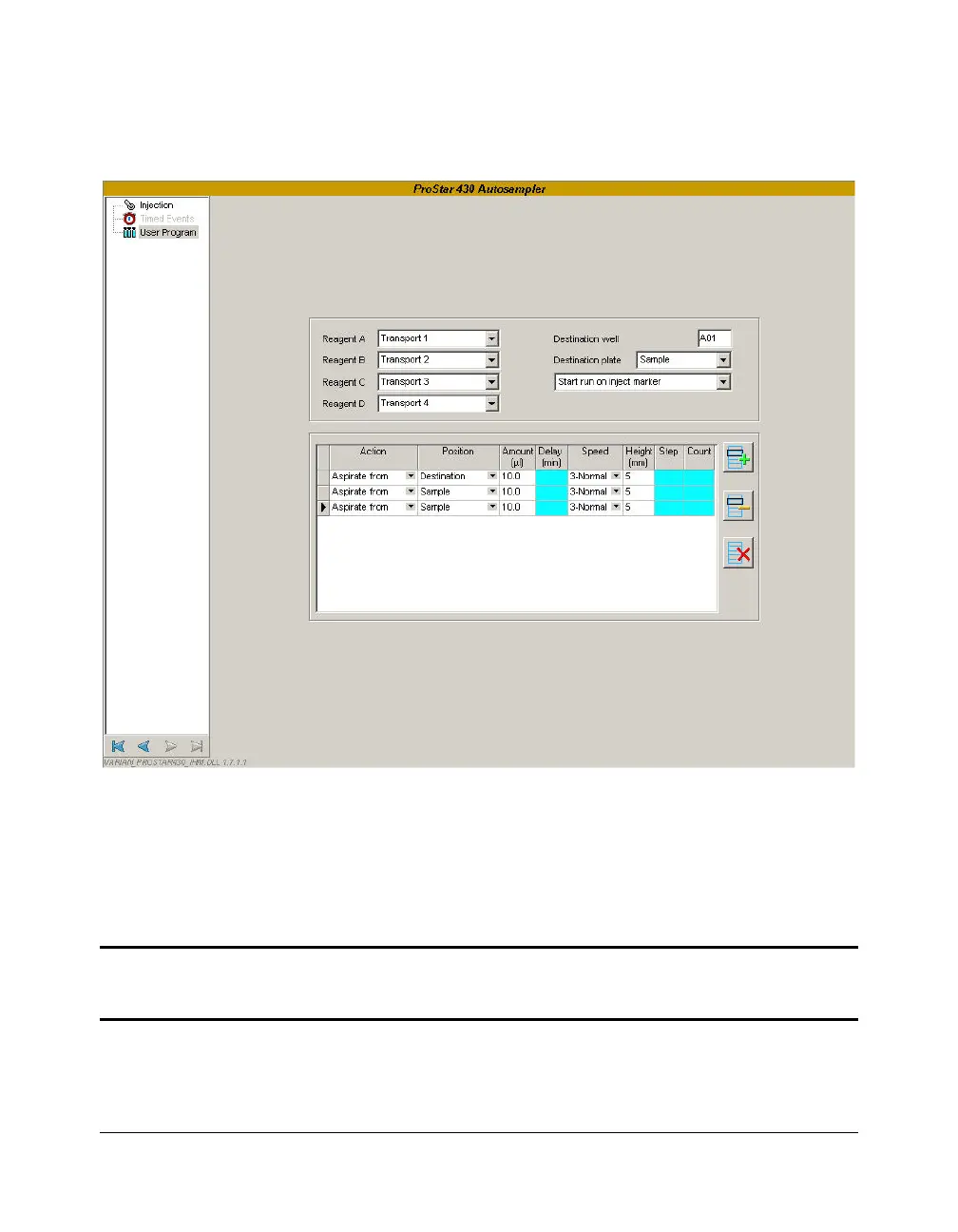
User Program Control
The User Program offers the possibility to program all possible
actions required for a sample handling sequence in separate
steps. To access to this feature, the User Program injection
mode must be checked in the Injection sub-section.
NOTE: When this mode of injection is selected, the Timed Events sub-section becomes
inactive. The program of the auxiliaries, SSV and P3 output is done directly in the User
Program sub-section.




 To Next Page