S h i f t
S e t u p
R e v i e w
D i s p l a y
SPM
WATTS
WATTS
:00
0
0
0 0
Shift
Setup
Review
Display
METERS
SPM
/100M
WATTS
:00
0
0:00
0 0
shift button
down arrow
ELAPSED TIME
ELAPSED TIME
STROKES / MINUTE
STROKE POWER
STROKES / MINUTE
STROKE POWER
20 August 2022
Vasa SwimErg User’s Manual
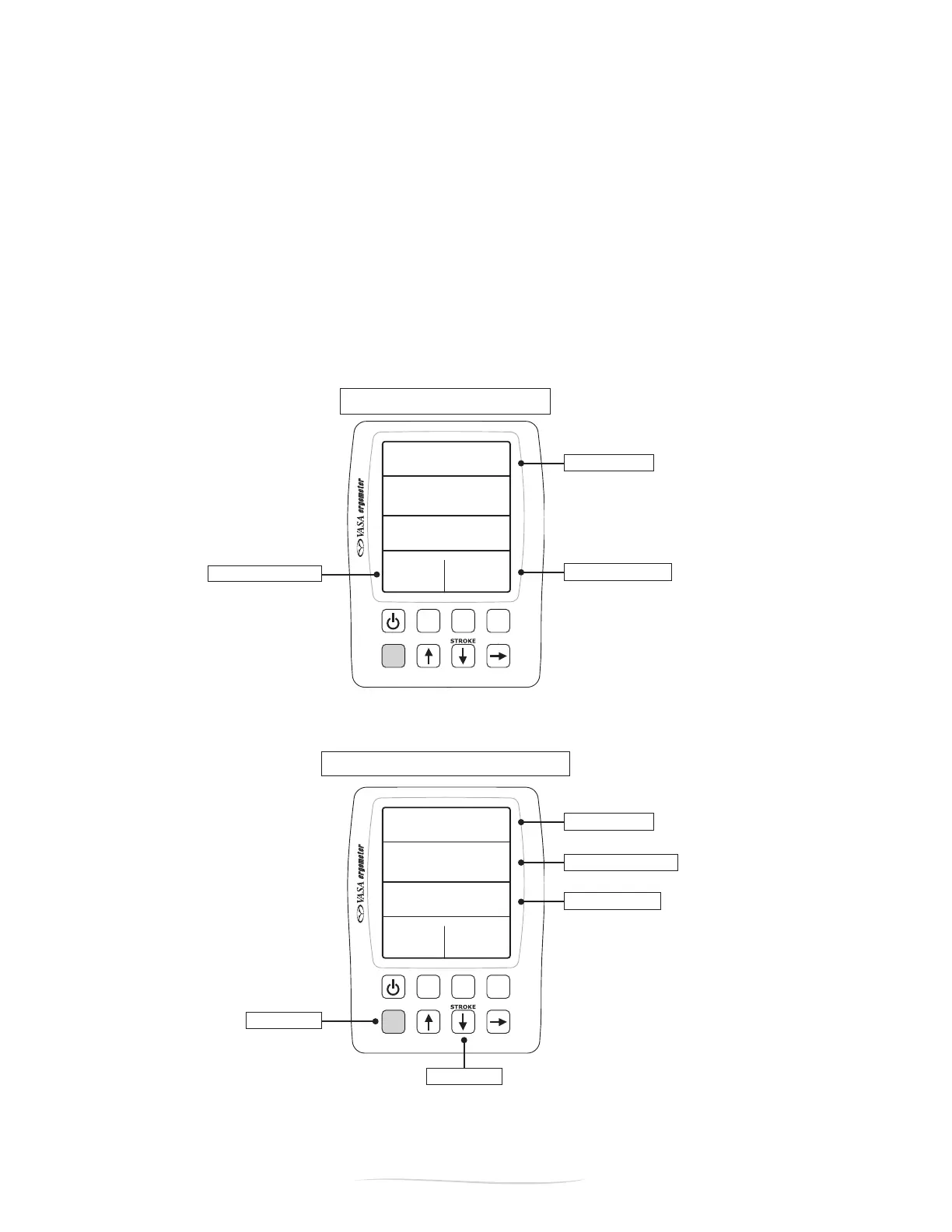
Figure E - STROKE MODE
Figure D - BASIC MODE
PART 2 - Using the SwimErg
MODES: BASIC VS. STROKE
There are two main display modes on the Power Meter: BASIC MODE and STROKE MODE (Figure D
andE).Whenthepowermeterisrstturnedon,itwillautomaticallyenterBasicMode.BothBasicMode
and Stroke Mode give you readings on ELAPSED TIME, STROKE RATE (strokes per minute), and STROKE
POWER (watts).Theremainingeldsare“sub-displays”thatchangebypressingthe“Display”button.
For more information on Basic Mode, Stroke Mode and their sub-displays, see the next two pages.
TogetintoSTROKEMODE,pressandholdtheblue“Shift”button,thenpressandreleasethe“Down
Arrow”button(below“STROKE”-seeFigureE).ToreturntoBASICMODE,pressandholdtheblue
“Shift”button,thenpressandreleasethe“DownArrow”button.


 To Next Page