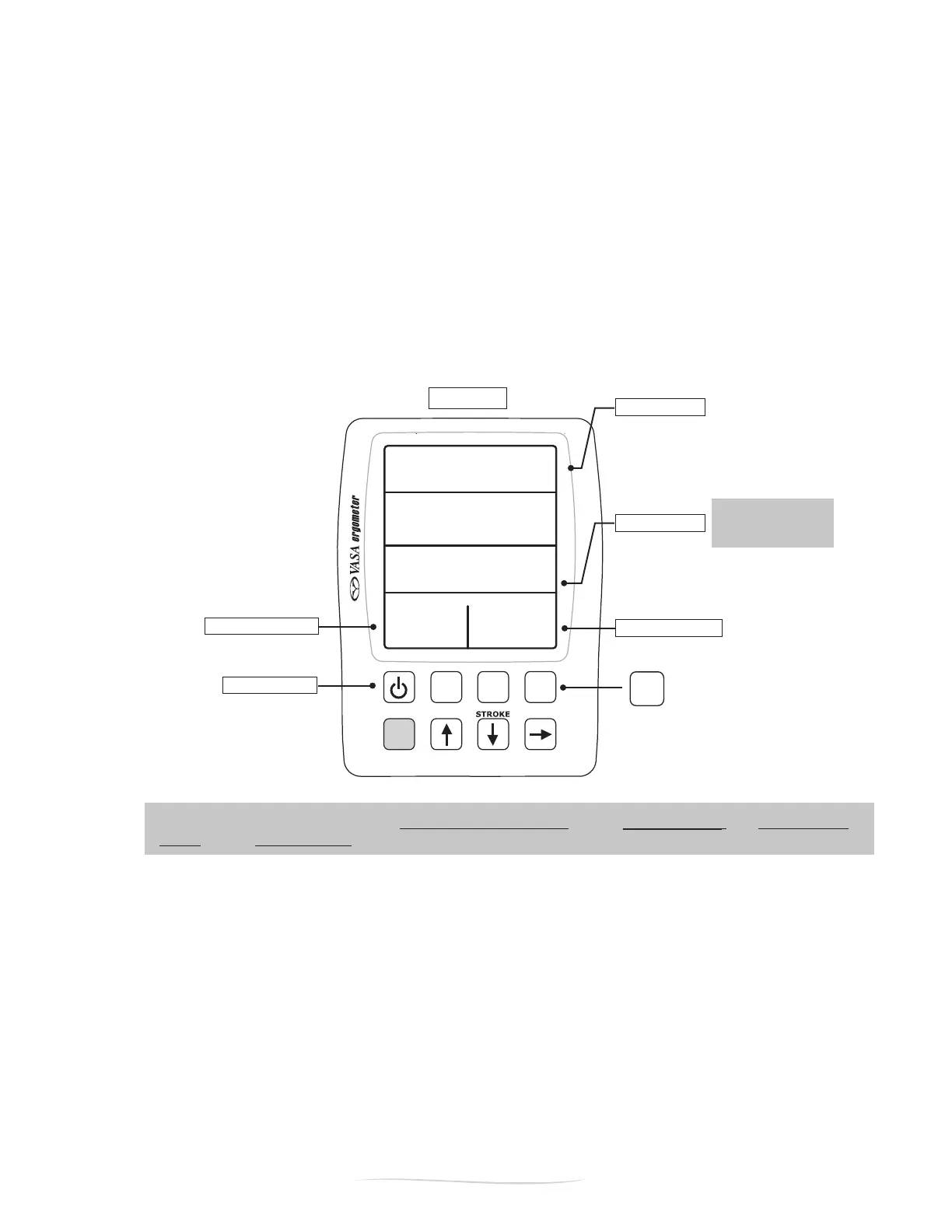
See PACE NOTE
below.
ON/OFF button
Shift
Setup
Review
Display
METERS
SPM
/100M
WATTS
5:48
I05
I:25
30 45
ELAPSED TIME
PACE
STROKE POWER
STROKES / MINUTE
PACE NOTE: The pace calculation in KAYAK/SUP Viewing Optionreectspace per 500M. The Swim Viewing
Optionreectspace per 100M.
21
Vasa SwimErg User’s Manual
August 2022
Display
METERS
SPM
/100M
WATTS
5:48
I05
I:25
30 45
push “display” to
get into sub-mode
Figure D
PART 2 - Using the SwimErg
NOTE:IfthePowerMeter(PM)sensesthefanwheelisidlefor5MinutesthePMwill“powerdown”and
you will lose your workout data. If you choose to PRE-SET YOUR TIME or DISTANCE, the PM will continue
to retain data (see page 32 for full details).
BASIC MODE
BasicModehasthreesubdisplaysPACE,Power,andCalories.Thesesub-displaysgiveyoumorespecic
information about your pace, your average power and the calories burned. You can choose these sub-
modesbypressingthe“Display”button(FigureD)onthePowerMeterkeypad.EachtimetheDisplay
button is pressed, the display changes to the next mode. This can be done at any time without affecting
the operation of the Power Meter.
Thetopandbottomeldswillalwaysdisplaythesameinformationinallofthethreesub-displays.The
twomiddleeldswillchangeasyoupressthe“Display”button.ThetopeldisELAPSEDTIME,the
bottomlefteldisstrokerateinstrokesperminute,andthebottomrighteldisSTROKEpower(inwatts)
for the last stroke (Figure D).


 To Next Page