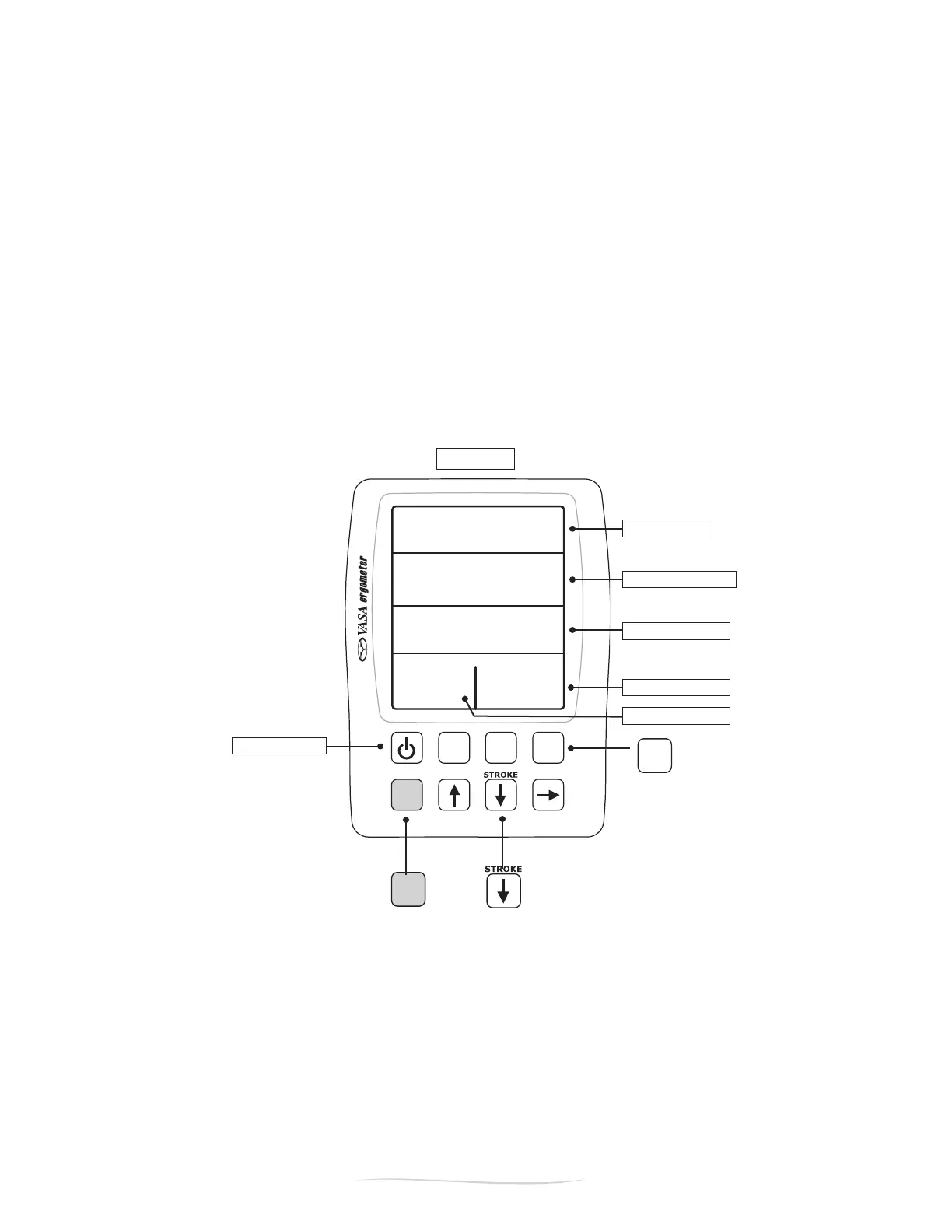
on / o button
Shift
Setup
Review
Display
SPM
WATTS
WATTS
i6:40
30
65
31
34
ELAPSED TIME
STROKES / MINUTE
STROKE POWER
AVG WATTS RIGHT
AVG WATTS LEFT
Shift
Setup
Review
Display
METERS
SPM
/100M
WATTS
5:48
I05
I:25
30 45
Shift
Setup
Review
Display
METERS
SPM
/100M
WATTS
5:48
I05
I:25
30 45
23
Vasa SwimErg User’s Manual
August 2022
Display
METERS
SPM
/100M
WATTS
5:48
I05
I:25
30 45
push “display” to
get into sub-mode
Figure H
press and hold “shift”
then press “stroke”
(down arrow)
PART 2 - Using the SwimErg
+
STROKE MODE
StrokeModegivesyoumorespecicinformationabouteachstroke,andshowsinformationfortheleftand
rightstrokesseparately.TogetintoSTROKEMODE,pressandholdtheblue“Shift”button,thenpressand
releasethe“Stroke”(downarrow)button(FigureH).
Stroke Mode has three sub-displays: AVERAGE WATTS, AVERAGE FORCE, and MAXIMUM FORCE. You
canchoosethesesub-modesbypressingthe“Display”buttononthekeypad(makesureyouarein
strokemoderst-seeabove).EachtimetheDisplaybuttonispressedthedisplaychangestothenext
mode. This can be done at any time without affecting the operation of the Power Meter.
WheninStrokeMode,thetopthreeeldsalwaysdisplaythesameinformation(thebottomleftand
righteldswillchangeasyoupressthe“Display”button).ThetopeldistheELAPSEDTIMEsincethe
startofexercise,thesecondeldistheSTROKE RATEinstrokesperminute,andthethirdeldisthe
STROKE POWER (in watts) for the last stroke (Figure H).


 To Next Page