30 © 2009 VBrick Systems, Inc.
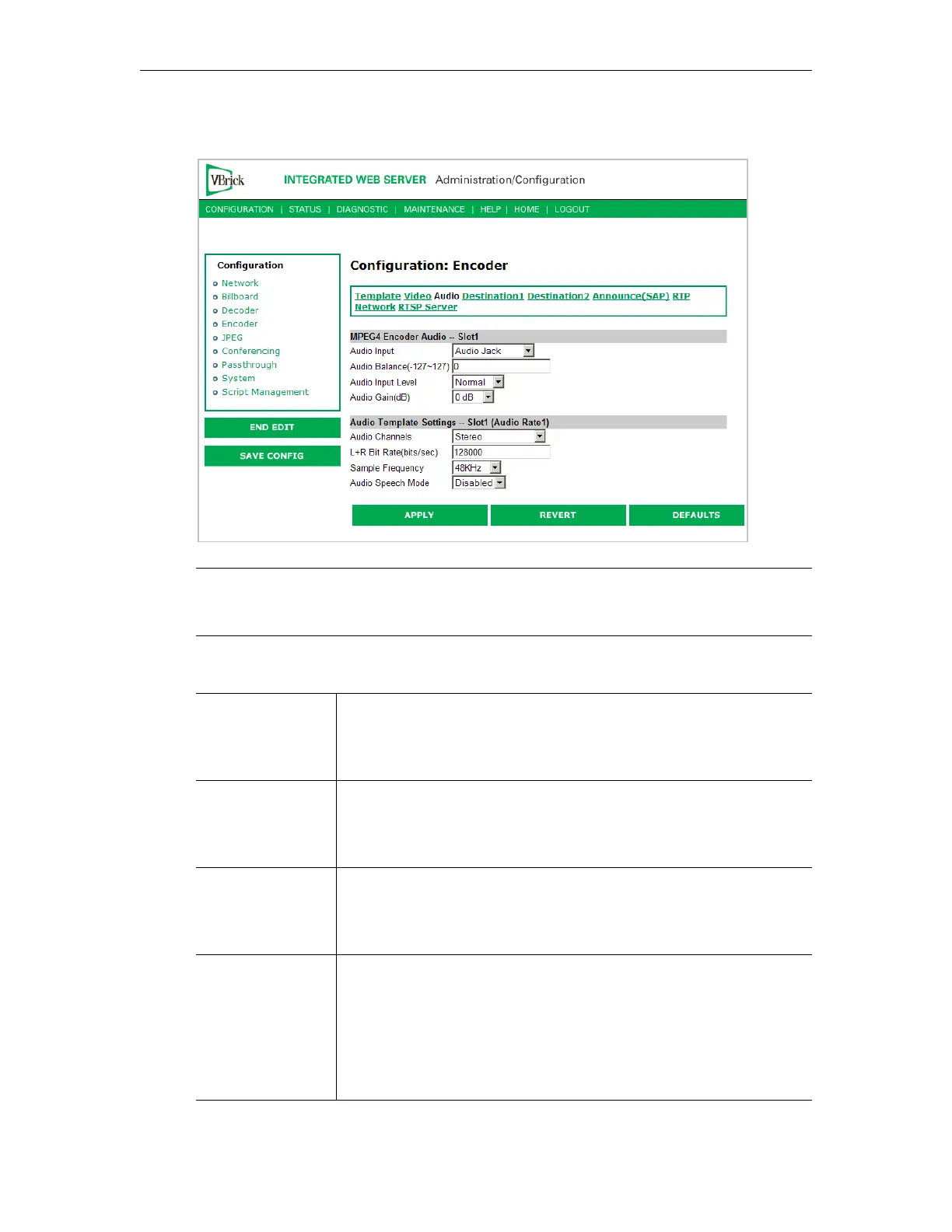
Configuration: Encoder > Audio
MPEG4 Encoder Audio
Note In Edit mode, the settings that are affected through template settings (set in the
Configuration: Encoder > Template) are set apart on the bottom portion of the
screen.
Audio Input Input can be from an Audio Jack (1/8" mini-phono jack) or from
Microphone DIN (AudioMate microphone). Note that audio
attenuation is relevant only if the 1/8" mini-phono jacks are used.
Note that model 9174-4200 (VBSSM) does not support audio.
Audio Balance -127 to 127. Default = 0. This setting controls the balance the output
level between the left and right audio channels, a value of -127 mutes
the right channel and a value of 127 mutes the left. A value of 0
distributes audio levels equally between the left and right channels.
Audio Input Level Normal or Alternate. Default = Normal. Sets the audio level for the
encoder audio jack input. When set to normal, the audio inputs accept
a 4-volt peak-to-peak maximum signal. When set to alternate, the
audio inputs accept an 8-volt peak-to-peak maximum signal.
Audio Gain This setting controls the audio level of the encoder. When the Audio
Input Level is set to Normal, the settings are from 7 to –53 dB and
mute. The default is 0 dB. A setting of 7 is full volume and –53
effectively mutes the encoder. When the Audio Input Level is set to
Alternate, the settings are from 12 to –48 dB and Mute. The default is
0 dB. A setting of 12 is full volume and –48 effectively mutes the
encoder.


 To Next Page