MPEG-4 Configuration
VBrick MPEG-4 Appliance Admin Guide 43
can be configured using addresses on Ethernet or using addresses on ATM. Passthrough on
COM2 is only available on VBricks with a CPLD (programmable logic device) Version
greater than 21. (To check the CPLD , go to Status > System Information > CPLD Version.) If
the IWS screens do not provide a COM1 or COM2 selection at the top of the Passthrough screen, the
VBrick defaults to COM1. This feature supports a wide range of serial applications. See "Serial
Port Passthrough" in the VBrick Appliances Getting Started Guide for more information. Note
that RS-232/422/485 end-to-end control is initiated by enabling or disabling Passthrough.
The Passthrough port for COM1 is 4439; the port for COM2 is 4414.
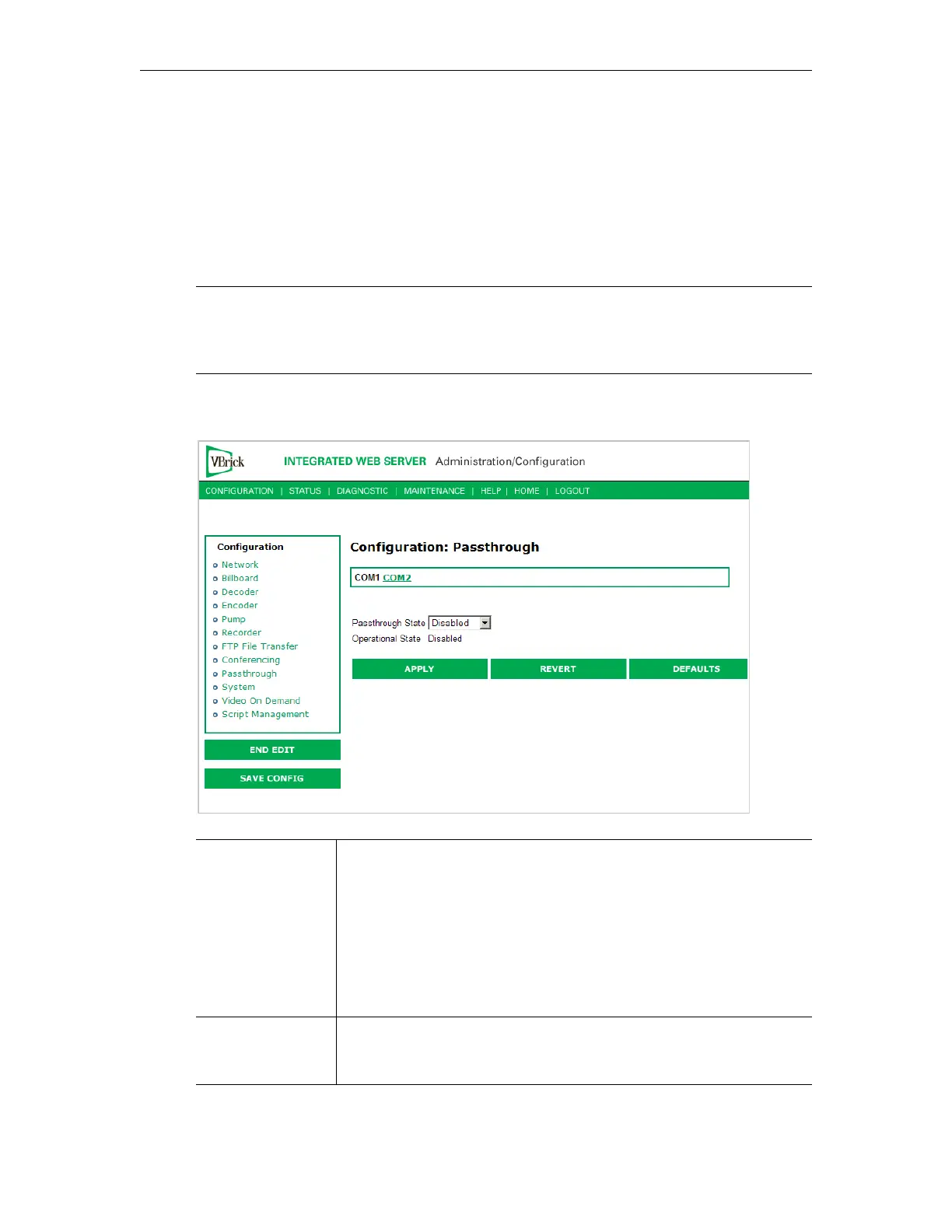
Configuration: Passthrough > COM1
Note COM2 is a dual purpose interface. At the factory default it can be used as a serial
connection to the VBrick Command Line Interface (CLI) tool for configuration
purposes. When configured for Passthrough, the CLI feature is used for camera
control.
Passthrough State Used to enable/disable Passthrough. Three states are possible:
• Disabled – The VBrick will neither initiate nor respond to
Passthrough setup requests.
• Responder – In this case the VBrick will accept a connection
request (up to 64 connection requests) from another VBrick set as
an Initiator or from a PC camera control application.
• Initiator – In this case it will continuously attempt to automatically
initiate a Passthrough connection to the remote destination.
Operational State Describes the current status of a Passthrough connection, including
error conditions, if any. Refer to the Network Status Section. This will
display "Active" if in Passthrough mode.


 To Next Page