K5/K5N Vacuum Packaging Machine
Operation
2002-04-25 Art. no. 519.340 Page 28/56
No.
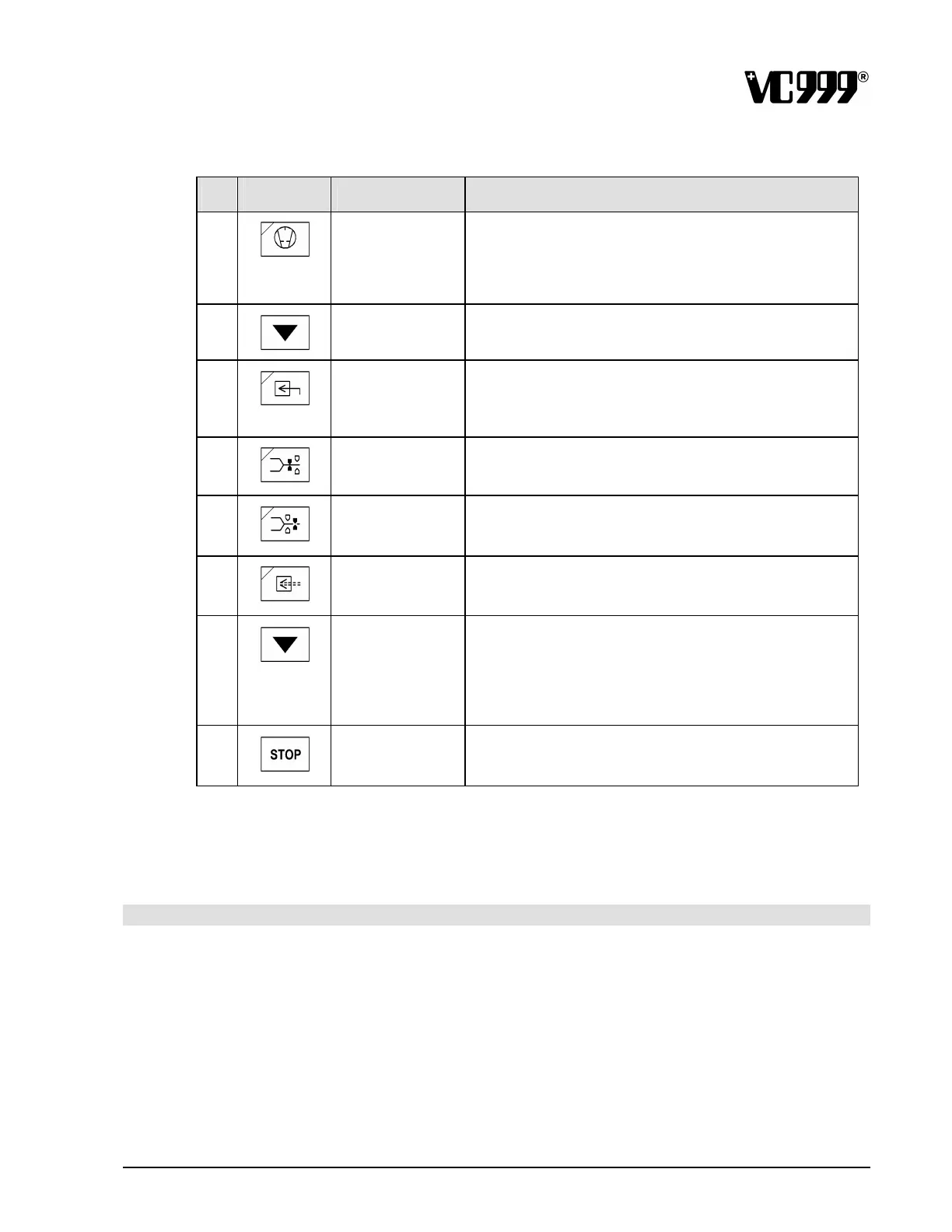
Symbol Name Function
9
Vacuum pump Used to switch the vacuum pump on and off.
If the vacuum chamber lid is down, it is opened by
pressing this button after switching on the machine at the
main I/O switch.
10
DOWN arrow
button
Lowers the value shown on LED display 1 or changes to
other possible settings.
11
Inert gas Inert gas setpoint
The setpoint input may be between 400 and 999. 999
means “no inert gas”.
12
Welding Welding setpoint
The setpoint can be set at between 0.0 and 5.0 seconds.
13
Cutting Cutting setpoint
The setpoint can be set at between 0.0 and 5.0 seconds.
14
Intermediate
ventilation
Length of the intermediate ventilation
The time can be set to between 0.0 and 1.0 second(s).
15
DOWN arrow
button
Packaging program:
Select the requested program number, descending.
Service program:
Select parameter levels S-04, S-03, S -02 and S-01 in
descending order. The parameter levels are displayed on
LED display 2.
16
Stop Changes back to the basic setting from any position.
If you press this button during vacuum generation, you
proceed to the next stage of the program.
The individual parameters are described in detail in the section on “Program ming”.



 To Next Page