6
M1 WL
3
3
4
4
1
2
1
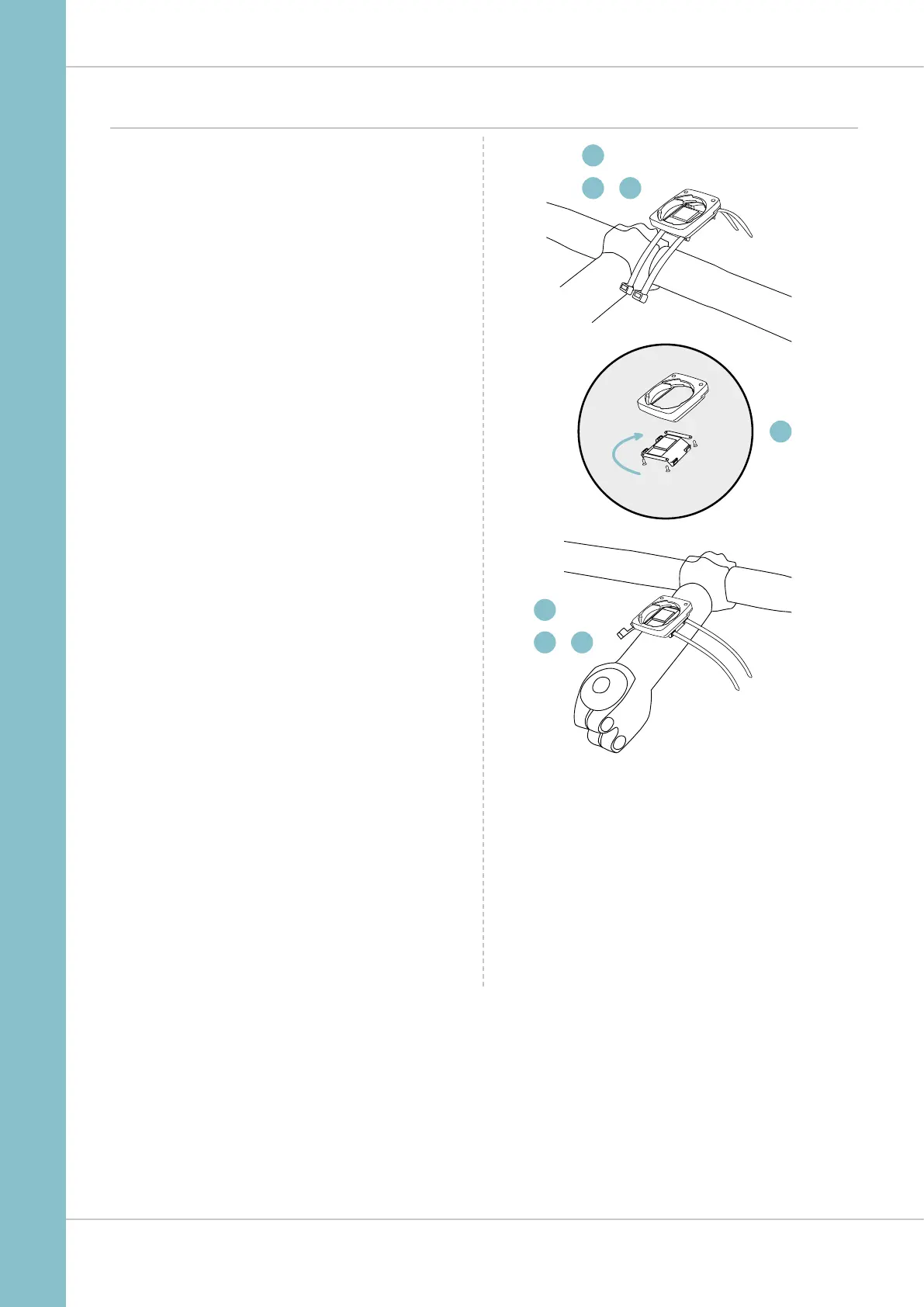
Attaching the handlebar bracket
You can attach the computer to the right or left of the handle-
bars or the centre of the stem. Attach the handlebar bracket
in the corresponding position.
STEP 1
Decide whether you want to attach the computer
to the handlebars or the stem.
STEP 2
Rotate the foot of the handlebar bracket by 90° accordingly.
To do so, undo the screws in the bracket, remove the foot and
rotate it 90° then insert and tighten the screws again.
Attention: do not overtighten the screws.
STEP 3
Guide the cable ties through the slot in the handlebar bracket,
place around the handlebars or the stem and pull (do not pull
tight just yet).
STEP 4
For handlebar attachment: align the computer angle
to achieve optimum readability. Now pull the cable ties tight.
Use clippers to snip off protruding ends.



 To Next Page