Setting the navigator
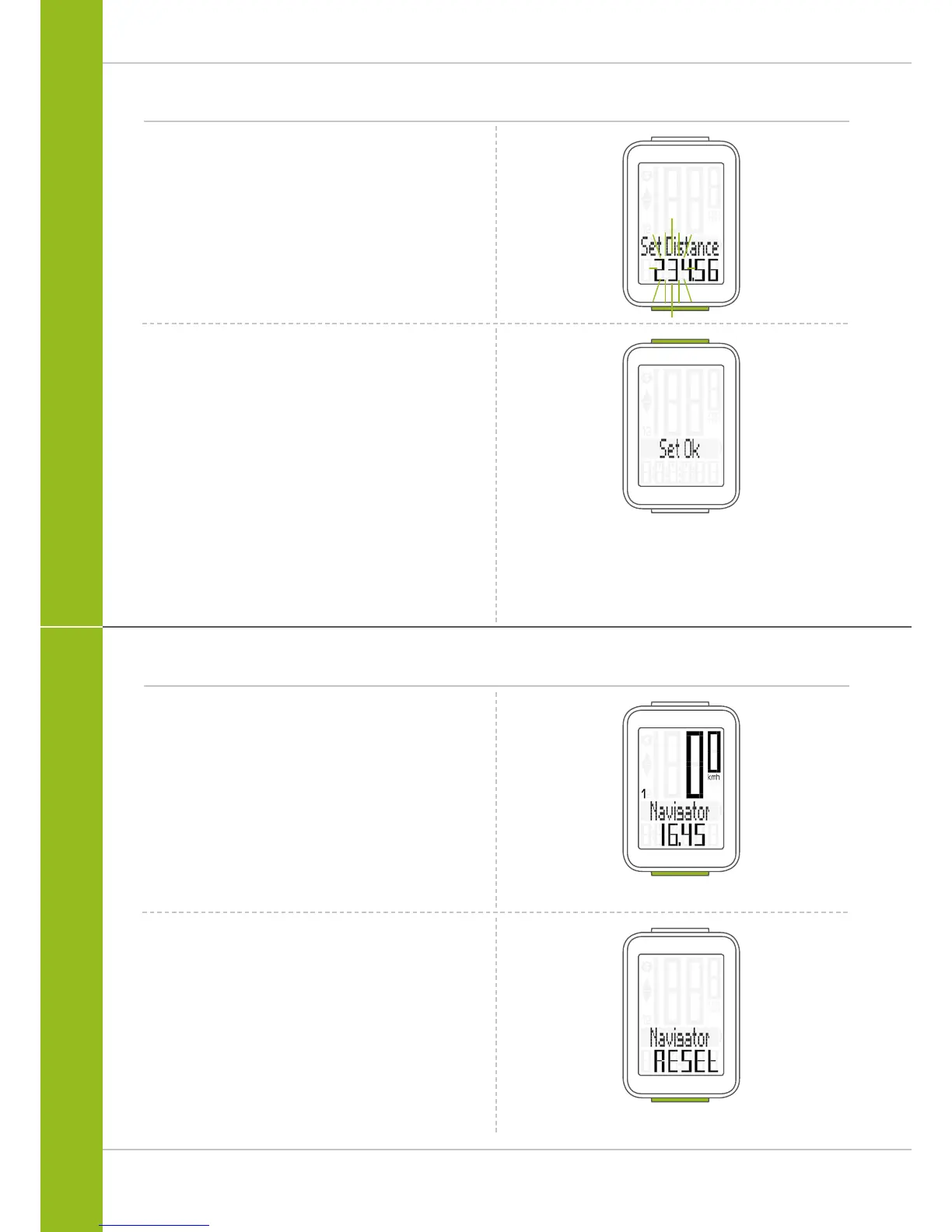
The second digit on the left flashes.
Press the BIKE button to change the digit.
Press the SET button to confirm the entry.
Once all the digits have been set, confirm the entry
by pressing the SET button.
The response “Set OK” appears on the display.
The VDO M3 WL returns to function mode.
Once the navigator function appears on the display,
press and hold the BIKE button.
Navigator RESET
appears on the display.
If you continue to hold down the BIKE button,
the navigator is reset to zero.
Resetting the navigator to zero
The navigator can be reset to zero any number of desired
times during a trip.
How to reset the navigator:
Press the BIKE button to display the navigator function.



 To Next Page