Display
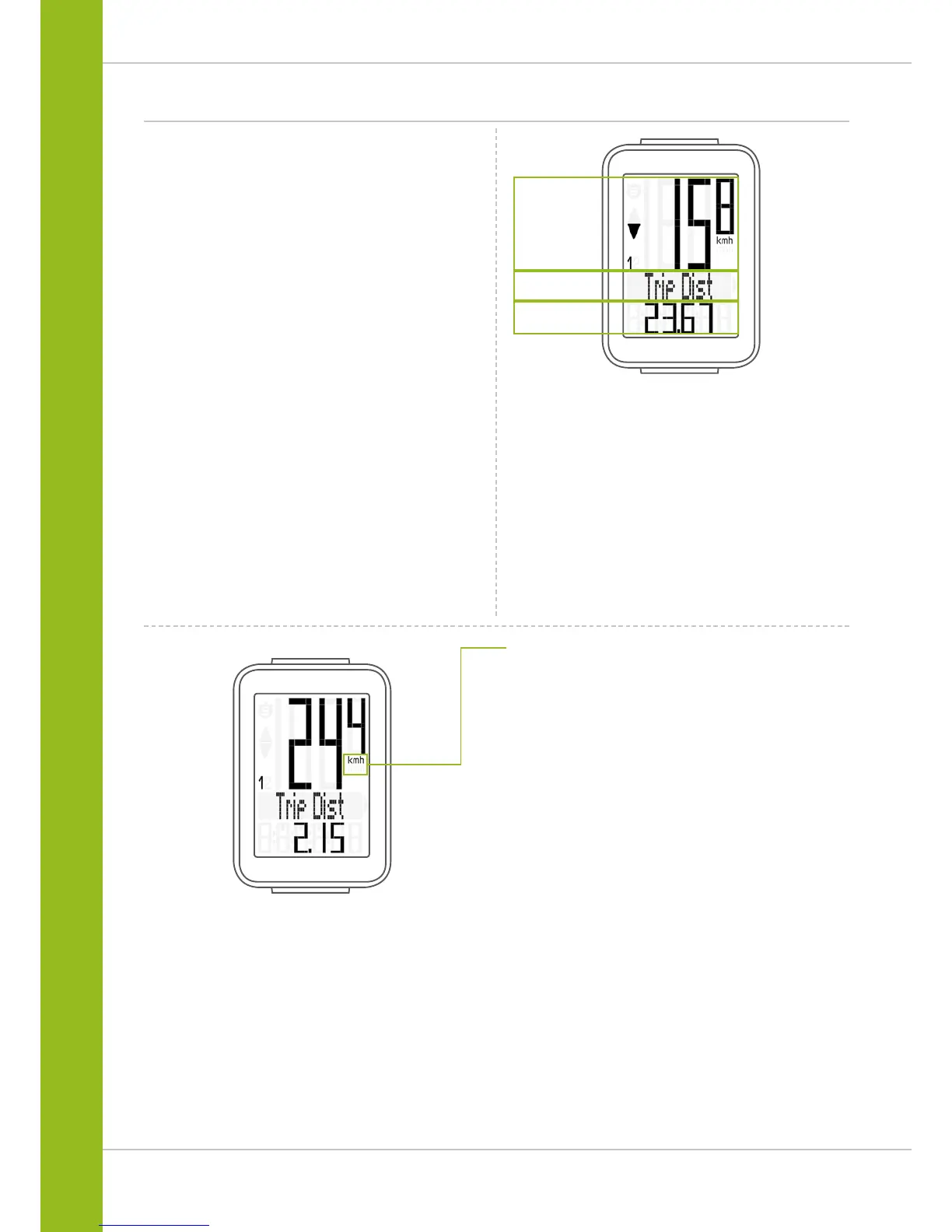
The VDO M3 WL has a large, easy-to-read display that can be
divided into three areas.
Area 1:
The top line of the display permanently indicates
the current speed.
Area 2:
The middle line uses clear text to display a description
of the selected indicator function.
Area 3:
The bottom line of the display shows the value for
the selected function.
Area 1
Area 2
Area 3
On the right of the display, under the speed indicator,
the unit kmh or mph is displayed.



 To Next Page