SEC.
1
2
3
Replacing the battery in the computer
To ensure your cycle computer is fully functional,
we recommend replacing the battery annually.
ATTENTION: your settings as well as your total distance,
total ride time and altitude gain/loss for the year remain
stored when you replace the battery. NO data is lost.
You need a 3 V 2032 battery.
We recommend using a branded battery from Sony,
Panasonic, Varta or Duracell.
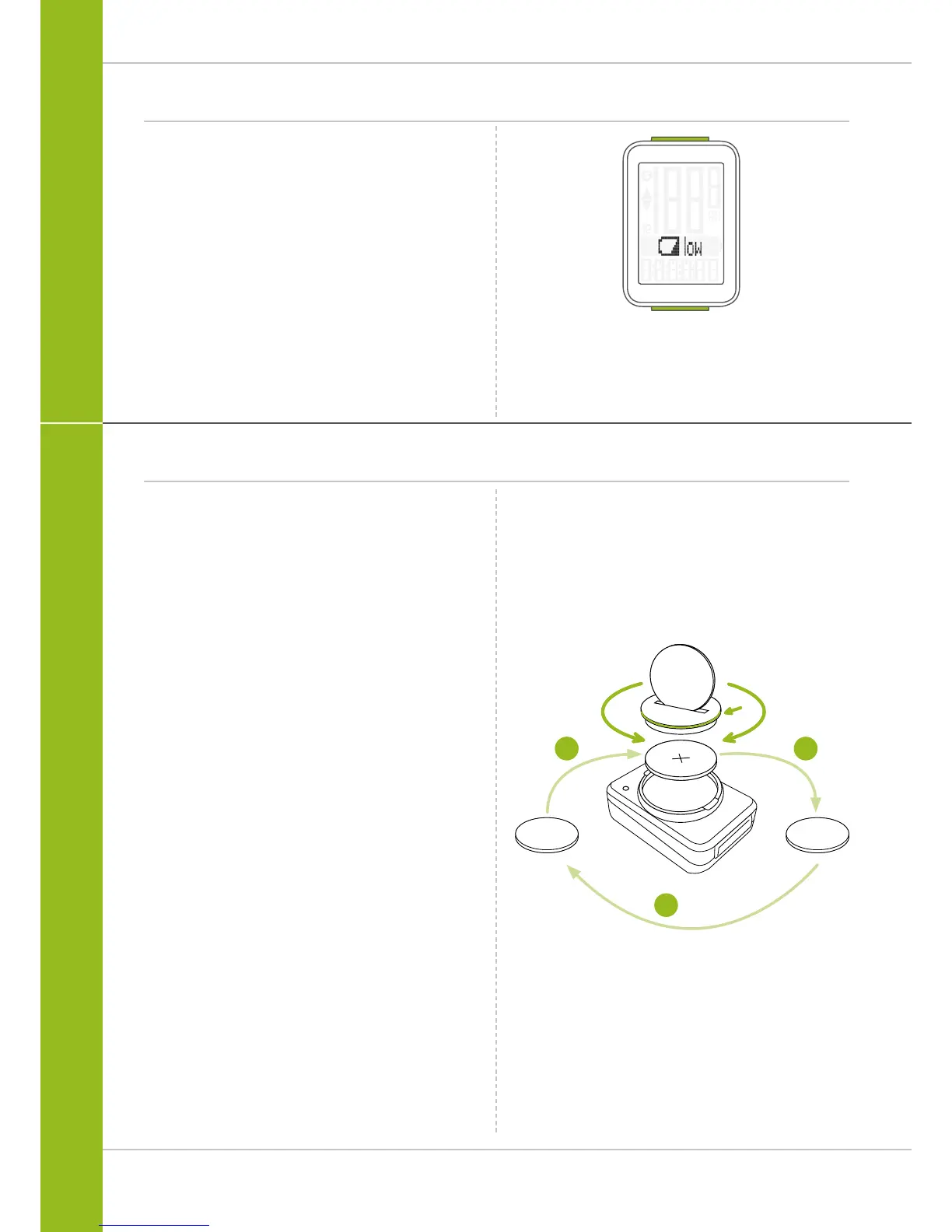
How to replace the battery:
STEP 1
Use a coin to remove the battery compartment cover.
STEP 2
Remove the dead battery.
ATTENTION: wait 10 seconds before you insert the new
battery. The electronics require this time to detect that the
battery is being changed.
STEP 3
Insert the battery into the computer housing
with the +pole up.
Ensure that the battery is not tilted.
Ensure that the rubber seal lies smoothly on the lid of
the battery compartment.
STEP 4
Insert the battery compartment cover into the opening and
use a coin to turn it to the right as far as it will go.
Battery status indicator
The VDO M3 WL has a low battery warning.
If the remaining battery capacity falls below a certain level,
a warning appears on the display.
Press any button to clear the warning.
Following a low battery warning, you still have
approximately two weeks to replace the battery.



 To Next Page