ENGLISH
34
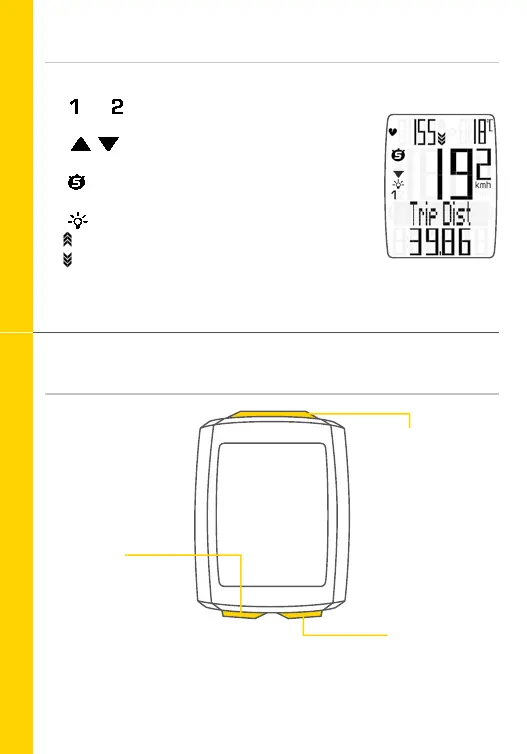
Icons
Buttons
– “KMH/MPH”: shows the selected speed unit
– “ ” or “ ”: shows whether bike 1 or bike 2 has been
selected
– “ ”: comparison of current speed
with the average speed
– “ ” icon: indicates that the trip section counter
is active
– “ ” icon: indicates that the light mode is active
– “heart rate arrow”: shows if the heart rate is
above or below the selected training zone
– “C” or “F” indicate the temperature in Celsius or
Fahrenheit
BIKE button:
Access the bike
functions
TPC button
(total values/pulse/
cadence):
Access the totals or
the heart rate/cadence
functions
(if the heart rate/
cadence function is
activated)
SET button:
Press:
scroll backwards
through the
functions



 To Next Page