DGBD GB
5.2 Setting and measuring the wheel size
5.2.1 Setting using tyre table
You must set the wheel size (wheel roll circum-
ference) of your bike so that your VDO computer
can measure correctly. There are 2 ways of
doing this:
The common types of tyres are listed in the tyre
table. If your tyre type is not listed, we recommend
entering the wheel size manually.
The values given in the table are approximate
values. These values differ according to brand, tyre
height and tyre profile. This can consequently also
lead to discrepancies in the distance measured
and the speed shown.
mm-value inch-value
16 x 1,75 1272 50,1
20 x 1,75 1590 62,6
24 x 1 ⅜ 1948 76,7
24 x 1,75 1907 75,1
26 x 1 1973 77,7
26 x 1,5 2026 79,8
26 x 1,6 2051 80,7
26 x 1,75 2070 81,5
26 x 1,9 2089 82,2
26 x 2,00 2114 83,2
26 x 2,125 2133 84,0
26 x 1 ⅜ 2105 82,9
26 x ¾ 1954 76,9
27 x 1 ¼ 2199 86,6
28 x 1,5 2224 87,6
28 x 1,75 2268 89,3
28 x 1 ½ 2265 89,2
28 x 1 ⅜ 2205 86,8
30-622 2149 84,6
32-622 2174 85,6
37-622 2205 86,8
40-622 2224 87,6
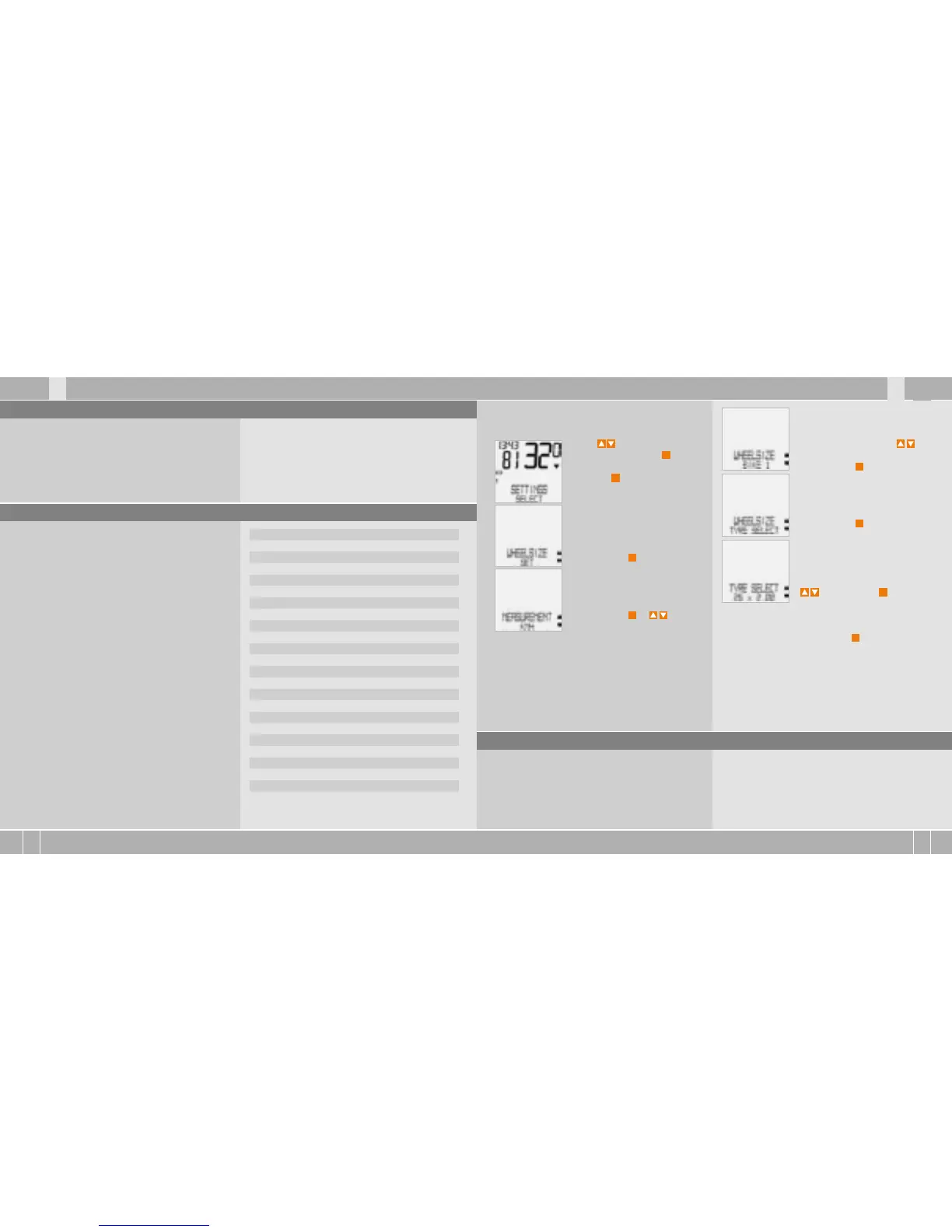
How to set the tyre size by selecting the tyre:
Using go to SETTINGS/
SELECT. Confirm with
M
.
You are now in setting mode
(pressing
C
for 3 seconds gets
you back to function mode).
Using up/down go to
WHEELSIZE/SET.
Confirm with
M
.
MEASUREMENT/KMH.
Confirm with
M
or to
change to MPH.
WHEELSIZE/BIKE 1 (use to
go to setting for bike 2).
Confirm with
M
.
WHEELSIZE/ TYRE SELECT.
Confirm with
M
.
TYRE SELECT/SELECT.
Now select your tyres using
. Confirm with
M
.
The confirmation question appears “Tyresize“/
SELECT OK? When the displayed tyre size matches
the one you want, confirm with
M
.
The display confirms WHEELSIZE/SET DONE
Automatic return to SETTINGS/SELECT.
5.2.2 Setting using wheel circumference >>> P07
To enter the wheel size manually, you must first
measure the wheel roll circumference on your bike.
Measuring wheel roll circumferences:
step 1 Precisely align valve on the front wheel
vertically to the ground.
Step 2 Mark this spot on the ground with a line
(e.g. chalk).



 To Next Page
 Loading...