DGBD GB
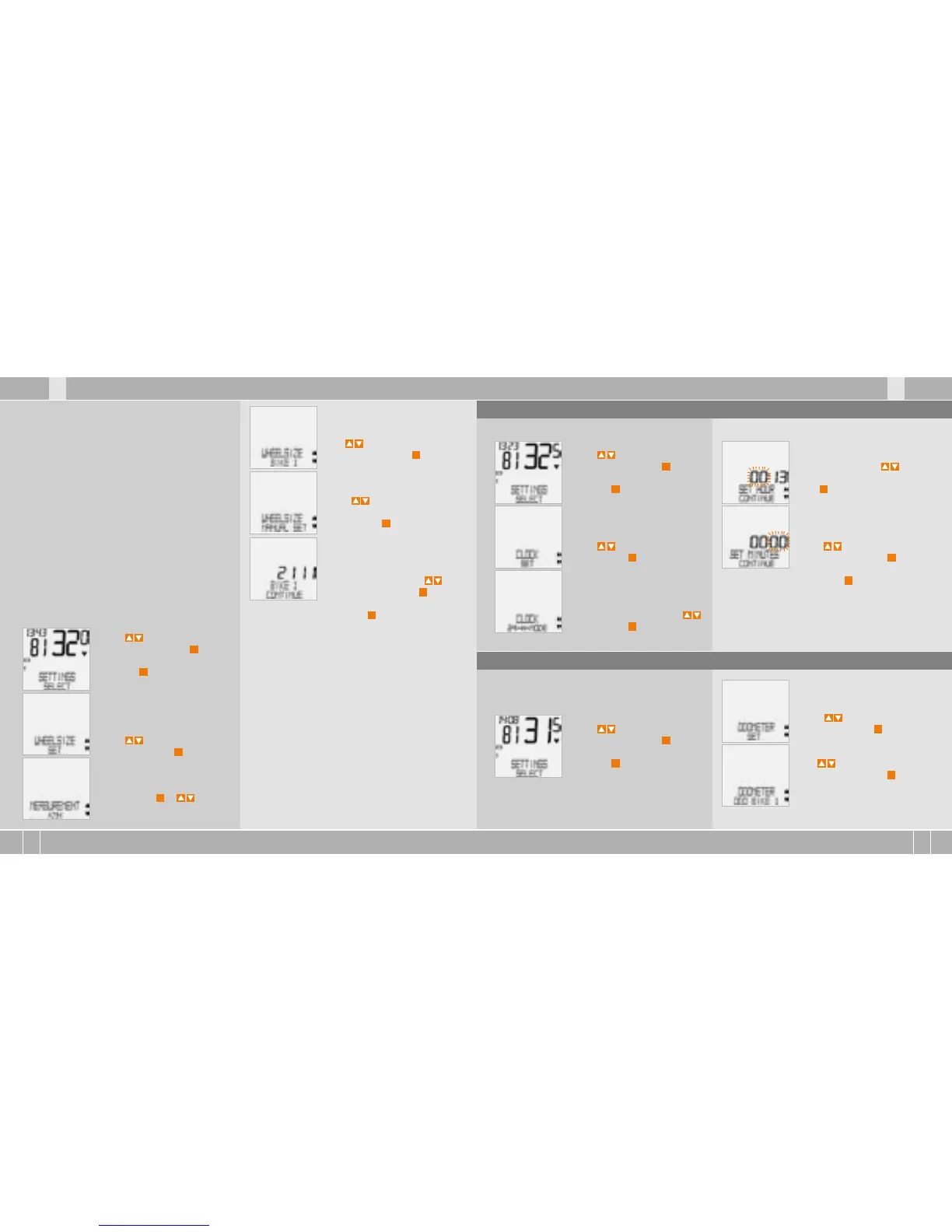
WHEELSIZE/BIKE 1.
(use to go to setting for
bike 2) Confirm with
M
.
Using go to
WHEEL-SIZE/MANUAL SET.
Confirm with
M
.
BIKE 1 ...SET SIZE/CONTINUE
Now set the wheel roll circum-
ference measured using .
Confirm the entry with
M
.
BIKE 1/SET OK? Confirm with
M
.
The display confirms: WHEELSIZE/SET DONE.
Automatic return to SETTINGS/SELECT.
Attention: The factory settings for bike 1 = 2155
mm and for bike 2 = 2000 mm. If you do not enter
any wheel sizes, the computer works with these
factory settings. The values measured in this
way for speed, distance etc. can differ widely
from the actual values.
step 3 Push the bike forwards one turn of the
wheel until the valve is vertical to the ground
again.
Step 4 Also mark this spot on the ground.
Step 5 Measure the distance between the two
marks.That is your wheel circumference
(=roll circumference).
Step 6 Enter the wheel circumference measured
in this way into your VDO computer.
ATTENTION: If you have selected KMH display,
you must enter the wheel circumference in mm
(If MPH display is selected, enter the wheel
circumference in inches).
How to set the wheel size manually:
Using go to SETTINGS/
SELECT. Confirm with
M
You are now in setting mode
(pressing
C
for 3 seconds gets
you back to function mode)
Using go to WHEELSIZE/
SET. Confirm with
M
.
MEASUREMENT/KMH.
Confirm with
M
or to
change to MPH.
How to set the clock:
Using go to SETTINGS/
SELECT. Confirm with
M
.
You are now in setting mode
(pressing
C
for 3 seconds gets
you back to function mode)
Using go to CLOCK/SET.
Confirm with
M
.
CLOCK/24-H-MODE (you can
switch to 12-H mode using .
Confirm with
M
.
CLOCK...SET HOUR/CONTINUE
Set the hours using .
Confirm the hour setting
with
M
.
CLOCK...SET MINUTES/
CONTINUE. Set the minutes
using . Confirm the
minutes setting with
M
.
CLOCK/SET OK? Confirm with
M
.
The display confirms: CLOCK/SET DONE.
Automatic return to SETTINGS/SELECT.
5.3 Setting the clock
You can program the values on the distance coun-
ter at any time (e.g. at the end of a season).
Using go to SETTINGS/
SELECT. Confirm with
M
.
You are now in setting mode
(pressing
C
for 3 seconds gets
you back to function mode).
5.4 Setting the total kilometres
Using go to ODOMETER/
SET. Confirm with
M
.
ODOMETER/ODO BIKE 1
(use to go to setting for
BIKE 2). Confirm with
M
.
ODO BIKE 1 ...SET DISTANCE/
CONTINUE.


 To Next Page
 Loading...