16 Vector Lab Products Refrigerators and Freezers
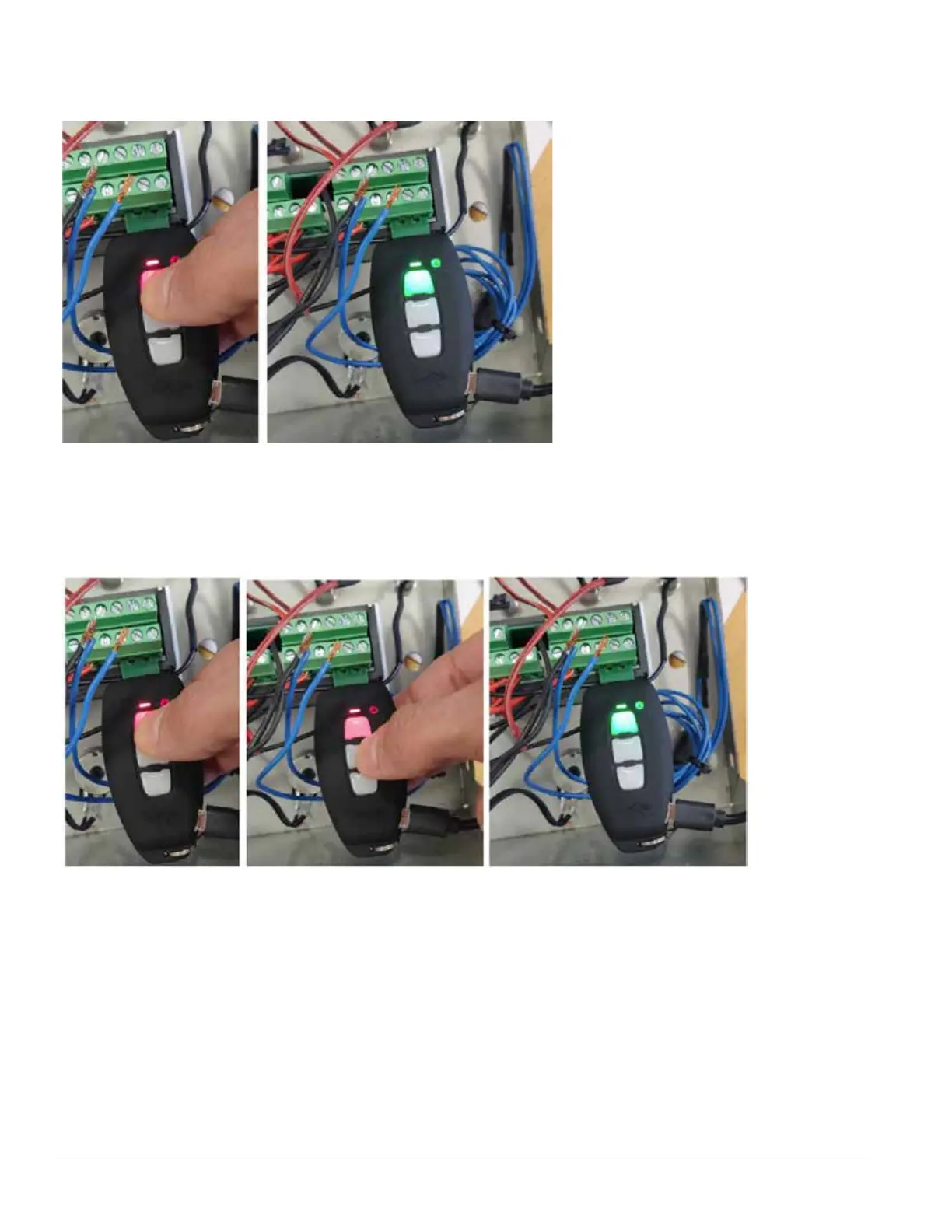
3. Once the programming-key is plugged, press and release the Copy-key button. The Signal leds will start
ashing red for few seconds then they’ll turn rmly into green if the programming has been correctly
accomplished.
4. If the programming fails, the signal leds will turn rmly red instead of green. In this case, repeat the
procedure making sure that the programming key is correctly inserted into the controller terminal blocks.
Copy the parameters from the controller to the programming key
1. After the above steps. 1&2: Press and hold the Copy-key button until the signal leds light rmly red, then
press the Enter key: he Signal leds will start ashing red for few seconds then they’ll turn rmly into green
if the programming has been correctly accomplished.
2. If the programming fails, the signal leds will turn rmly red instead of green. In this case, repeat the
procedure making sure that the programming key is correctly inserted into the controller terminal blocks.


 To Next Page