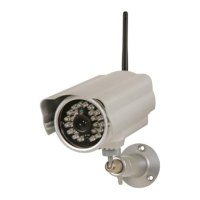
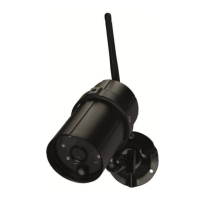
CAMIP21
V . 01 – 04/02/2015 13 ©V elleman nv
Have you los t your admin pas sword? Hold the res et button on the c amera
pres s ed for 5 s econds to res tore the pas sword to the default 1 2 3456 code.
Note that all s ettings will be res tored to factory settings and you will need
to rec onfigure your CAMIP21 camera.
E-Mail Alert
Y our C AMIP21 c amera s upports motion detection with e-mail alert function. T he e-mail alert func tion will
send a warning e-mail to the us er’s ac count.
A fter motion detec tion, the s ys tem will
begin rec ording
send a notification message (only when the push notific ation func tion is enabled) to your mobile
devic e
send an e-mail (only when the e-mail alert function is enabled) to alert you.
By default, the sys tem has been limited to send out an e -mail alert every
15 minutes to prevent overloading your e-mail account.
Time Zone
C hoos e your time zone from the drop-down lis t.
Daylight Saving Time
A ctivate this func tion to allow the s ys tem to enable the daylight saving time.
Device Security Code
T he Device Security Code is a s pecific c ode to access your CAMIP21 camera. Default password is 123456.
C hange this password into a personal password.
Have you los t your password? H old the reset button on the c amera pres sed
for 5 s ec onds to res tore the pas sword to the default 123456 c ode. Note
that all settings will be res tored to factory settings and you will need to
rec onfigure your C AMIP21 c amera.
7.9 Video Settings
Video Quality
Selec ting a better video image will allow you to view high-resolution images. Better s treaming will allow
the video to run more s moothly.
Environment Mode
T his function allows you to s elect the power line frequency. T his frequency varies depending on the
geographic location. A wrong frequenc y may caus e the image to flicker.
Low Light Enhancement
Selec t the desired light mode for better night vision.
7.10 Wifi Settings
C lic k the M anage Wifi N etwork button to allow the s ys tem to s c an for the nearby network. T he available
Wifi routers will appear in the drop-down lis t. C hoose the appropriate router and enter the router
pass word if nec essary. Due to security c oncerns, it is s uggested to use the WP A/WPA2/WPA2-PSK
protocol.


 To Next Page