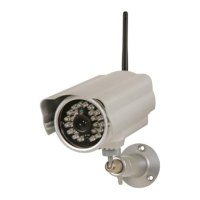
CAMIP21
V . 01 – 04/02/2015 15 ©V elleman nv
7.14 Profile Settings
T his function allows you to s ave personalized camera settings, so they can be c opied easily to other
cameras in the c ircuit.
However, available func tions will be limited to time zone, video s ettings, sensitivity s ettings, e-mail
settings, overwrite settings.
7.15 Device Information
General information about the CAMIP21 c amera.
8. Troubleshooting
The app cannot find the CAMIP21 camera.
o Make sure your network supports the DHCP protocol.
o Make sure the c amera and your mobile device are c onnected to the same Wifi router .
o Make sure to activate the router.
o Make sure the c amera is powered and s witched on.
o Use the A dd C amera func tion to manually add the camera.
The Wifi router is not shown in the list.
o Enable the SSI D broadcasting func tion in the Wifi router. C onsult the user manual of the
router.
o C hange the wireles s security protocol of your Wifi router into WP A /WPA2/WPA2-PSK. For
security reasons, the WE P protocol is not s uggested for s ome router.
No image.
o Make sure the c amera is powered and s witched on.
o Reloc ate the c amera to obtain the bes t wireless rec eption.
o Make sure your C AMIP21 camera is properly configured.
o Make sure your mobile device is c onnected properly to 3G/4G/Wifi.
Low signal/poor image quality.
o Wireless devices such as wireless s tereo systems may cause interference. Leave as mu ch s pace
as possible between the CAMIP21 camera and other wireless devices.
o C lean the camera lens. Spots or dust on the lens reduc e the image quality.
The motion detection function does not work properly.
o Make sure to s elect the correct sensitivity s etting.
The app does not record video clips.
o Make sure to ins ert the SD card c orrectly.
o Make sure to enable the motion detection func tion.
o Format the SD card prior to first use.
o Use a C lass 10 memory c ard.
The e-mail alert function does not work.
o Makes sure to enable the e-mail alert func tion.
o We suggest using a properly c onfigured gmail account.
The night vision images are maculated with bright white spots.
o The IR LEDs may reflect off s urfaces such as glass. I nstall your CAMIP21 camera in such way
to improve the night vision.
Memory card error.
o Make sure the memory c ard is c orrectly inserted and formatted.
o Use a C lass 10 memory c ard for bes t res ults.
Wrong time and date display.
o Select the c orrect time zone.


 To Next Page