48
PHTM II
Installation, Operating & Service Instructions
110331-01 - 5/20
15 Start-Up and Checkout (continued)
8. Boiler should attempt to fire several seconds after
a call for heat appears. With front door removed,
try for ignition will appear as an audible spark
(lasting approximately 4 seconds).
9. Upon initial start-up, gas train will be filled with
air. Even if gas line has been completely purged
of air, it may take several tries for ignition before a
flame is established.
10. If boiler does not light after 2 tries for ignition, it
will enter a "soft lockout" and will wait for one hour
before attempting another ignition sequence. This
soft lockout can be reset by interrupting power to
boiler.
11. Once a flame has been established for first time,
subsequent calls for burner operation should
result in a flame on first try.
12. If there is a problem that appears before first try
for ignition, or if boiler fails to light after 2 tries for
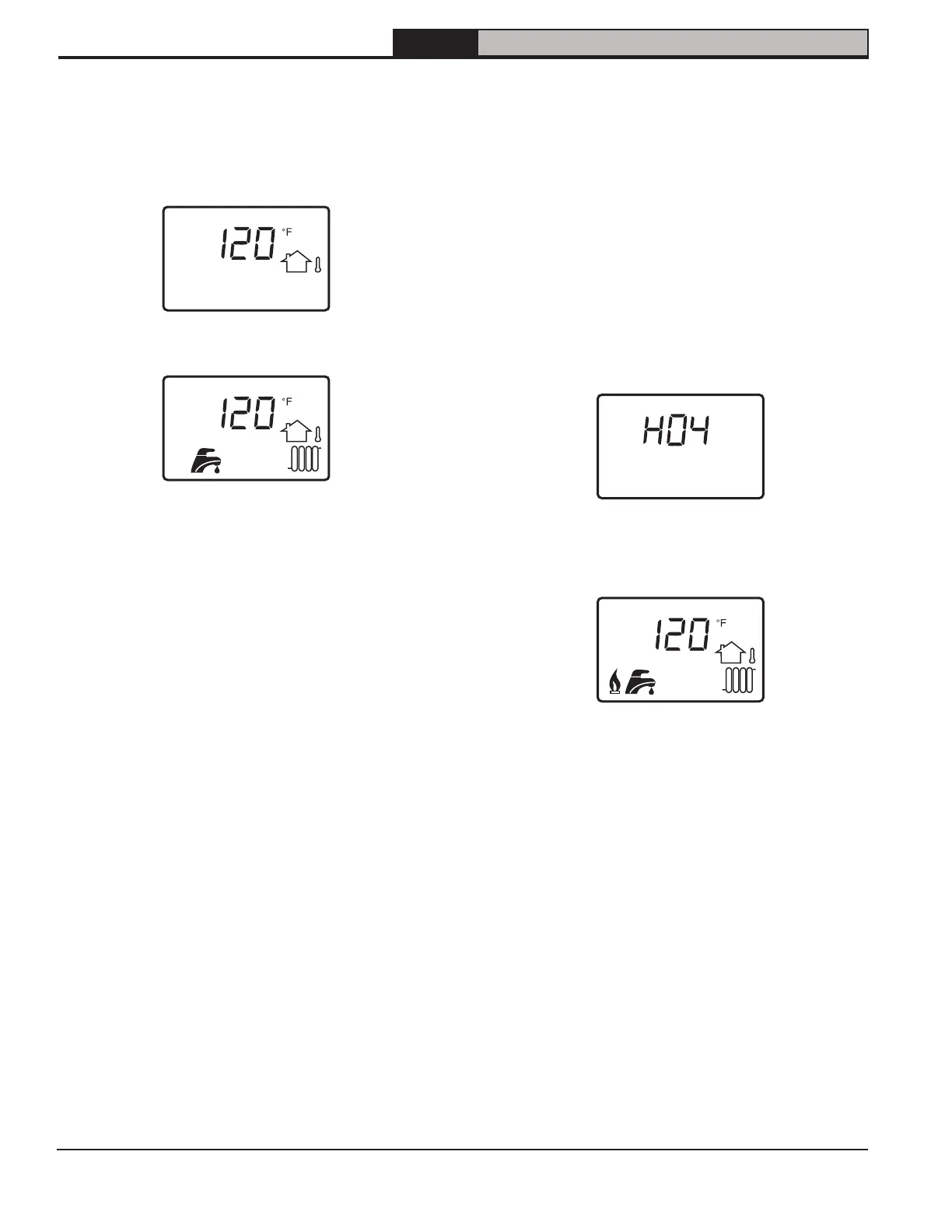
ignition, display will show error code (Figure 15-
6). Refer to label on access door and Section 19
troubleshooting to diagnose error.
Figure 15-6: Home screen with error
13. If successful ignition, display will show flame icon
(Figure 15-7)
Figure 15-7: Home Screen While Running
14. Boiler will automatically perform a calibration to
properly set its air-fuel ratio (i.e. 0
2
or CO
2
and CO
levels).
Figure 15-4:Home screen at power up
(no call for heat)
Figure 15-5: Home screen with CH and DHW
demands
7. Start boiler using lighting instructions in Figure
15-9. With boiler powered up, and with no call for
heat, display should look like Figure 15-4. Once a
call for heat is present, it will look like Figure 15-5.


 To Next Page