52
PHTM II
Installation, Operating & Service Instructions
110331-01 - 5/20
16 Operation
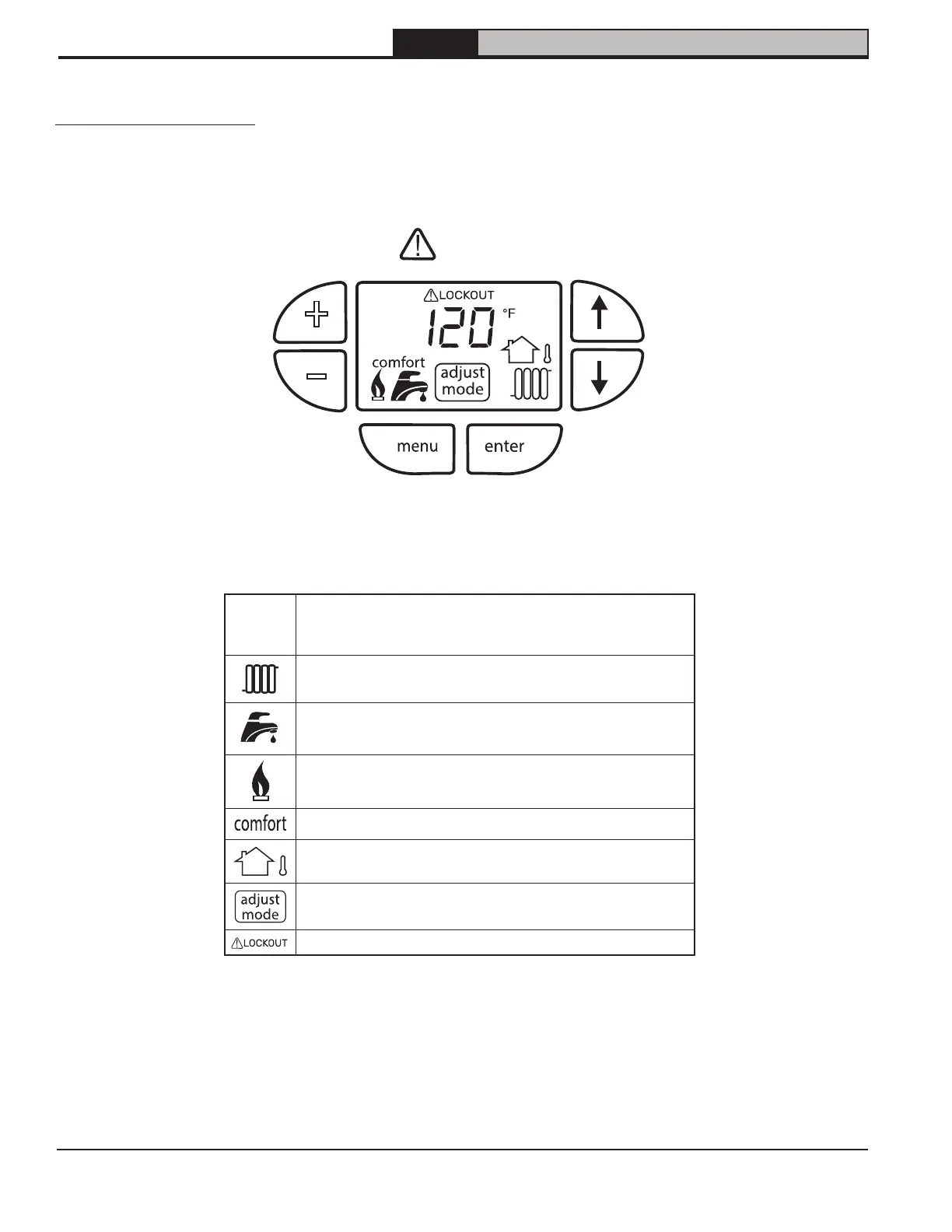
Figure 16-1: Display Icons
120°F
When not flashing or alternating display temperature is:
• DHW outlet temperature during DHW priority.
• Boiler supply temperature at all other times.
Visible when CH demand is present.
Visible when DHW heating demand is present. Icon will
flash if DHW setpoint is being adjusted.
Visible when burner is firing. Icon adjacent to active
priority.
Visible when DHW Comfort Mode is selected.
Visible when CH setpoint reset is enabled.
Visible when adjust mode is active. Icon will flash if
manual mode is enabled.
Visible when manual reset lockout is active.
User Display Overview
+
–
reset!
Table 16-2: Display descriptions


 To Next Page