28
7. MANAGING THE CHARGER
FROM THE VELTIUM APP
7.4 LOGS
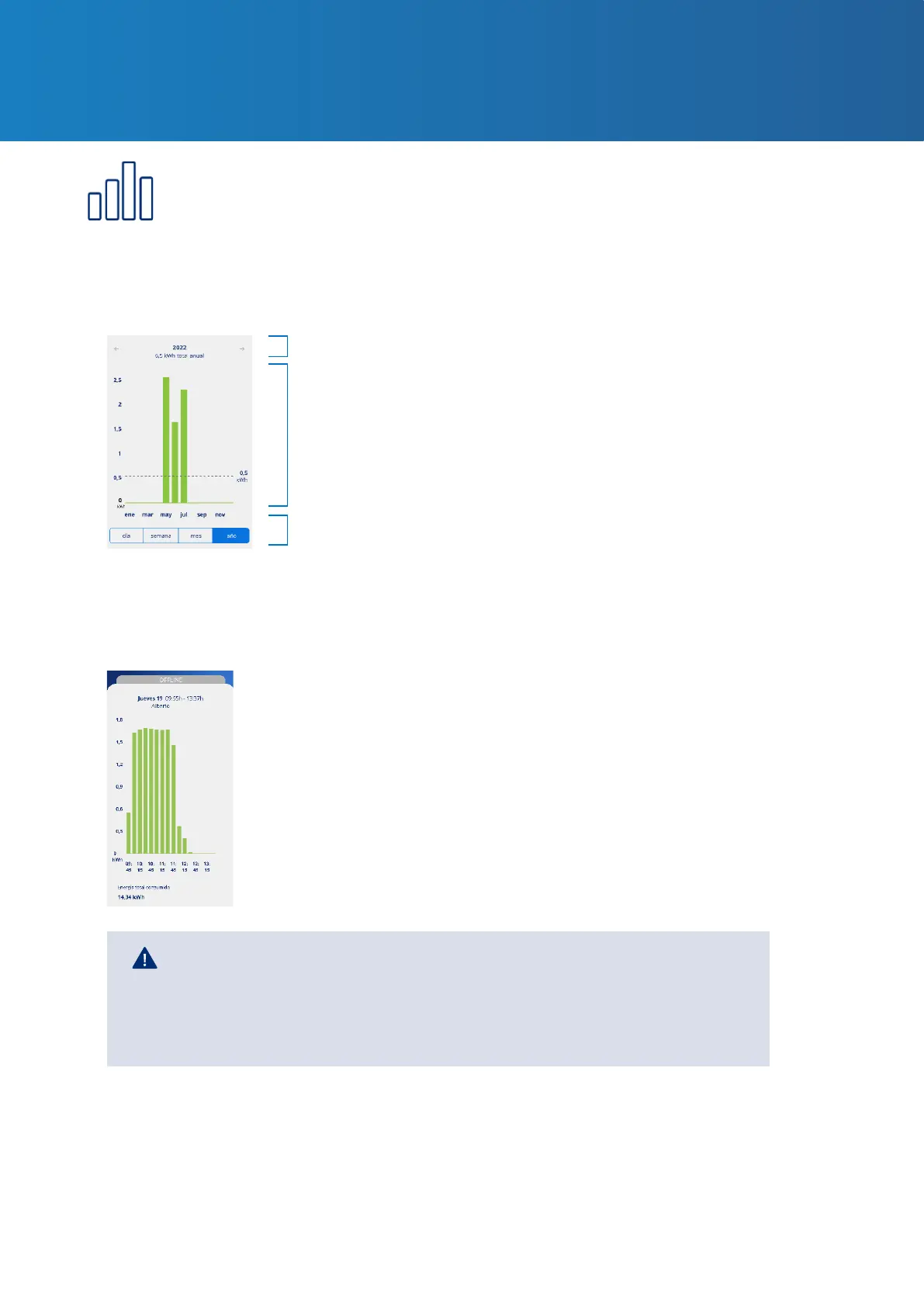
Consult all of the information on charges made in bar chart or list form. To change from one
viewing mode to the other, press the See list and See bar chart one after the other.
1. BAR CHART SHOWING INFORMATION FOR A PERIOD
Period of time and accumulated consumption in kWh. Scroll
sideways for earlier or later periods.
Select the period of time for which you want to see the
information in bar chart format.
Bar chart showing consumption for a specic period
broken down into: months representing the year, days
representing the month or week, and hours representing
the day. Average consumption for the period is also
displayed.
• Charge start date and time.
• Charge end date and time.
• Energy consumed by the vehicle while charging (in kWh).
• The user who made the charge
2. LIST SHOWING INFORMATION FOR A PERIOD
The list of charges made includes a log of every charge with the following information:
If the Lock control is in Free mode, the charges made WILL NOT BE
ASSOCIATED to a specic user.
If the Lock control is set to Proximity or Manual, the charges WILL BE
ASSOCIATED to the user who unlocked the charger and made the charge.
Remember that the information on charges won’t appear in the App until they
have been completed, i.e. when the car is unplugged from the charger. The start
and end times of a charge process are the times when the vehicle is connected to
and disconnected from the charger.
In addition, by pressing on a specic charge you can obtain a graphic display of its
consumption in kWh for every 15 minutes, and of the user who made the charge.



 To Next Page